Open any tokenizer's vocabulary and we will find strange entries near the top: [CLS], [SEP], [PAD], [UNK]. They are not words. Nobody writes them. Yet without them, a Transformer cannot do its job.
These are special tokens. In simple words, they are control tokens. They carry instructions rather than meaning, a little like punctuation marks that only the model can read. In this blog, we will learn what each one does and why a model needs it. Let's meet them one by one.
Why a Model Needs Fake Words
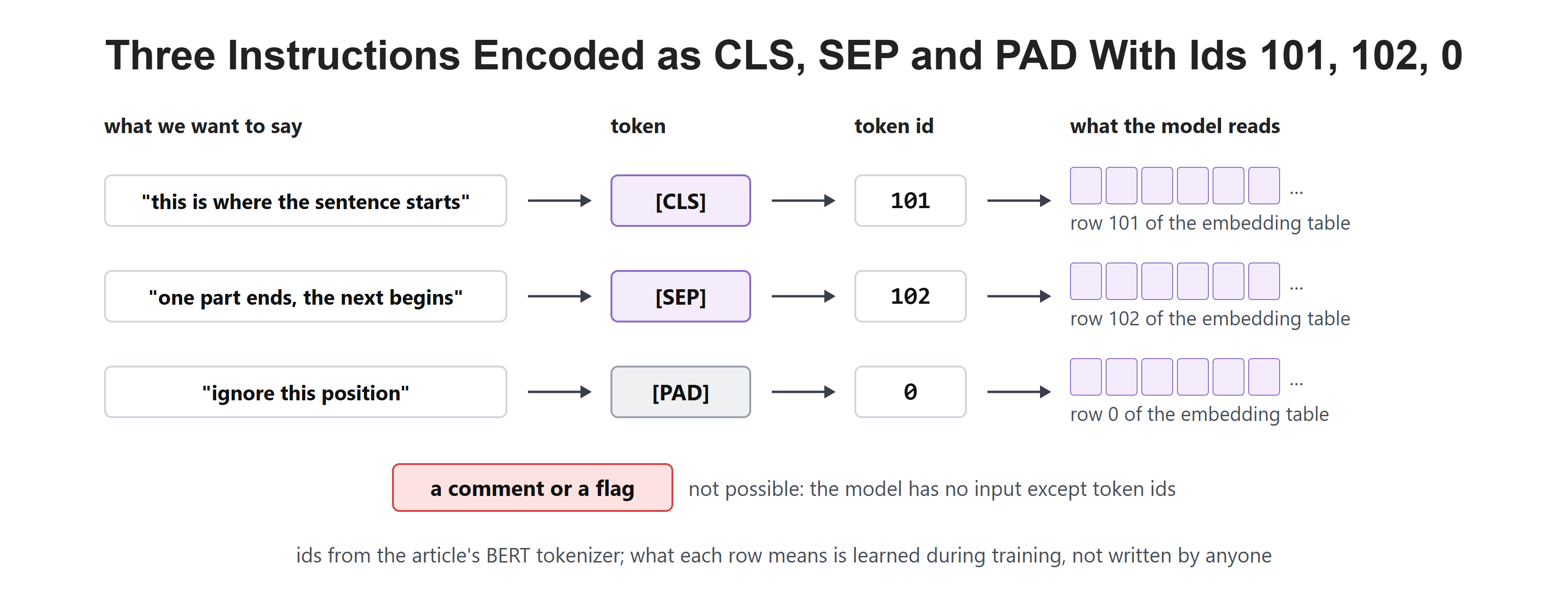
A Transformer only ever sees numbers. Every instruction we want to give it has to arrive as a token ID, because that is the only channel it has.
So when we want to say "this is where the sentence starts", or "ignore this position", we cannot use a comment or a flag. We invent a token, give it an ID, and let the model learn what it means during training.
[UNK]: The Unknown Token
[UNK] stands for unknown. It is the fallback when the tokenizer meets something it cannot represent at all.
With modern subword tokenizers this is rare. The vocabulary holds most single characters, so an unknown word can still be spelled out piece by piece. Byte-level methods go further and hold all 256 byte values. [UNK] is the last resort, not the normal path.
In the code below, the glyph is one character that BERT's vocabulary does not hold at all, so it becomes [UNK]:
from transformers import AutoTokenizer

tok = AutoTokenizer.from_pretrained("bert-base-uncased")
tok.tokenize("𓂀")     # a glyph outside the vocabulary -> ['[UNK]']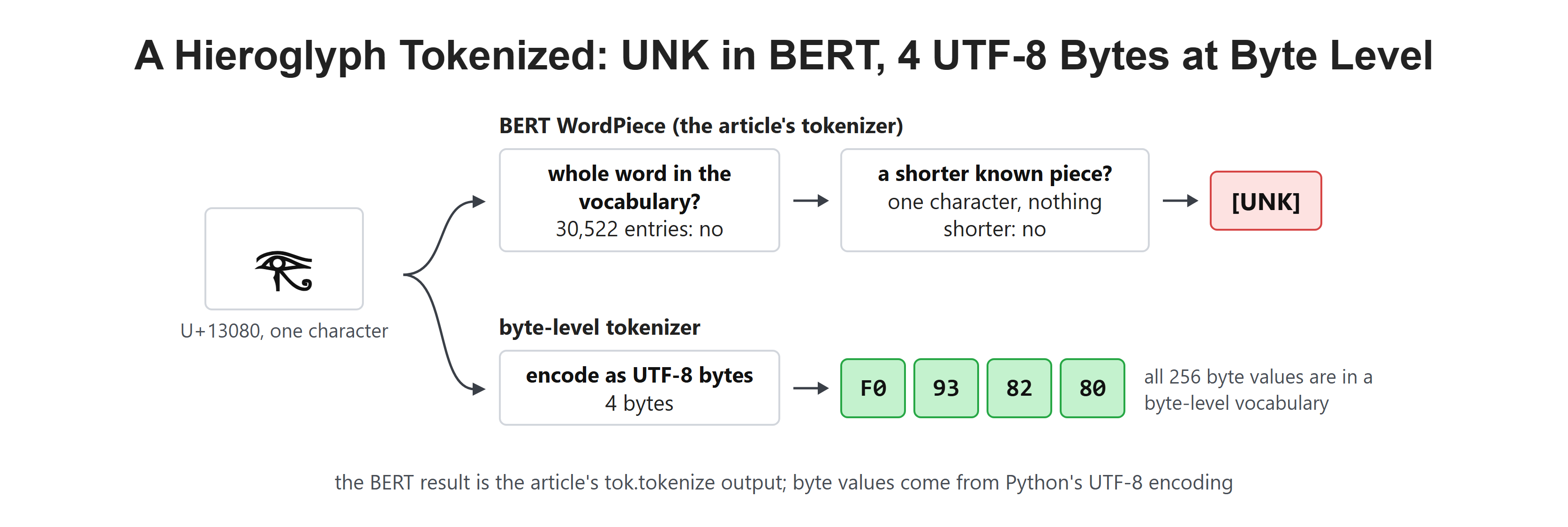
[PAD]: Making Sentences the Same Length
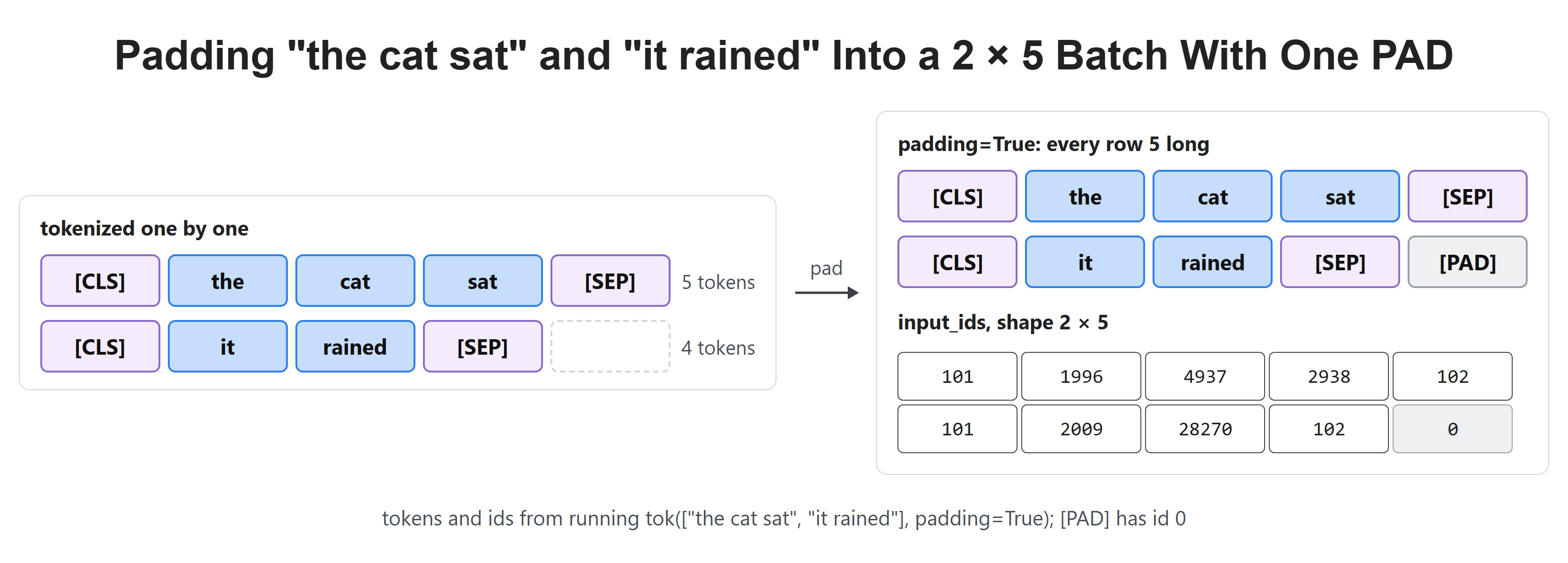
Models process text in batches, and every row in a batch must be the same length. Real sentences are not. So we pad the short ones with a filler token until they match the longest.
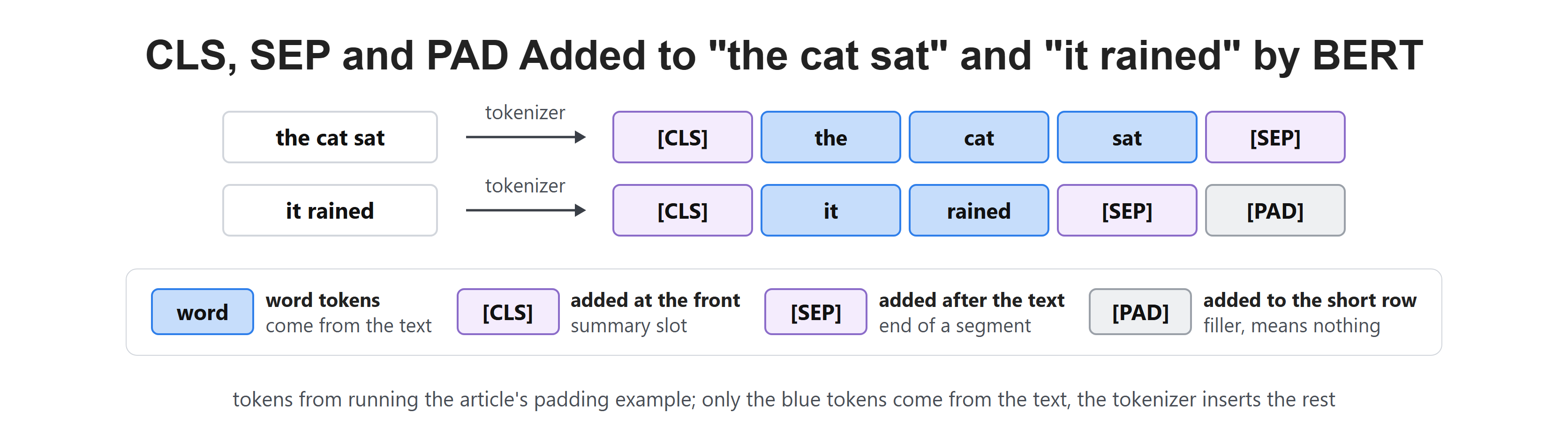
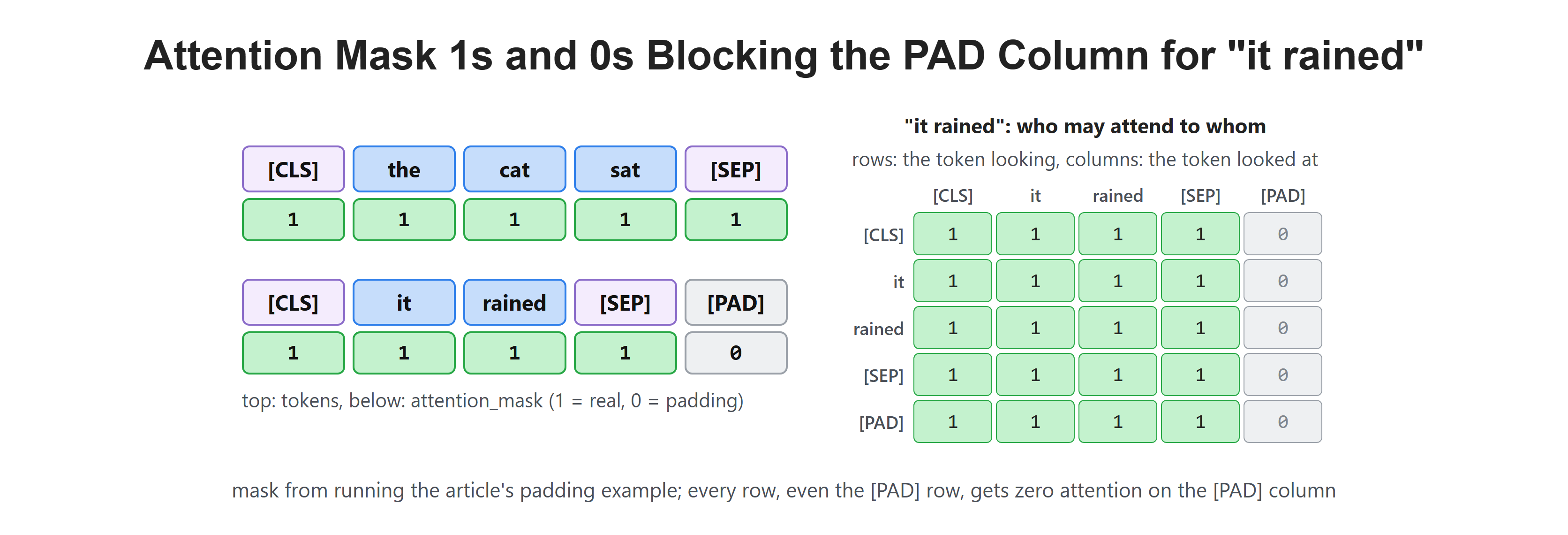
[PAD] carries no meaning. It exists purely to square off the batch. Let's say we batch "the cat sat" and "it rained". With [CLS] and [SEP] added, the first is 5 tokens and the second is 4. So the second row gets one [PAD], which has ID 0 in BERT.
The Attention Mask: Telling the Model to Ignore Padding
Padding creates a new problem. If we add filler tokens, the model might pay attention to them and learn from noise.
The fix is the attention mask, a simple list of ones and zeros that travels alongside the token IDs. One means "this is real, look at it". Zero means "this is padding, ignore it".
For our batch, "the cat sat" becomes [CLS] the cat sat [SEP], five real tokens. "it rained" becomes [CLS] it rained [SEP] [PAD], four real tokens and one pad. So the mask is [[1, 1, 1, 1, 1], [1, 1, 1, 1, 0]], with a single 0 on the one pad. Let's see the code as below:
enc = tok(["the cat sat", "it rained"], padding=True)
enc["attention_mask"]     # [[1, 1, 1, 1, 1], [1, 1, 1, 0, 0]]
Here, we can see that the zero blocks the [PAD] column. Every token in "it rained", even the pad itself, gives zero attention to that position.
[CLS]: The Summary Slot
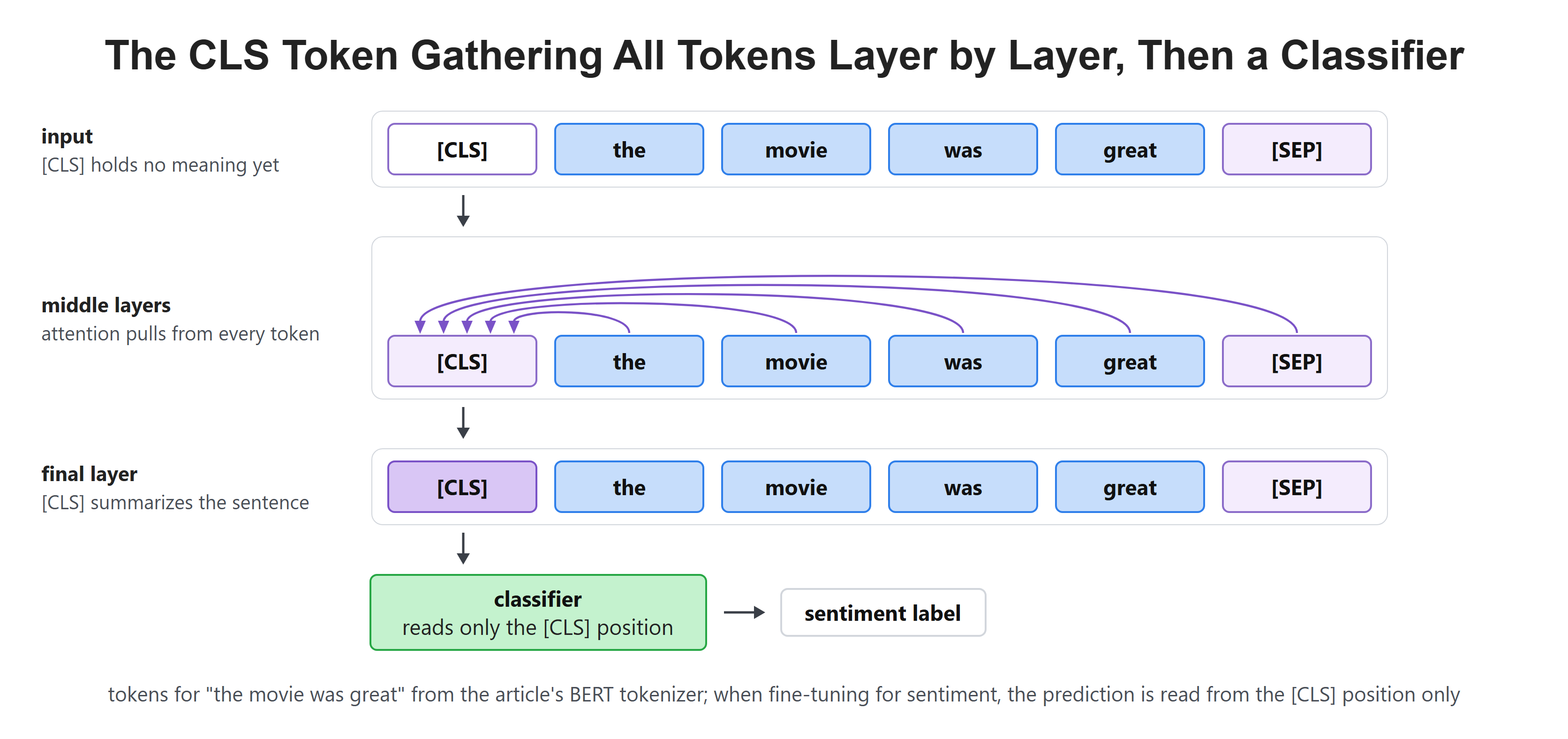
BERT-style models put [CLS] at the very front of every input. It starts as an empty slot with no meaning of its own.
As the model runs, attention lets that slot gather information from every other token. By the final layer it holds a summary of the whole sentence, which is exactly what a classifier needs. When we fine-tune BERT for sentiment, the prediction is read from this one position.
[SEP]: Marking the Boundary
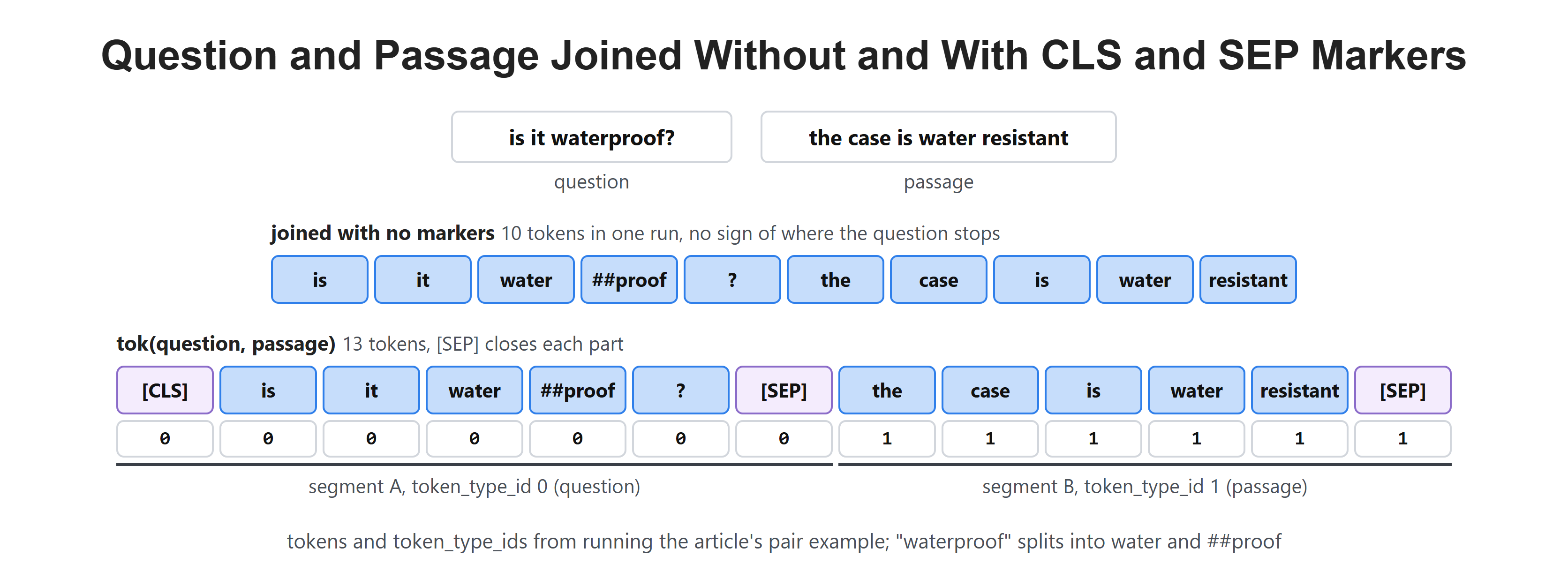
[SEP] marks where one part of the input ends and the next begins. It matters whenever a task involves two pieces of text, like a question and a passage, or two sentences being compared.
Without it, the model would see one long run of words and have no idea where the question stopped and the answer material started. Let's see the code as below:
enc = tok("is it waterproof?", "the case is water resistant")
tok.convert_ids_to_tokens(enc["input_ids"])   # [CLS] ... [SEP] ... [SEP]
Here, we can see that "waterproof?" splits into water, ##proof and ?. Joined with no markers, the pair is 10 tokens in one run. With the markers, it is 13 tokens: [CLS] at the front and a [SEP] closing each part.
[MASK]: The Token That Trains BERT
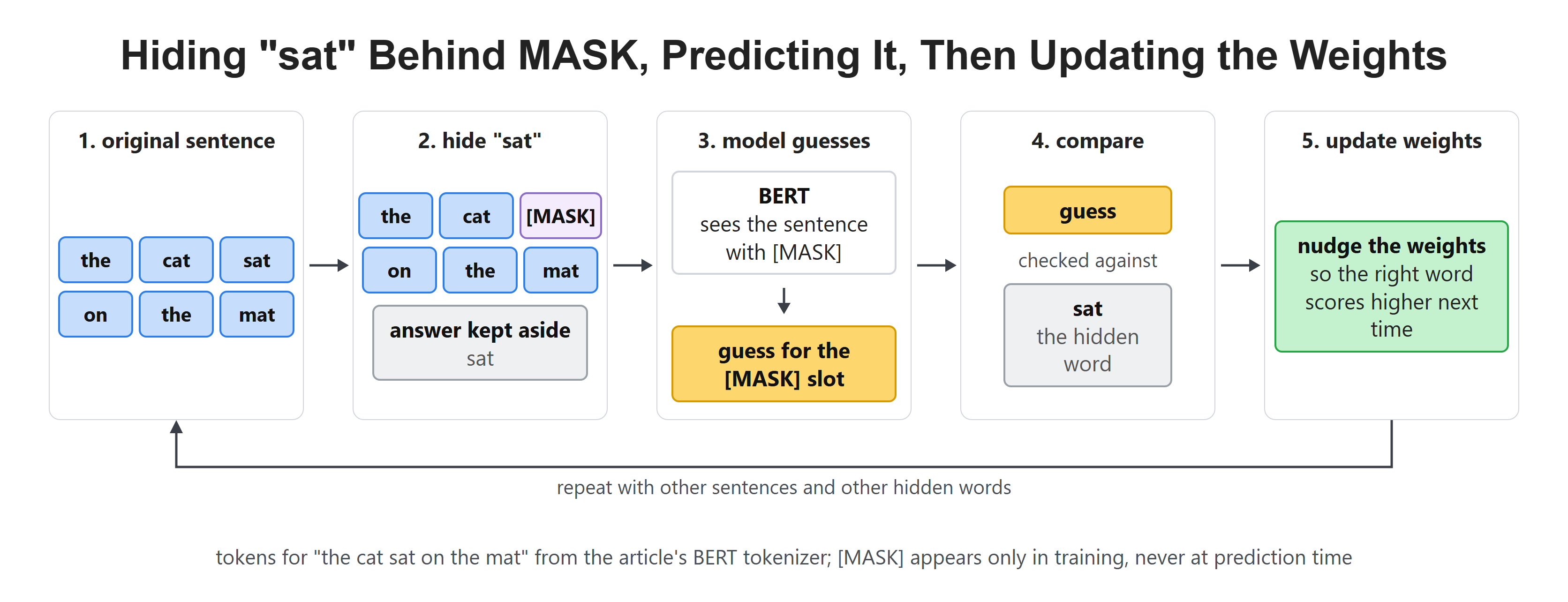
[MASK] is the token behind BERT's training trick. During training, some words are hidden and replaced with [MASK], and the model must guess what was there.
That single game is how BERT learns language. It never sees [MASK] at prediction time in normal use; it is a training-only device.
BOS and EOS: Start and Stop
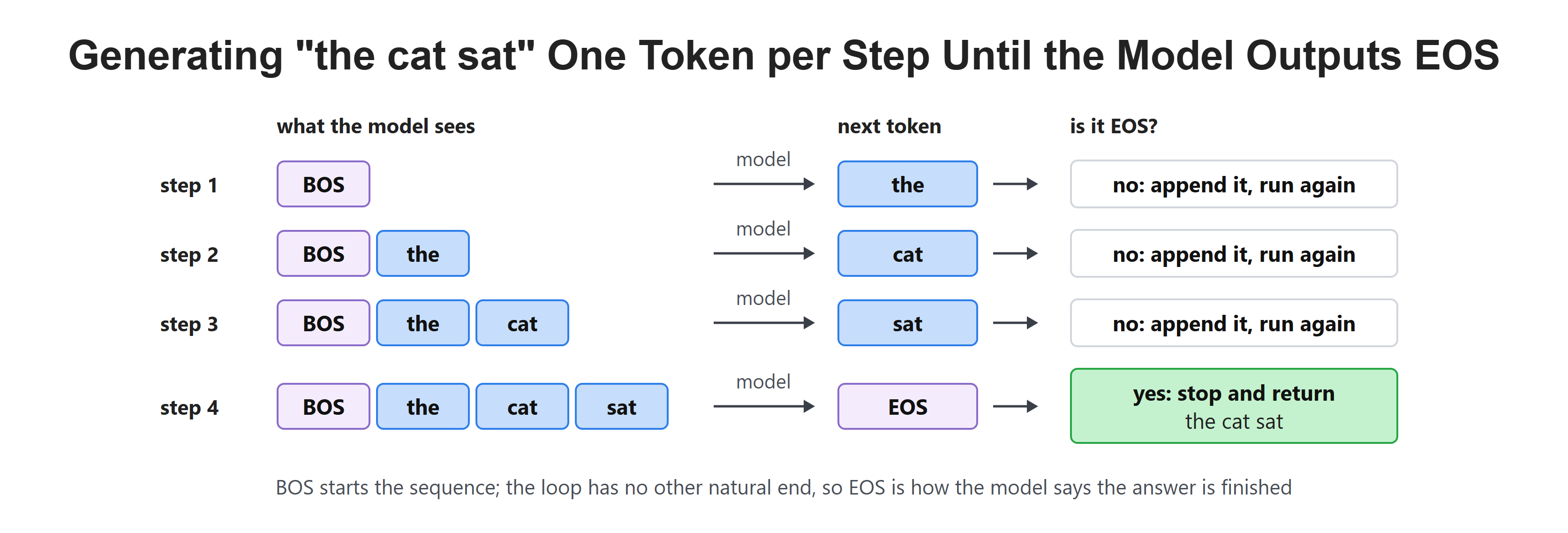
Generative models like GPT need two more markers. BOS means beginning of sequence, the signal to start. EOS means end of sequence, the signal to stop.
EOS is the important one at generation time. The model generates one token at a time, and it keeps going until it produces EOS. That token is how a model decides an answer is finished.
Let me tabulate them for your better understanding.
| Token | Job | Where it appears |
|---|---|---|
[UNK] |
Text the tokenizer cannot represent | Rare, last resort only |
[PAD] |
Filler so a batch is rectangular | End of short sequences |
[CLS] |
Summary slot for the whole input | Front of BERT inputs |
[SEP] |
Boundary between two parts | Between and after segments |
[MASK] |
Hidden word the model must guess | Training only |
| BOS | Start of generation | Front of generated text |
| EOS | Stop generating here | End of generated text |
Where the Special Tokens Live
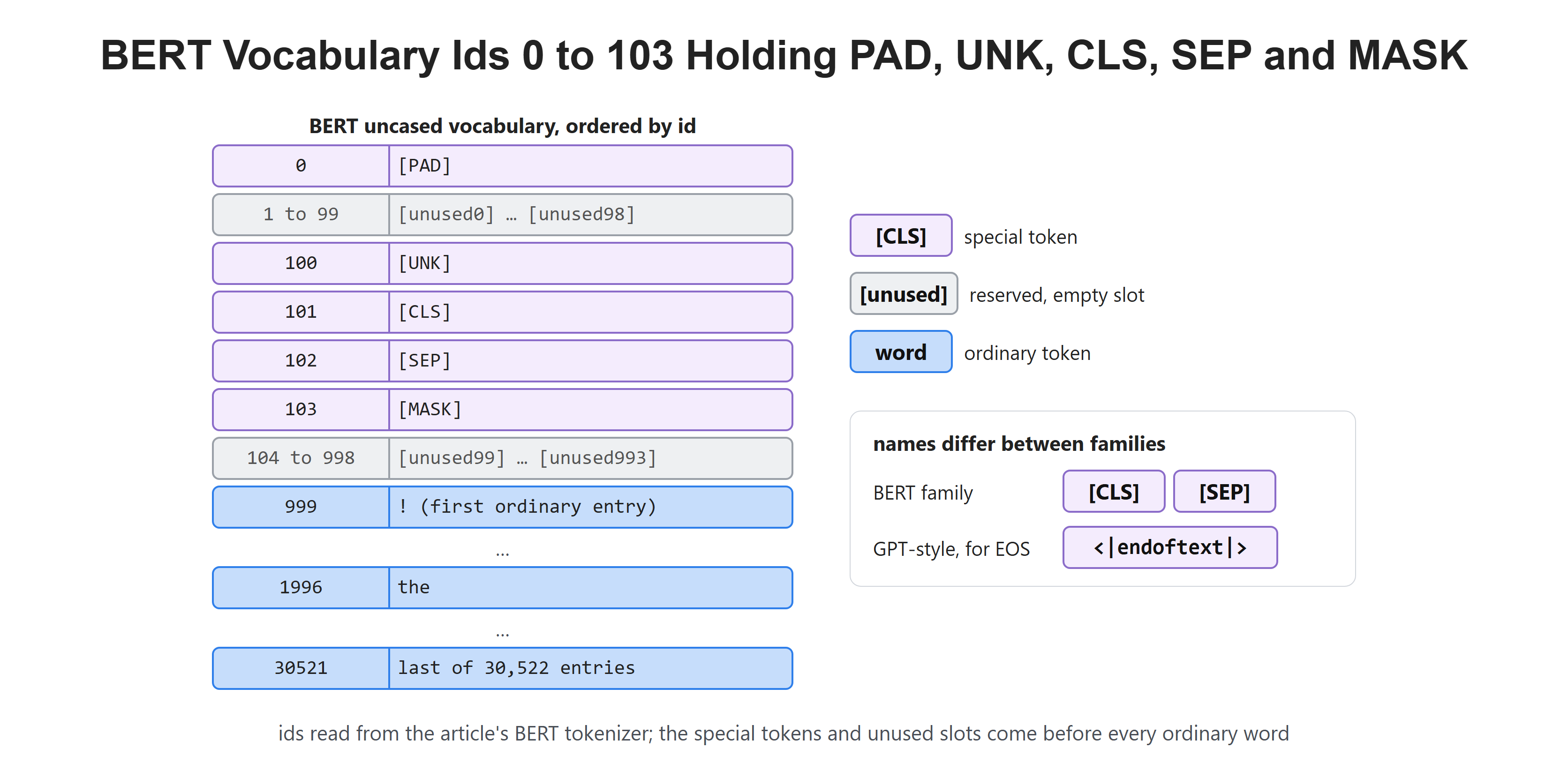
Each special token is a whole string such as [CLS], yet the tokenizer treats it as a single token with a single ID. In BERT, these tokens sit near the start of the vocabulary. [PAD] has ID 0 and [UNK] has ID 100. [CLS], [SEP] and [MASK] take IDs 101, 102 and 103.
The other low IDs are reserved [unused] slots, which fill 1 to 99 and 104 to 998. The first ordinary token, "!", sits at ID 999. So every special token comes before every ordinary word. That layout is a convention, not a rule, but it makes them easy to find and easy to reserve.
Different families use different names for the same ideas. BERT uses [CLS] and [SEP]. GPT-style models often use <|endoftext|> for EOS. The names differ; the jobs do not.
Recap
This is how special tokens work. They are not words. They are instructions delivered through the only channel a model has, its token IDs.
[UNK] catches text the tokenizer cannot represent. [PAD] squares off a batch, and the attention mask tells the model to ignore that padding. [CLS] gathers a summary of the whole sentence for classification, [SEP] marks a boundary between two inputs, and [MASK] powers BERT's fill-in-the-blank training. BOS and EOS start and stop generation.
In the next article, we look at the trade-off hiding behind every tokenizer. A bigger vocabulary means shorter sequences, but it also costs memory. That tension shapes how models are designed.