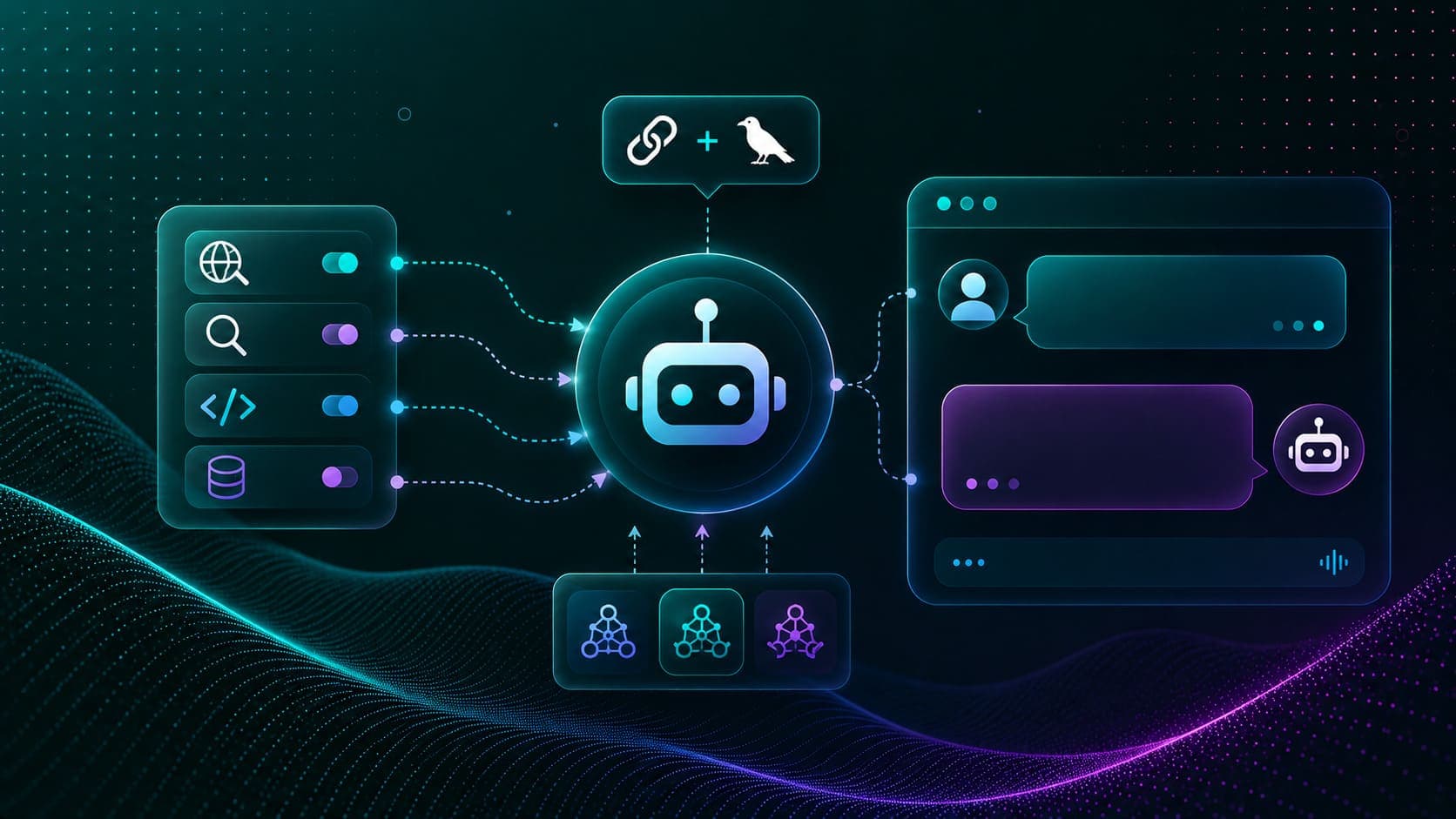
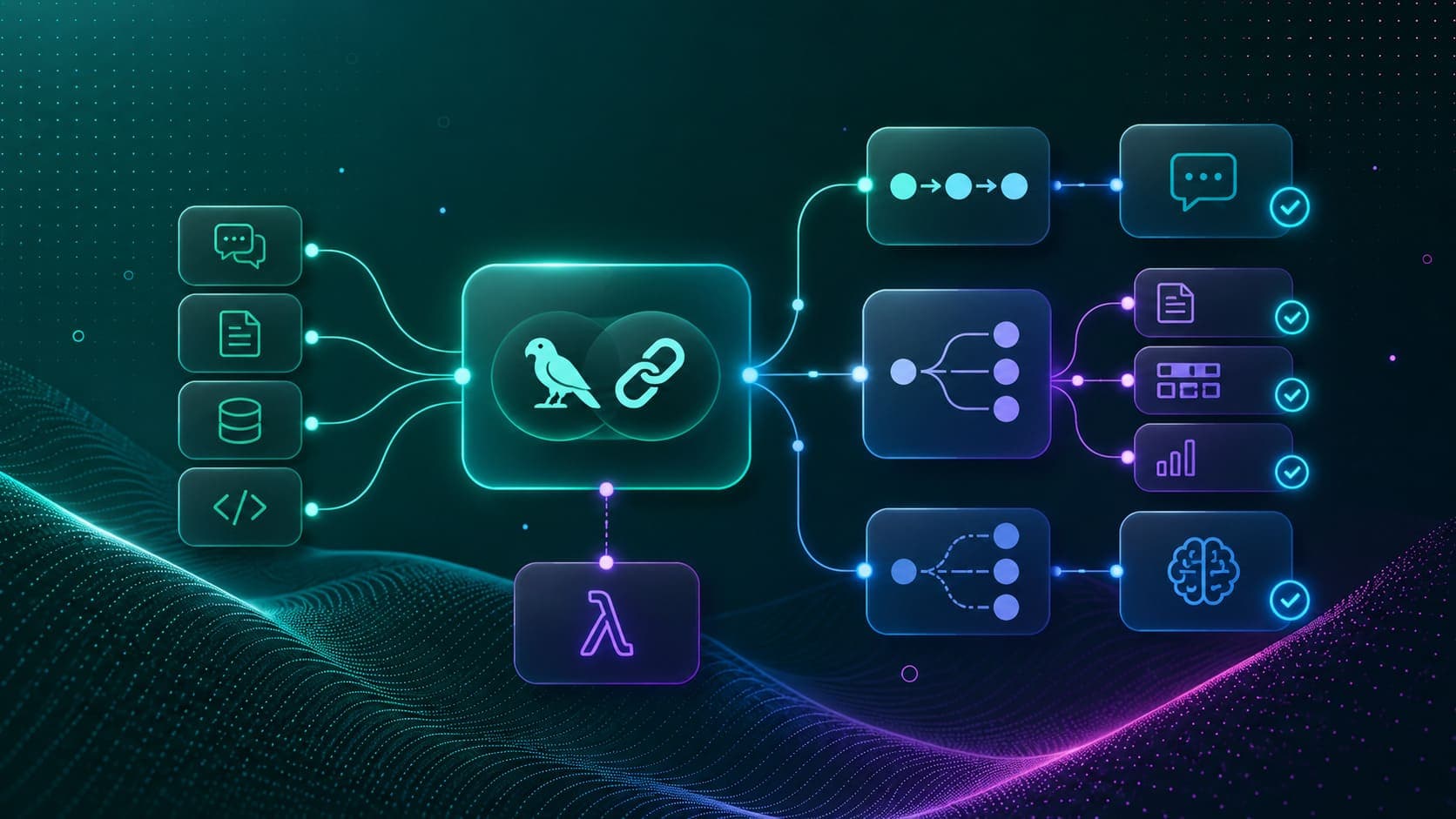
Tool calling (also called function calling) is the mechanism that makes agents possible. In simple words, instead of writing a plain text answer, the LLM can emit a structured tool call: which function to run, and with what arguments. Our code runs the function, adds the result to the conversation, and the LLM writes a final answer grounded in the tool's output.
Not all LLMs support tool calling. The ones that do get a .bind_tools() method in LangChain, which registers the tool schemas with the model. When the model receives a query, it decides on its own whether to call a tool or answer directly. LangChain v1 builds its create_agent on this exact pattern, and we cover it in the next lesson.
Prerequisites: langchain-core, langchain-community, langchain-ollama, ddgs, wikipedia, xmltodict, python-dotenv installed. Ollama running with qwen3. A Tavily API key in .env (optional, shown as an example even when unauthorized).
Setup
from dotenv import load_dotenv
load_dotenv()Truefrom langchain_ollama import ChatOllama
from langchain_core.output_parsers import StrOutputParser
from langchain_core.runnables import RunnablePassthrough
from langchain_core.prompts import ChatPromptTemplate
llm = ChatOllama(model='qwen3', base_url='http://localhost:11434')
llm.invoke('hi')AIMessage(content='Hello! How can I assist you today? 😊', ...)How Do We Create Custom Tools?
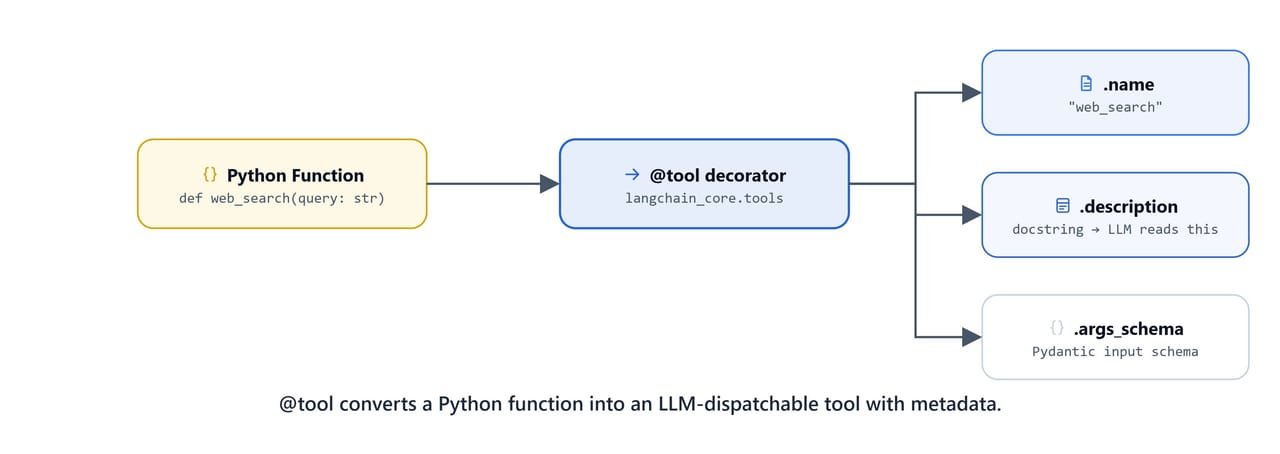
@tool converts a plain Python function into an LLM-dispatchable tool, complete with metadata.
Defining Tools with @tool
The @tool decorator from langchain_core.tools turns a regular Python function into a LangChain StructuredTool. The docstring is the most important part: the LLM reads it to understand when and how to call the tool. The Args: section in the docstring tells the model the name and type of each parameter:
from langchain_core.tools import tool

@tool
def add(a, b):
    """
    Add two integer numbers together

    Args:
    a: First Integer
    b: Second Integer
    """
    return a + b

@tool
def multiply(a, b):
    """
    Multiply two integer numbers together

    Args:
    a: First Integer
    b: Second Integer
    """
    return a * b
Inspecting Tool Metadata
Every @tool function exposes its schema automatically. The LLM uses this schema when deciding whether to call the tool:
add.name, add.description, add.args, add.args_schema.schema()('add', 'Add two integer numbers together\n\nArgs:\na: First Integer\nb: Second Integer', {'a': {'title': 'A'}, 'b': {'title': 'B'}}, {'description': 'Add two integer numbers together\n\nArgs:\na: First Integer\nb: Second Integer', 'properties': {'a': {'title': 'A'}, 'b': {'title': 'B'}}, 'required': ['a', 'b'], 'title': 'add', 'type': 'object'})Invoking Tools Directly
We can call a tool directly with .invoke() and a dict of arguments. This is useful for testing:
add.invoke({'a': 1, 'b': 2})3multiply.invoke({'a': 67, 'b': 2})134How Do We Bind Tools to an LLM?
bind_tools() registers the tool schemas with the model. The model will then emit structured tool call objects instead of plain text when it decides a tool is needed:
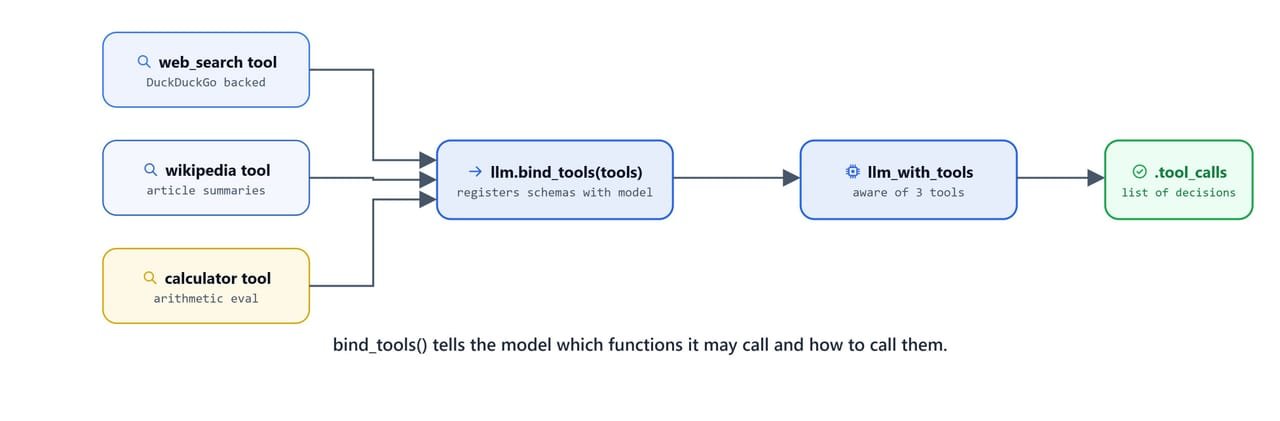
bind_tools() tells the model which functions it may call and exactly how to call them.
tools = [add, multiply]
llm_with_tools = llm.bind_tools(tools)
Single Tool Call
question = "what is 1 plus 2?"
llm_with_tools.invoke(question).tool_calls[
{
"name": "add",
"args": {"a": 1, "b": 2},
"id": "849b452a-bc95-483d-ab8f-64731dfc27b5",
"type": "tool_call"
}
]Here, we can see the model picked the add tool and pulled the arguments a=1, b=2 out of our plain English question.
question = "what is 1 multiplied by 2?"
llm_with_tools.invoke(question).tool_calls[
{
"name": "multiply",
"args": {"a": 1, "b": 2},
"id": "a9b0f000-74c6-4f8f-a4bc-e03af39eb114",
"type": "tool_call"
}
]Parallel Tool Calls
When a query requires multiple operations, the model emits multiple tool calls in a single response:
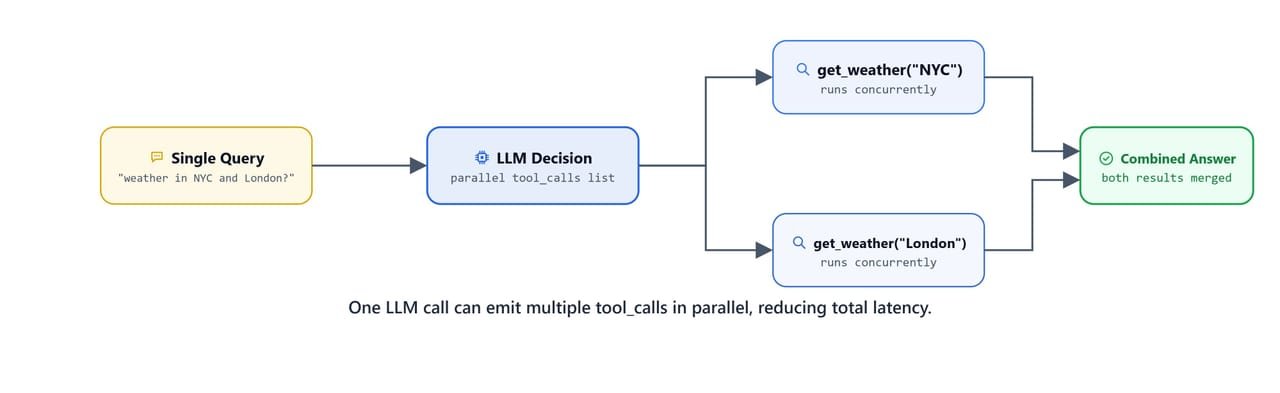
One LLM call can emit multiple tool_calls in parallel, reducing total latency.
question = "what is 1 multiplied by 2, also what is 11 plus 22?"
llm_with_tools.invoke(question).tool_calls[
{
"name": "multiply",
"args": {"a": 1, "b": 2},
"id": "e06e4516-6c6e-4e45-af21-ca2ba73700e2",
"type": "tool_call"
},
{
"name": "add",
"args": {"a": 11, "b": 22},
"id": "bbe9dabc-8824-4760-a031-d7a10d1c0b05",
"type": "tool_call"
}
]Both tools are called in a single LLM response. The model planned both operations in one go.
Which Built-in Tools Can We Use?
LangChain comes with many ready-made tools in langchain-community. We install the extras with:
pip install -qU ddgs wikipedia xmltodict tavily-pythonReference: https://python.langchain.com/docs/integrations/tools/
DuckDuckGo Search
DuckDuckGoSearchRun is a free, no-API-key web search tool:
from langchain_community.tools import DuckDuckGoSearchRun

search = DuckDuckGoSearchRun()
search.invoke("What is today's stock market news?")'tradingwire.com has been visited by 10K+ users in the past month... Find the latest stock market news from every corner of the globe at Reuters.com... Get the latest stock market news and breaking stories from the world\'s best finance and investing websites.'Tavily Search
TavilySearchResults is a paid API that provides structured search results with raw content. Requires a TAVILY_API_KEY in .env:
from langchain_community.tools import TavilySearchResults

search = TavilySearchResults(
    max_results=5,
    search_depth="advanced",
    include_answer=True,
    include_raw_content=True,
)
Without a valid API key, the call returns a 401 Unauthorized error. Set TAVILY_API_KEY in your .env file to use it.
Wikipedia Search
WikipediaQueryRun queries Wikipedia for free without an API key:
from langchain_community.tools import WikipediaQueryRun
from langchain_community.utilities import WikipediaAPIWrapper

wikipedia = WikipediaQueryRun(api_wrapper=WikipediaAPIWrapper())

question = "What is LLM?"
print(wikipedia.invoke(question))Page: Large language model
Summary: A large language model (LLM) is a language model trained with self-supervised machine learning on a vast amount of text, designed for natural language processing tasks, especially language generation. The largest and most capable LLMs are generative pre-trained transformers (GPTs) and provide the core capabilities of chatbots such as ChatGPT, Gemini and Claude...
Page: Retrieval-augmented generation
Summary: Retrieval-augmented generation (RAG) is a technique that enables large language models (LLMs) to retrieve and incorporate new information...PubMed Search
PubmedQueryRun queries PubMed's database of 35+ million biomedical citations:
from langchain_community.tools.pubmed.tool import PubmedQueryRun

search = PubmedQueryRun()
print(search.invoke("What is the latest research on COVID-19?"))No good PubMed Result was foundNote
PubMed results depend on network availability and query specificity. Specific disease or drug names yield better results than broad questions.
How Do We Wrap Built-in Tools?
To use the built-in tools in one dispatch loop, we wrap them as @tool functions. This gives every tool the same shape: a name, a description, and an args schema the LLM can reason about:
@tool
def wikipedia_search(query):
    """
    Search wikipedia for general information.

    Args:
    query: The search query
    """
    wikipedia = WikipediaQueryRun(api_wrapper=WikipediaAPIWrapper())
    response = wikipedia.invoke(query)
    return response

@tool
def pubmed_search(query):
    """
    Search pubmed for medical and life sciences queries.

    Args:
    query: The search query
    """
    search = PubmedQueryRun()
    response = search.invoke(query)
    return response

@tool
def tavily_search(query):
    """
    Search the web for realtime and latest information.
    for examples, news, stock market, weather updates etc.

    Args:
    query: The search query
    """
    search = TavilySearchResults(
        max_results=5,
        search_depth="advanced",
        include_answer=True,
        include_raw_content=True,
    )
    response = search.invoke(query)
    return response

@tool
def multiply(a: int, b: int) -> int:
    """
    Multiply two integer numbers together

    Args:
    a: First Integer
    b: Second Integer
    """
    return int(a) * int(b)
Next, we build a lookup dict, so we can find a tool by its name:
tools = [wikipedia_search, pubmed_search, tavily_search, multiply]
list_of_tools = {tool.name: tool for tool in tools}list_of_tools{'wikipedia_search': StructuredTool(name='wikipedia_search', description='Search wikipedia for general information...'), 'pubmed_search': StructuredTool(name='pubmed_search', description='Search pubmed for medical and life sciences queries...'), 'tavily_search': StructuredTool(name='tavily_search', description='Search the web for realtime and latest information...'), 'multiply': StructuredTool(name='multiply', description='Multiply two integer numbers together...')}Now, we bind all four tools to the LLM:
llm_with_tools = llm.bind_tools(tools)Let's test the tool selection:
query = "what is 2 * 3?"
response = llm_with_tools.invoke(query)
print(response.tool_calls)[
{
"name": "multiply",
"args": {"a": 2, "b": 3},
"id": "d8204180-be87-45ac-a52f-4727b4c7c1b4",
"type": "tool_call"
}
]How Do We Get a Final Answer?
The full tool calling loop builds a message history, executes tools, and produces a final grounded answer. The message list grows as: [HumanMessage] → [AIMessage with tool_calls] → [ToolMessage] → [AIMessage final answer].
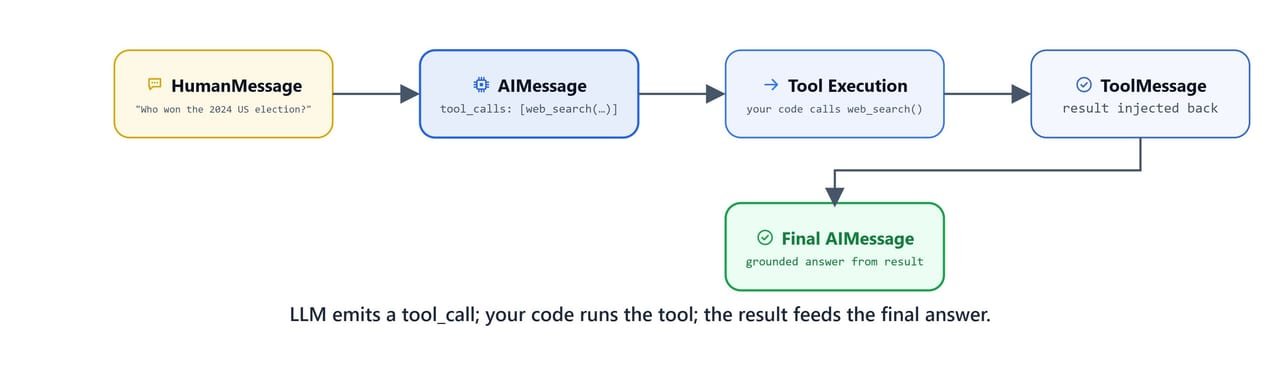
The LLM emits a tool_call; your code runs the tool; the ToolMessage result feeds the final answer.
from langchain_core.messages import HumanMessage, AIMessage

query = "What is medicine for lung cancer?"

# Step 1: Send query to LLM with tools
messages = [HumanMessage(query)]
ai_msg = llm_with_tools.invoke(messages)
messages.append(ai_msg)
The ai_msg contains the tool call the model decided to make. Let's inspect it:
for tool_call in ai_msg.tool_calls:
print(tool_call){
"name": "pubmed_search",
"args": {"query": "medicine for lung cancer"},
"id": "890f5649-891a-4b16-ba96-f0bbd2e21901",
"type": "tool_call"
}Here, we can see the model chose pubmed_search for a medical query. Exactly right.
# Step 2: Execute each tool call and append ToolMessages
for tool_call in ai_msg.tool_calls:
    name = tool_call['name'].lower()
    selected_tool = list_of_tools[name]
    tool_msg = selected_tool.invoke(tool_call)
    messages.append(tool_msg)
The full message history now contains the human query, the AI's tool call decision, and the tool's result:
messages[HumanMessage(content='What is medicine for lung cancer?', ...),
AIMessage(content='', ..., tool_calls=[{'name': 'pubmed_search', 'args': {'query': 'medicine for lung cancer'}, ...}], ...),
ToolMessage(content="Published: 2025-10-21\nTitle: Personalized Surgical Decision-Making Model for Clinical Stage IA Pure-Solid Non-small Cell Lung Cancer...\nBACKGROUND: Making an optimal surgical procedure decision... remains challenging for some early-stage NSCLC...\nRESULTS: After matching, 369 patients...", name='pubmed_search', tool_call_id='890f5649-891a-4b16-ba96-f0bbd2e21901')]# Step 3: Send full message history back to LLM for final synthesis
response = llm_with_tools.invoke(messages)
print(response.content)The article focuses on surgical decision-making for early-stage non-small cell lung cancer (NSCLC):
### Key Points from the Study:
1. **Surgical Options Compared**: Lobar resection vs. sublobar resection
2. **Personalized Model**: A predictive model was developed to help decide which surgery is better using clinical and radiomic data.
3. **Outcomes**:
- **Positive-score group**: Lobar resection was better (lower risk of recurrence).
- **Negative-score group**: Sublobar resection was better (improved recurrence-free survival).
### Regarding "Medicine" for Lung Cancer:
Common treatments include:
- **Chemotherapy** (e.g., platinum-based regimens)
- **Targeted therapies** (e.g., EGFR inhibitors for specific mutations)
- **Immunotherapy** (e.g., PD-1/PD-L1 inhibitors like pembrolizumab)
- **Radiation therapy** (for localized treatment)Here, we can see the final answer built on the PubMed result, extended with the model's general medical knowledge about lung cancer treatments.
When Does the Model Call a Tool?
| Scenario | LLM Behaviour |
|---|---|
| Query matches a tool's docstring | Emits a tool_call with structured args |
| Query requires multiple tools | Emits multiple tool_calls in one response |
| Query has no matching tool | Answers directly from training knowledge |
Medical query + pubmed_search tool |
Routes to PubMed even if general knowledge exists |
General query + wikipedia_search tool |
Routes to Wikipedia for factual grounding |
What You Built
In this lesson, we built the complete tool calling foundation that powers LangChain agents:
- Custom tools:
@tooldecorator turns Python functions into LLM-dispatchable tools with typed schemas - Built-in tools:
DuckDuckGoSearchRun,WikipediaQueryRun,PubmedQueryRun(free);TavilySearchResults(API key) - Tool binding:
llm.bind_tools(tools)registers all schemas with the model - Parallel calling: a single LLM response can trigger multiple tool calls simultaneously
- Message loop: human message → AI tool call decision → tool execution → tool message → final synthesis
This is how tool calling works. We describe our functions, the model decides when to use them, and our code runs them. In the next lesson, create_agent automates this entire loop for us.