Ming-Image-0.1-Design is an open image model from inclusionAI. In simple words, we describe a picture in words, and it draws it, text and all. In our first look at it, it drew posters, slides and short comics on one RTX 5090.
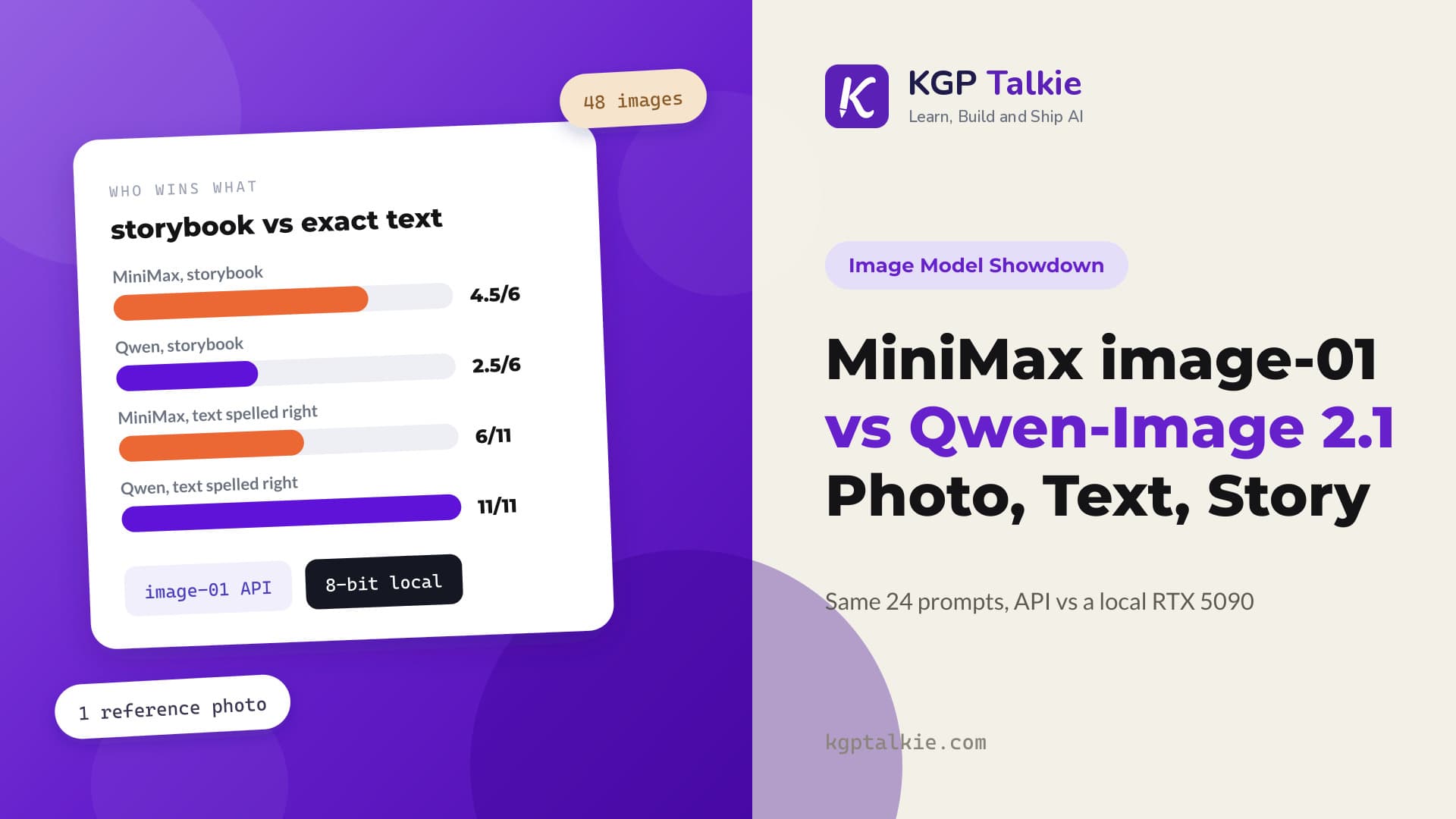
What if we asked it for something harder: a real comic book for kids, with the same family in every panel and every word drawn inside speech balloons? We wrote three physics stories of 16 panels each, starring a grandmother called Nani, two kids called Maya and Leo, and an orange cat called Newton. We gave them to Ming-Image, and then to Qwen-Image 2.1, the model that spelled all 11 lines of text right in our MiniMax comparison.
Here is what we found. Ming-Image draws a panel in 8.05 seconds, twice as fast as Qwen-Image's 16.27 seconds, but it needs more memory. Qwen-Image kept more panels from the first try, 41 of 48 against 39 of 48, and lettered all 93 lines of text right, while Ming-Image got 91. Both models also made one strange mistake: they drew people who were not in the story.
In this blog, we will first see the finished comics. Then we will see the numbers and the stories behind the mistakes, and finally how we set up the test.
What Do the Finished Comics Look Like?
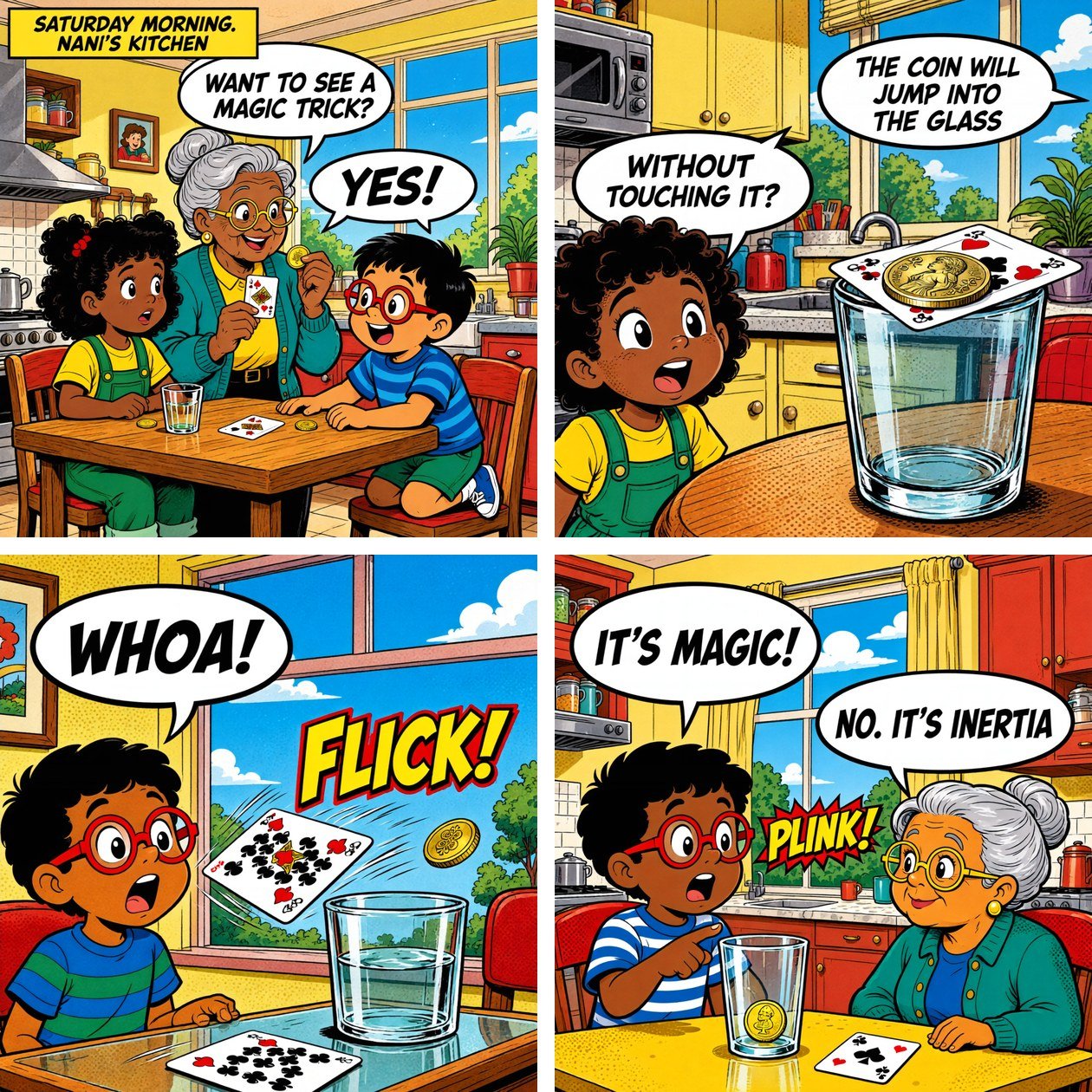
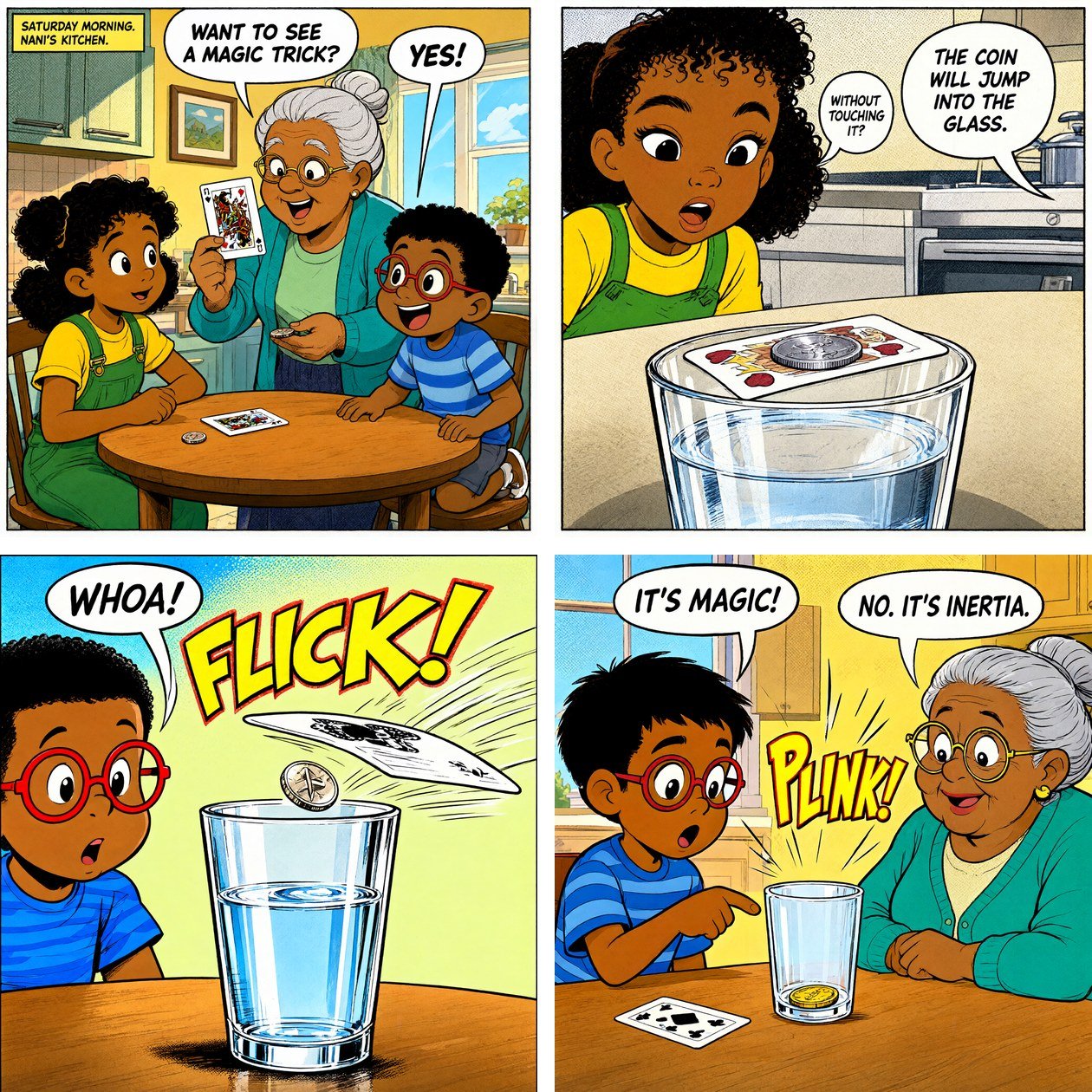
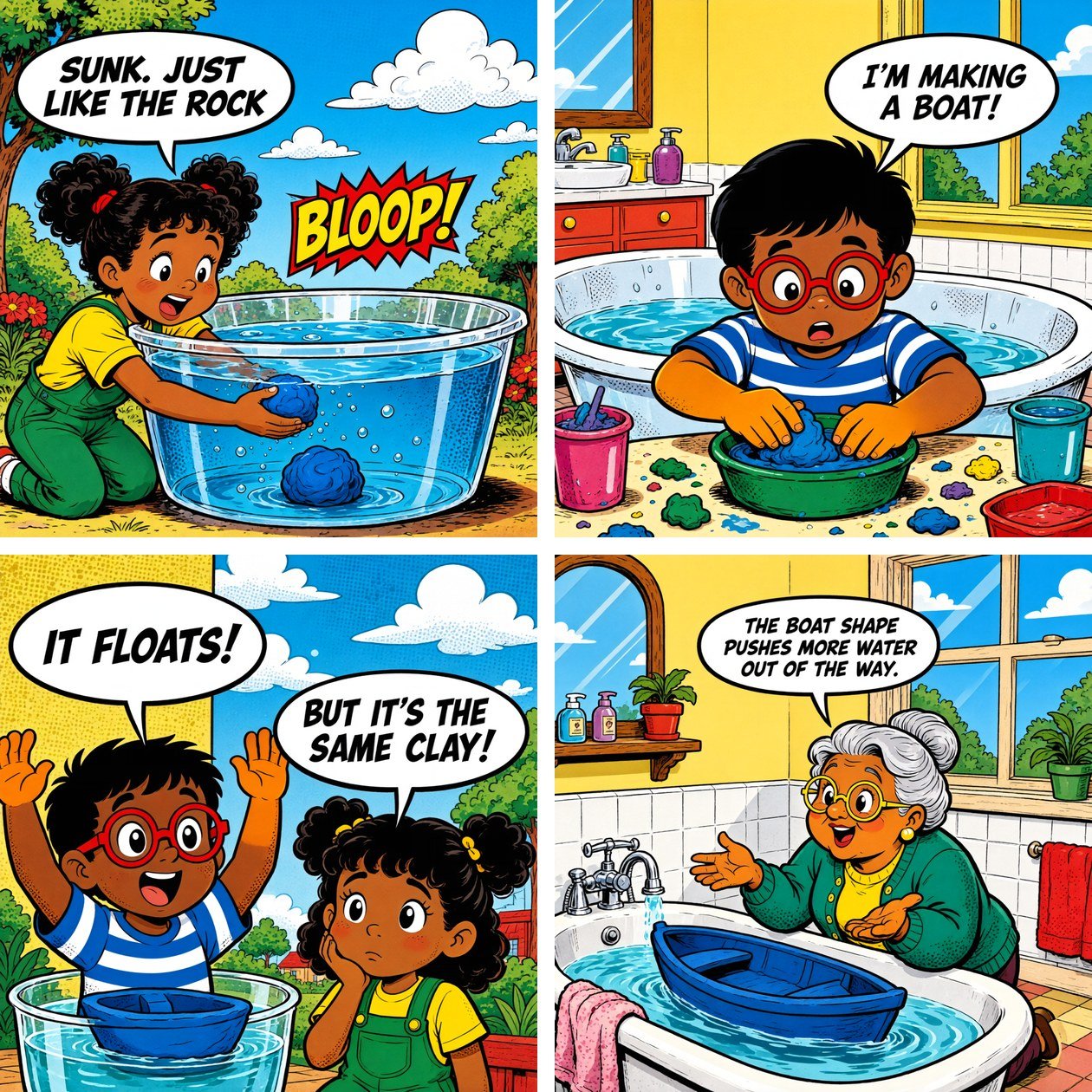
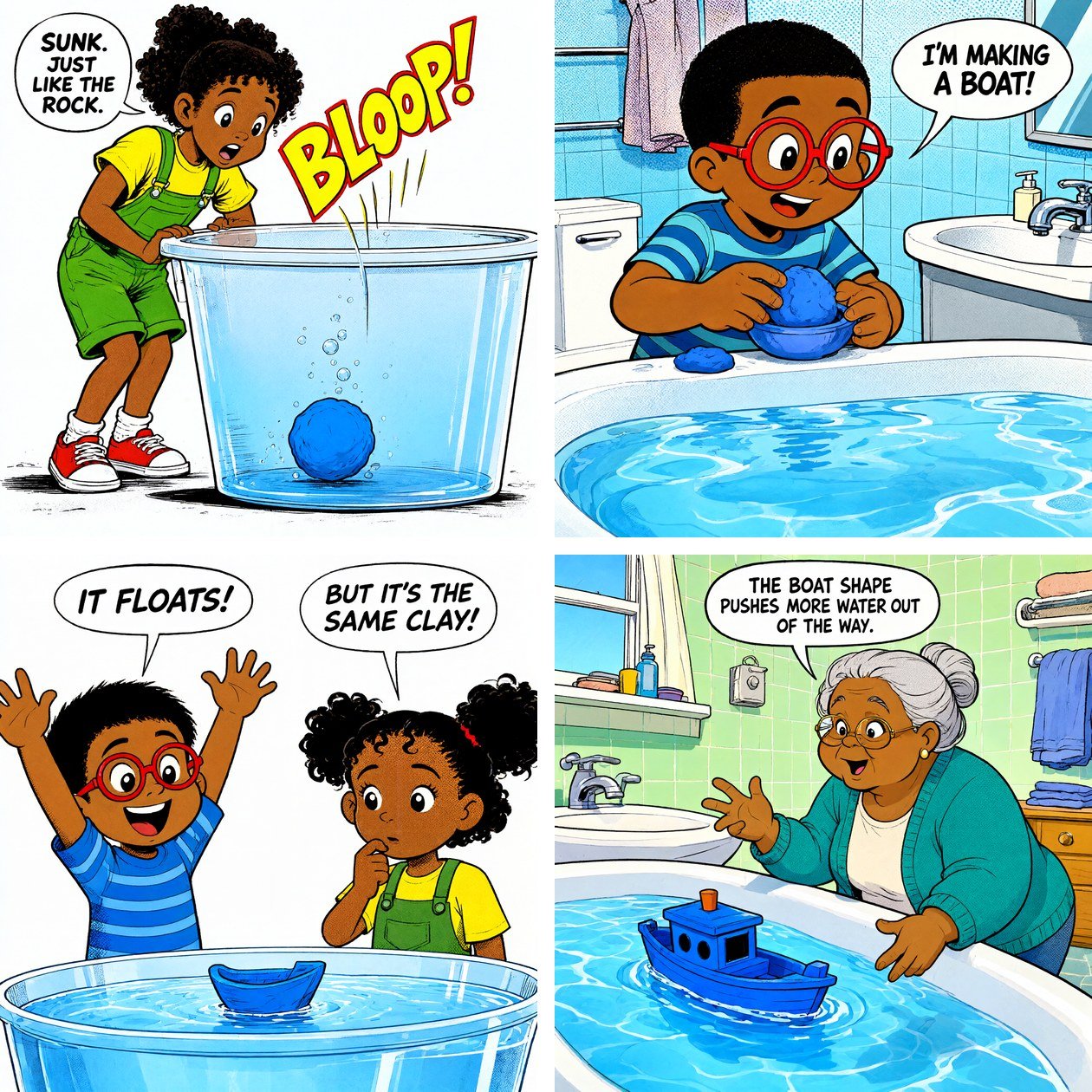
Both models drew all three stories in a clean, bright comic style with easy-to-read balloons. The two styles are different, though. Ming-Image draws heavy ink lines, strong colors and halftone dots, close to a 1980s comic book. Qwen-Image draws lighter lines and softer colors, closer to a modern picture book.
Here are the first four panels of the inertia story, Ming-Image first:
Panels 5 to 8 of the buoyancy story, where a clay ball sinks and the same clay shaped as a boat floats:
And the last four panels of the sound story:
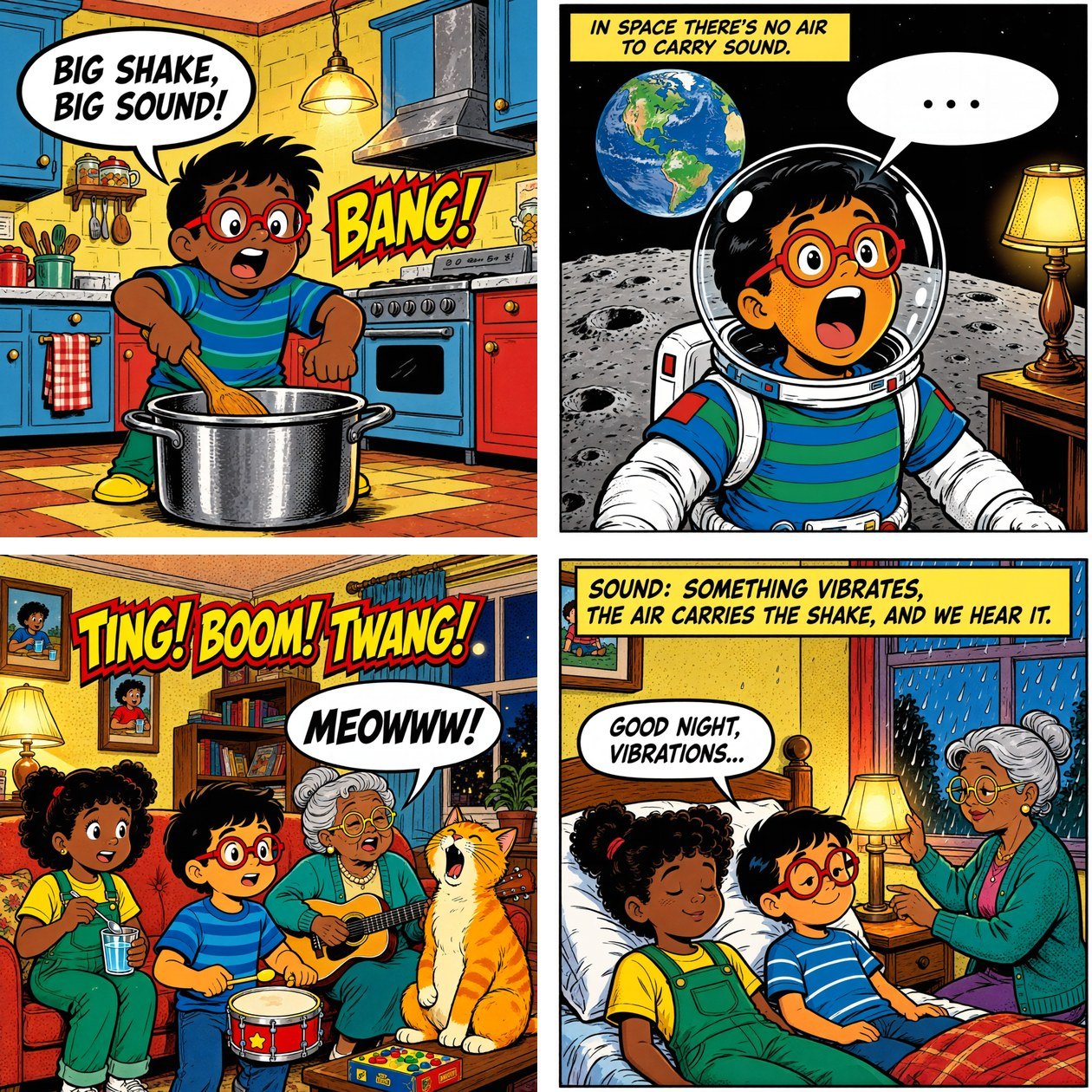
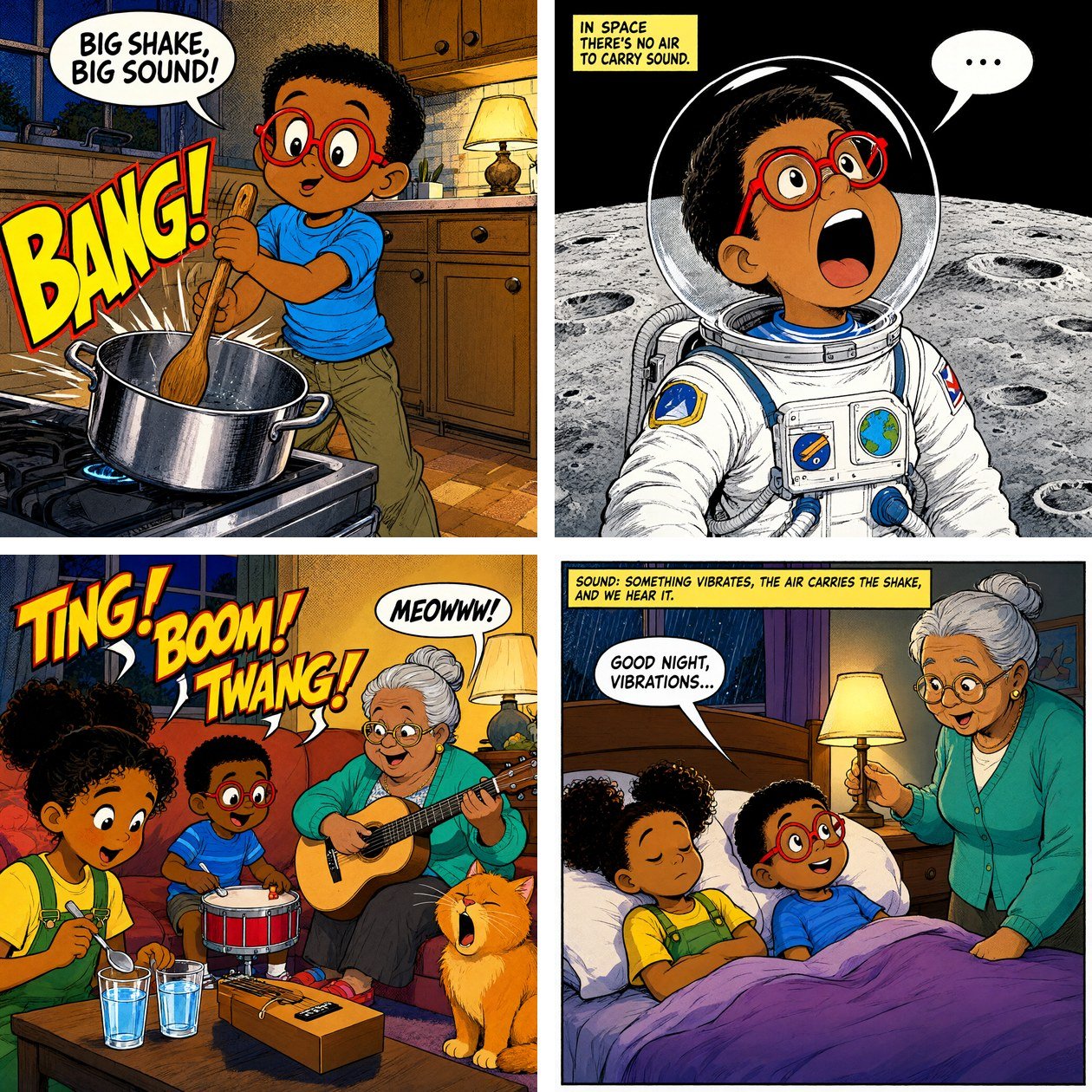
The Same Panel, Side by Side
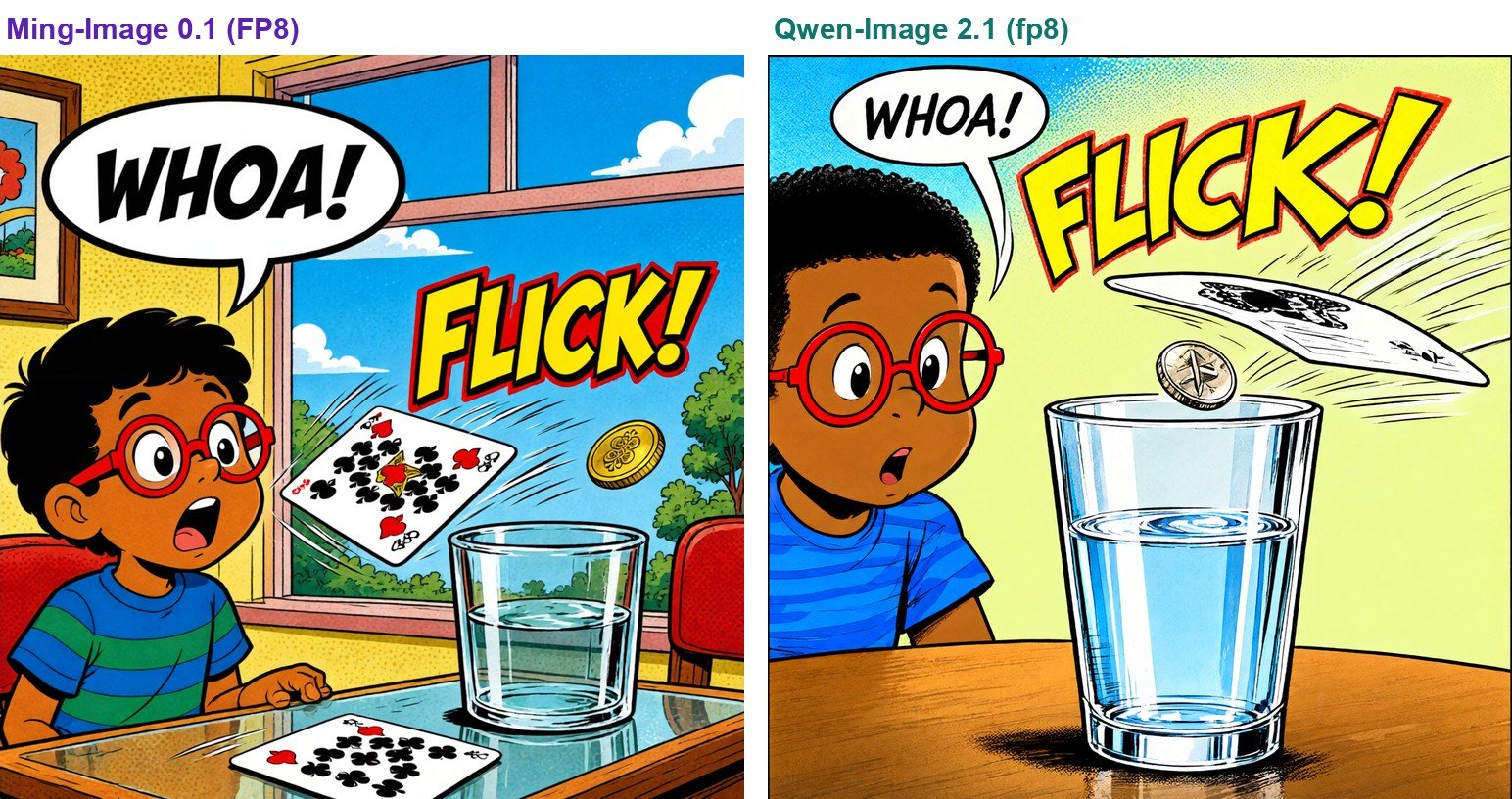
The story said the card "flies sideways off the glass". Ming-Image drew a drinking glass from those words. Qwen-Image's first try read "glass" as a glass tabletop, with no drinking glass at all, so the trick lost its target. We changed Qwen-Image's scene to "a clear drinking glass of water stands on the table", and the next image, shown here, got it right. That sentence went only to Qwen-Image, so the two prompts for this panel are no longer the same.
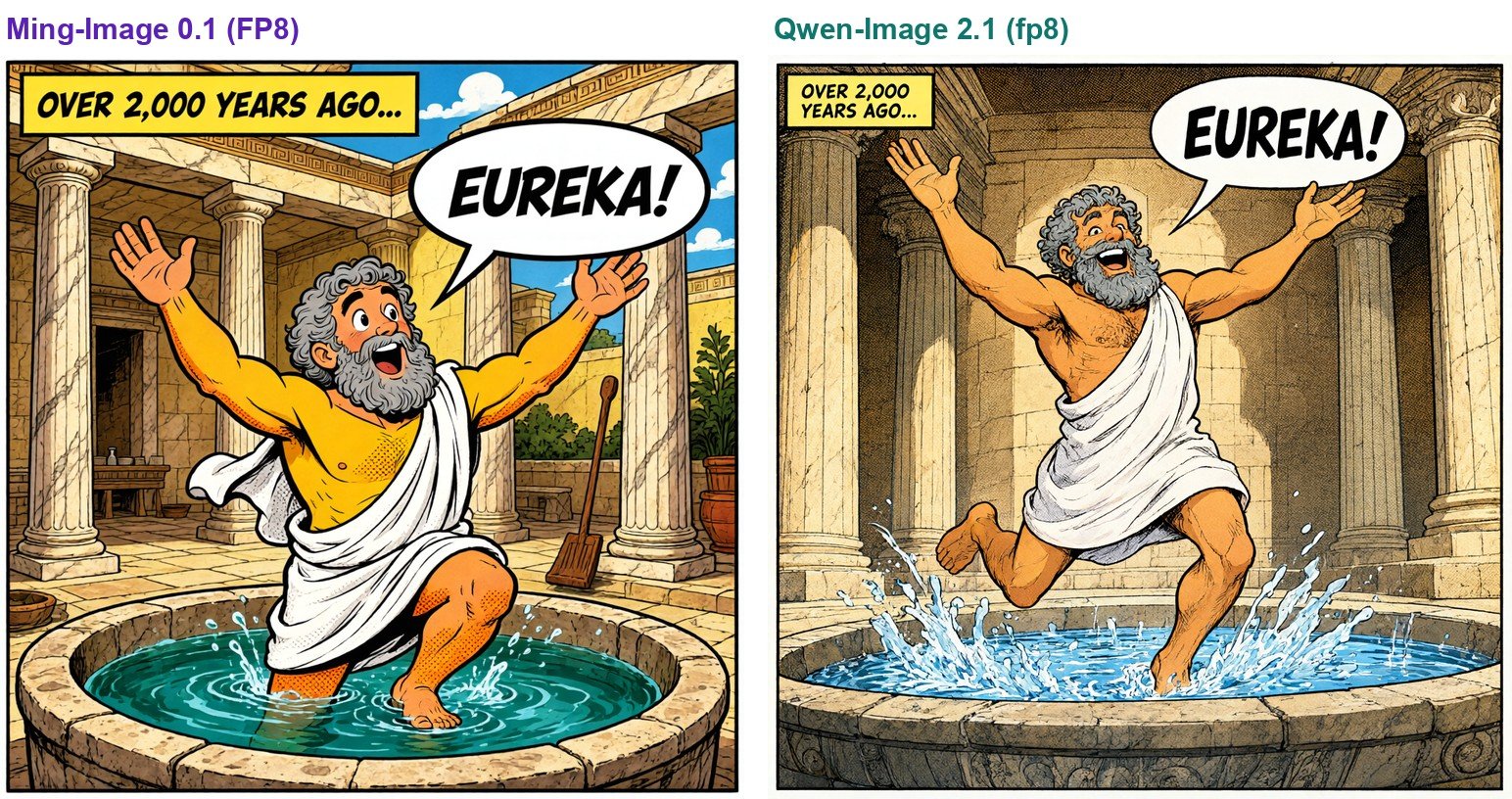
This panel is a flashback, and the prompt asked for warm sepia tones. Qwen-Image's colors are closer to that. Ming-Image drew it in full color with a blue sky.
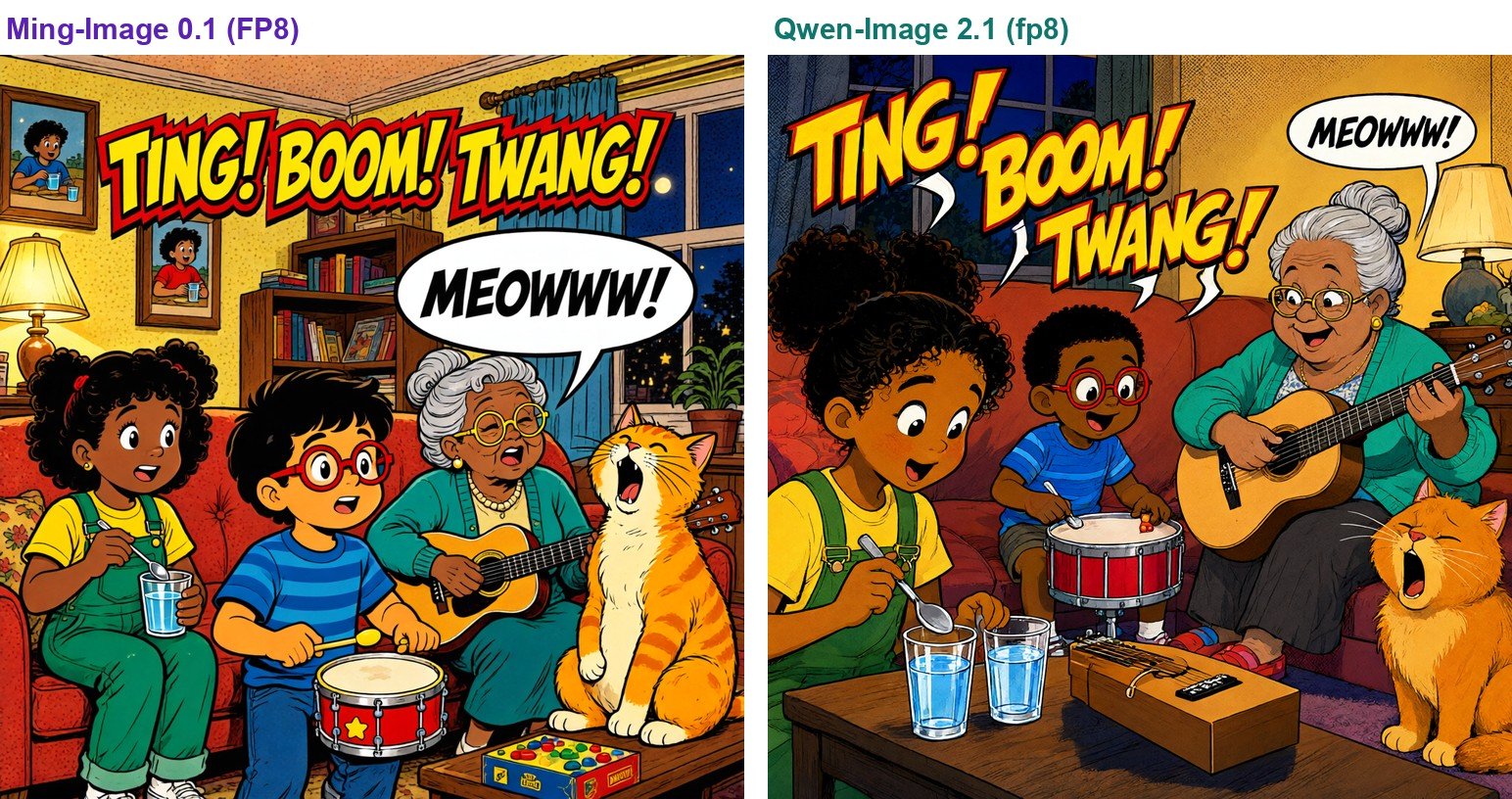
Both models drew all four members of the band. The prompt gave Nani a shoebox guitar, but both drew her a real guitar. Qwen-Image also put a shoebox guitar on the table.
How Fast Is Ming-Image Next to Qwen-Image?
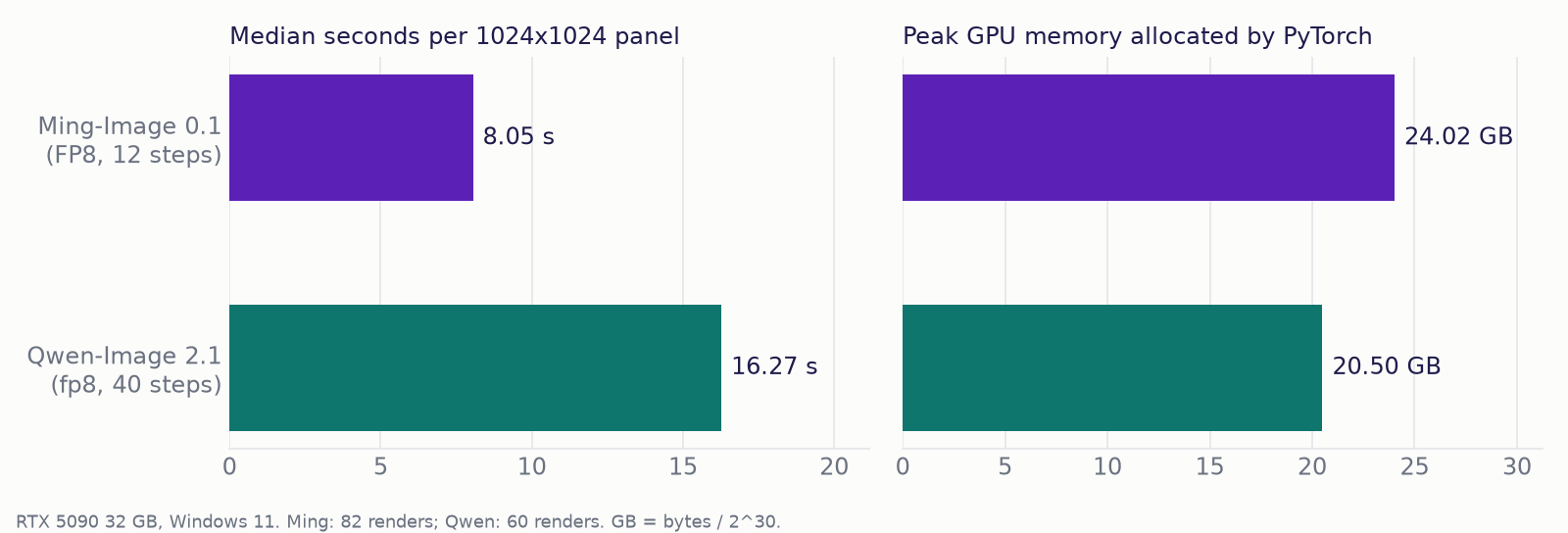
Here, we can see that Ming-Image is about twice as fast. It drew a panel in a median of 8.05 seconds over 82 images, and every one took between 7.37 and 9.82 seconds. Qwen-Image took a median of 16.27 seconds over 60 images, between 16.16 and 16.77 seconds.
Most of that gap comes from the number of steps. A step is one round of cleaning up the picture. Ming-Image needs only 12 steps, while Qwen-Image runs 40. For a whole 16-panel story, that is about 129 seconds for Ming-Image and about 260 seconds for Qwen-Image.
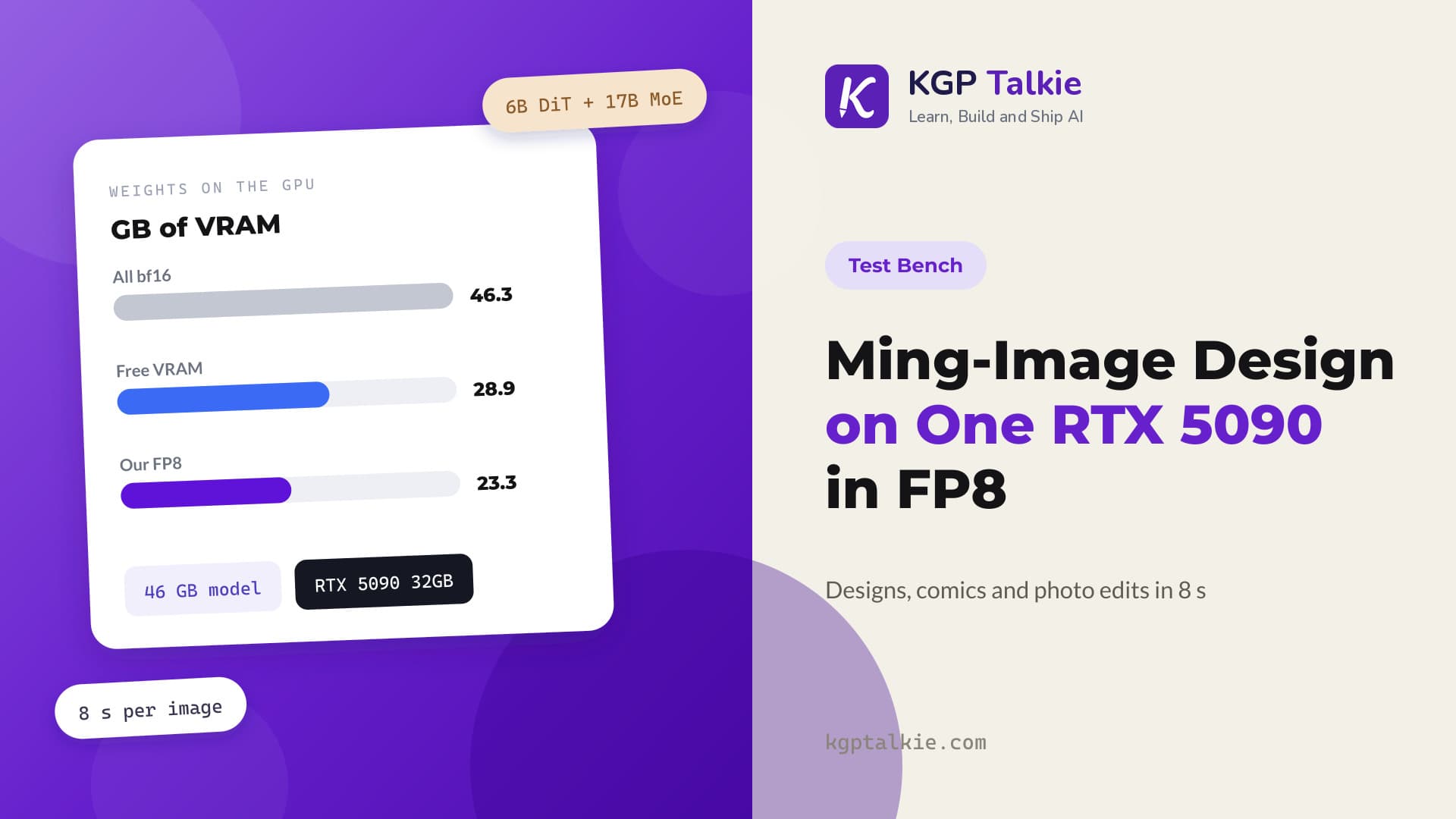
Ming-Image needs more memory, though. It peaked at 24.02 GB on the GPU, against 20.50 GB for Qwen-Image. Right after loading, Ming-Image already holds 23.30 GB, and Qwen-Image holds 16.60 GB. Ming-Image sits close to its peak because the whole model lives on the GPU, including the large language model that reads the prompt.
How Many Panels Came Out Right the First Time?
We looked at every panel by eye. We drew a panel again only when it broke the story: an extra person, a character drawn twice, a missing object, or a garbled sound word.
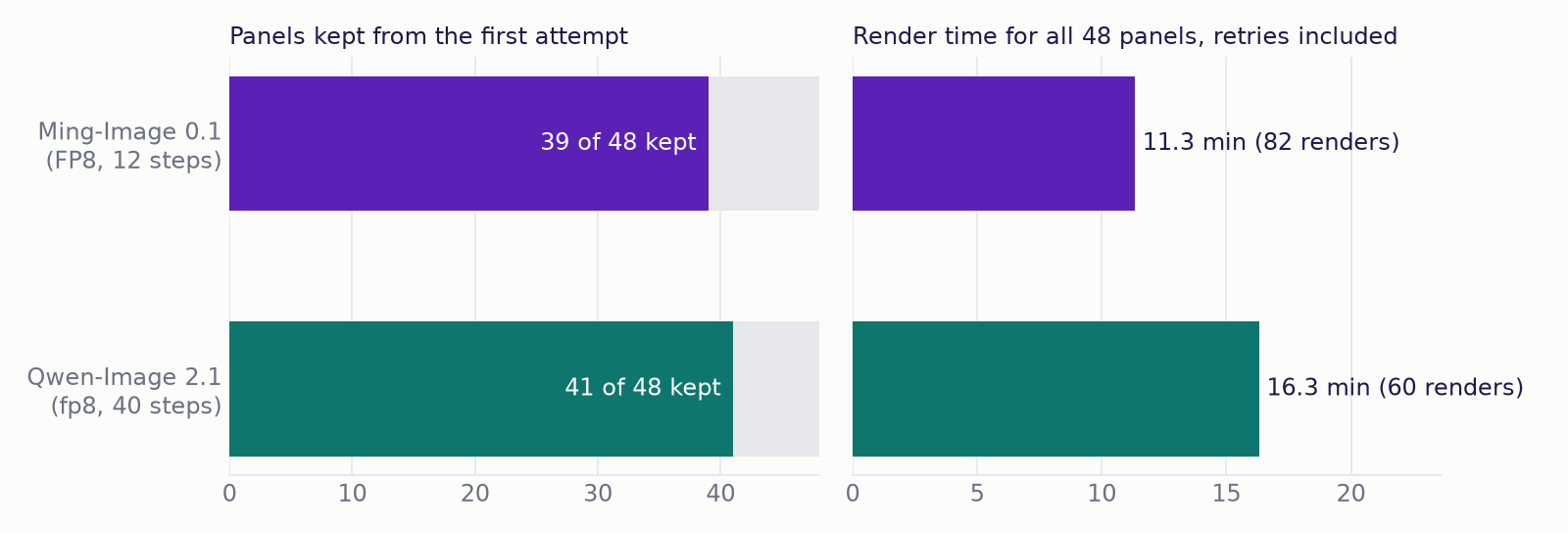
Ming-Image kept 39 of its 48 panels from the first try. Qwen-Image kept 41 of 48. Let me tabulate what went wrong in the panels we drew again. We will look at the most interesting of these mistakes later in the blog.
| Model | Panels drawn again | Extra images | What went wrong the first time |
|---|---|---|---|
| Ming | 9 | 34 | an invented speaker (2 panels), an extra passenger (1), a second copy of a character (2), a sub-panel page (1), an extra empty balloon (1), water levels not graded (1), a tub drawn big enough to stand in (1) |
| Qwen | 7 | 12 | an invented speaker (2), crossed balloon tails (1), two cats (1), a garbled sound effect (1), equal water levels (1), a drinking glass drawn as a glass tabletop (1) |
So, Ming-Image needed 82 images to reach 48 good panels, and Qwen-Image needed 60. But here's the surprise. Ming-Image still finished first: 11.3 minutes of drawing against 16.3 minutes for Qwen-Image. Its speed gives it room to try again.
Two of Qwen-Image's seven retries were our own fault. In one panel, our layout crossed the tails of two balloons. In another, our prompt put the cat both "at the right edge" and "on Leo's lap". Qwen-Image did exactly what we asked and drew two cats. Once we fixed our prompt, Qwen-Image got both panels right on the next try.
How Well Do They Letter the Balloons?
The model draws every word itself. Speech goes in white balloons next to the speaker, narration goes in yellow caption boxes, and sounds like "FLICK!" are drawn into the scene. We never add text afterwards.
Across the 48 panels, there are 93 lines of text to letter. We skip three balloons that hold only "..." because they have no letters to check.
We checked every line with OCR, which is software that reads text from an image. It is the same RapidOCR checker from our Qwen-Image 2.1 benchmark. It ignores case, punctuation and spaces.
Comic lettering fools OCR often. So, we opened every line OCR could not find and read it by eye. Out of 17 lines OCR missed across both models, only 2 were real mistakes.
| Ming-Image-0.1-Design | Qwen-Image 2.1 | |
|---|---|---|
| Lines to letter | 93 | 93 |
| Found by OCR | 86 | 83 |
| Real mistakes after checking by eye | 2 | 0 |
| Correct | 91 | 93 |
Ming-Image got 91 of 93 lines right. Its two mistakes are small but real. It drew "SCREEECH!" as "SCREECH!", one E short. In one balloon, it repeated a word: "THE VIBRATION TRAVELS THROUGH THROUGH THE AIR TO YOUR EARS." Qwen-Image got all 93 lines right, just as it got 11 of 11 in our MiniMax comparison.
Ming-Image also drew a little text nobody asked for. One bus panel has a made-up sign with digits and a clock. Another panel has numbers on book spines. We found none in Qwen-Image's panels.
That comparison is not fair, though. Only Qwen-Image's prompts ended with "No other text anywhere in the image." None of Ming-Image's prompts had that line, so we cannot say whether Ming-Image would obey it.
Which One Should We Use?
For a long comic where we expect to redraw some panels, Ming-Image-0.1-Design is the better pick. It draws twice as fast, so even with more retries it finished all 48 panels sooner. Its JSON prompt also lets us give every balloon and every key object its own box on the page. Just read every balloon before printing, and plan for about 24 GB of VRAM.
For a comic where every word must be right the first time, Qwen-Image 2.1 is the safer pick. It lettered 93 of 93 lines correctly, and in our review it followed plain English a little more faithfully. It also leaves more room on a 32 GB card.
Why Did Both Models Draw People Who Were Not There?
This was the most useful thing we learned. It is about speech balloons.
In one panel, Nani explains buoyancy while the picture shows only a toy boat in a tub of water. Nani is not in the picture. She speaks from outside it. Both models drew a speaker anyway, usually an extra person in or beside the boat. A balloon needs someone to belong to, so the model invents one.
At first, we told the models where the speaker was: "the tail points toward the left edge, because Nani is speaking from outside the panel". That made it worse. It put the speaker's name into the prompt, and both models drew someone for it.
Removing the name from the tail fixed one panel for each model. The buoyancy panel was stubborn, though. Ming-Image failed with three prompt versions and six images. Qwen-Image failed with four prompt versions. So, we changed the story instead. Now Nani stands in the panel and points at the arrows under the boat. Both models drew it right.
Ming-Image had a second, related habit. When a character stood in the middle, under a balloon that belonged to someone else, Ming-Image drew a second copy of the speaker. In the panel where the boat sinks, this happened at four seeds with three prompt versions. We moved each speaker under their own balloon, and it was fixed on the second seed.
What Helped Ming-Image: A Layer for the Key Object
Ming-Image follows layers much better than background text. When the one important object lived only in the background sentence, Ming-Image often filled the empty space with an invented person, or drew the object wrong. We saw this with a red wagon, a rubber band and the boat with the arrows.
So, we gave that object its own layer with a box. The rubber band panel was fixed at once. The wagon panel was fixed on its fourth seed. In simple words, if an object matters to the story, give it a place on the page.
Why Did Ming-Image Draw Comic Pages Instead of One Panel?
Our first full run gave both models the same style sentence. It said "one single comic panel", and it asked for the same characters "in every panel of the series".
Ming-Image read "panel" and "series" as a request for a whole comic page. It split 19 of the 48 panels into a grid of smaller panels, with the same character repeated in each box. Qwen-Image got the same sentence and drew no grids at all.
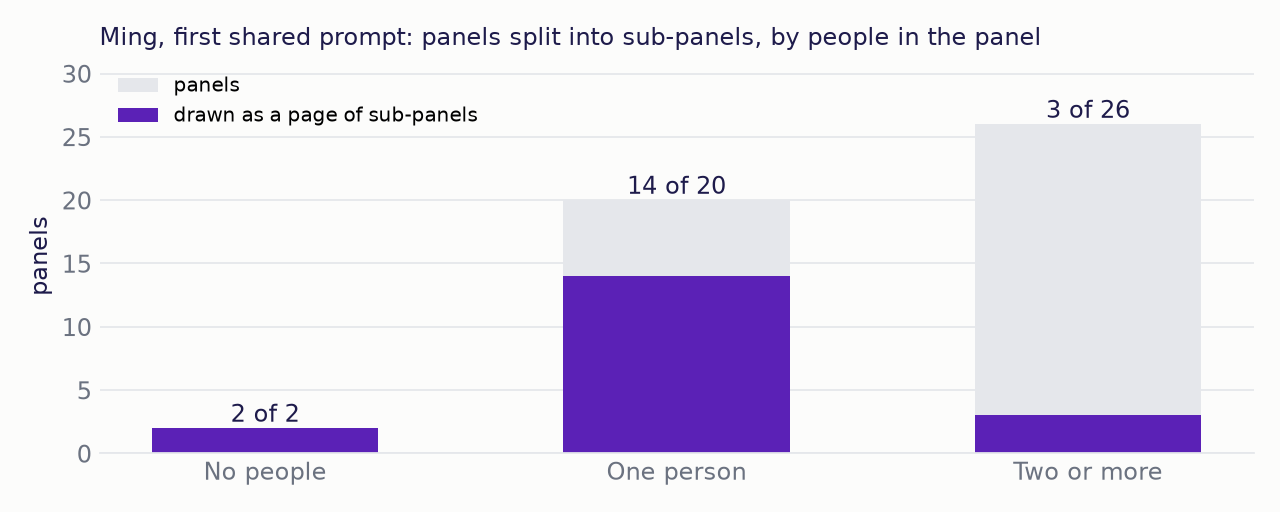
Here, we can see a clear pattern. The grids almost always showed up when a panel had few people in it. Ming-Image split 2 of 2 panels with no people, 14 of 20 panels with one person, and only 3 of 26 panels with two or more. An empty stage seems to invite Ming-Image to fill it with more pictures.
We gave Ming-Image its own style sentence: "a single full-bleed illustration of one moment". The grids went away. We did not use that first run for any number in this post.
Where Does Each Model Break?
Ming-Image-0.1-Design:
- It could not draw glasses with clearly different water levels. We tried 10 images and 5 prompt versions, including a Ming-only version with just three glasses. The panel we kept shows empty, middle and full, but the middle and full glasses look close. Qwen-Image drew five clear levels once we spelled out each level in the scene.
- It sometimes loses track of size. In the "one more coin" panel, its first try drew the tub big enough for the kids to stand in. A layer for a small tub on a table in front of the children fixed it on the next image.
- It draws a second copy of a speaker when the wrong character stands under a balloon.
- It made two small spelling mistakes in 93 lines.
Qwen-Image 2.1:
- It changed Leo's hair between panels on the same page (story 1, panels 1 and 4). We did not measure how steady each character stays, so this is only something we saw, not a score.
- It read "the glass" as a glass tabletop until we wrote "a drinking glass".
- It takes twice as long per panel.
Both models invent a speaker for a balloon whose speaker is not in the picture.
What Did We Ask Both Models to Draw?
Now, let's see how we set up the test. We wrote three short comics. Each one teaches a single physics idea to a young reader, with the same four characters in all three.
| Story | Physics idea | Panels |
|---|---|---|
| The Coin That Wouldn't Move | Inertia | 16 |
| Why Didn't the Ship Sink? | Buoyancy | 16 |
| The Night the Music Came Alive | Sound is vibration | 16 |
That makes 48 panels per model. We also turned each story into a PDF for each model, so we have six PDFs in total.
How Did We Prompt Each Model?
Both models got the same story, but each one got it in the format it reads best.
Ming-Image reads a JSON prompt. The prompt is a list of layers, drawn from back to front. Each layer has a box that says where it goes: the center point, the width and the height. In simple words, every character, balloon, caption and sound effect gets its own box on the page. This is the same format we used in our first Ming-Image test.
Qwen-Image reads plain English. So, we wrote the same content as sentences, with positions in words. For example: "near the top left, a white oval speech balloon with a tail pointing down at Nani's mouth".
The description of each character is the same, word for word, in both prompts. Let me tabulate the settings for your better understanding:
| Ming-Image-0.1-Design | Qwen-Image 2.1 | |
|---|---|---|
| Weights | FP8, converted as it loads (as in our Ming-Image test) | 8-bit (fp8 with torchao), all on the GPU |
| Steps | 12 | 40 (the default) |
| CFG | 1.0 | the default |
| Size | 1024 x 1024 | 1024 x 1024 |
| Seed for the first try | 42 for every panel | 11 for every panel |
Each model runs at its own normal setting. So, this compares the models as we would really use them, not at the same number of steps.
What Else Should We Know About Memory and Loading?
Note
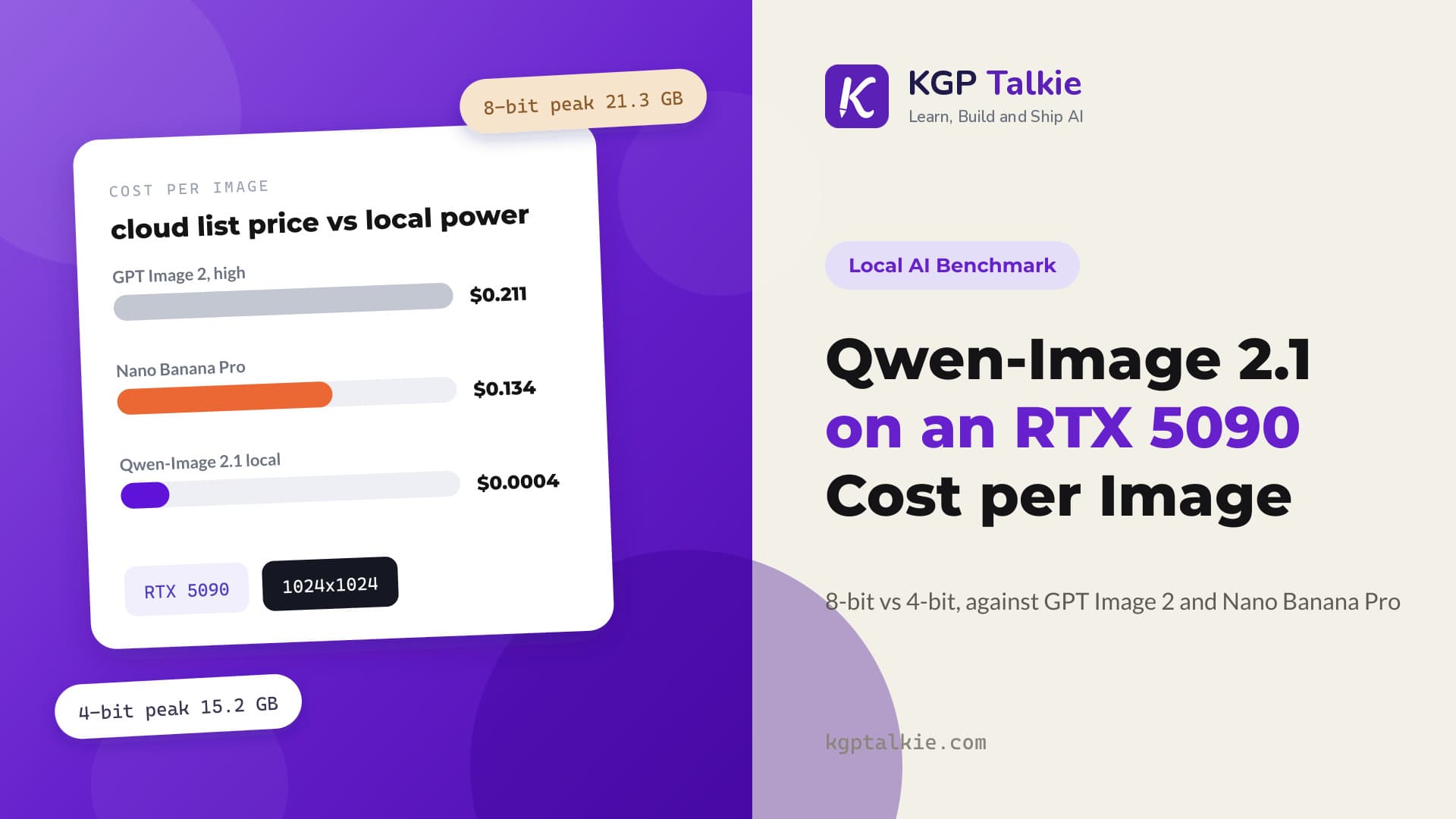
Our Qwen-Image 2.1 benchmark reports a 21.3 GB peak at 8-bit. That number counts memory PyTorch reserved, not memory in use. On that same measure, Qwen-Image peaked at 21.3 GB here too. We use memory in use in the speed and memory chart, because that is what we have for Ming-Image.
The two models do not fit on the card together. Early on, we started both at once, and Ming-Image ran out of memory while loading. So, every image in this post ran with one model on the GPU at a time. Neither model spilled into system memory in any image. Loading takes about half a minute for both: 31.9 seconds for Ming-Image and a median of 30.1 seconds for Qwen-Image.
Our Qwen-Image 2.1 benchmark timed a 1024x1024 image at 19.3 seconds at 8-bit, using a long thumbnail prompt. Its other images at the same setting took about 16 seconds, just like here.
Limitations
- One seed for each first try. So, "39 of 48" and "41 of 48" are single samples. Another seed would change some panels.
- Every judgment about a panel is our own, by eye. We did not score how well each image follows its prompt with software. Our first review also missed two weak panels, the Qwen-Image glass tabletop and the Ming-Image tub. We found them while checking the finished comics and drew them again. Other weak panels may remain.
- For lettering, a line that OCR found counts as correct without a check by eye.
- We did not measure how steady each character stays from panel to panel.
- We tested only a children's comic style at 1024x1024. This says nothing about photos, other art styles or other sizes.
- The "no other text" line was only in Qwen-Image's prompts, so stray background text is not a fair comparison.
Conclusion
Ming-Image-0.1-Design is the faster comic artist. It draws a panel in 8.05 seconds, half of Qwen-Image 2.1's 16.27 seconds. It still finished all 48 panels sooner, even though it needed 82 images to Qwen-Image's 60. It loses on memory (24.02 GB against 20.50 GB), on lettering (91 of 93 against 93 of 93), and on one drawing task it never solved: graded water levels.
Every other mistake, on both models, was fixed by changing the prompt. We never changed the model or edited an image. We put the speaker in the panel and put each speaker under their own balloon. We gave Ming-Image's key objects their own layer and named objects exactly ("a drinking glass", "a small tub on a table"). We dropped the word "series" from Ming-Image's style, and we fixed our own layout mistakes.
This is how the two models compare on a real comic book. We looked at the finished pages side by side, measured speed and memory, counted the panels that came out right the first time, and checked every line of text. Then we found the invented-speaker problem both models share. Finally, we saw the stories, prompt formats and settings behind every number.
Note
How we kept the numbers clean. GB here means bytes divided by 2^30, the same unit nvidia-smi and the "32 GB" on the card use. Two early Ming-Image runs are not counted anywhere. The first was a 20-image trial where the prompt said "ALL CAPS", and Ming-Image sometimes wrote those words into the balloons. The second was the 48-panel run with the grids. Both models ran on torch 2.11.0+cu128, on an RTX 5090 with driver 610.88 and Windows 11. Qwen-Image also used diffusers 0.41.0.dev0 (git main), transformers 5.17.0 and torchao 0.18.0.