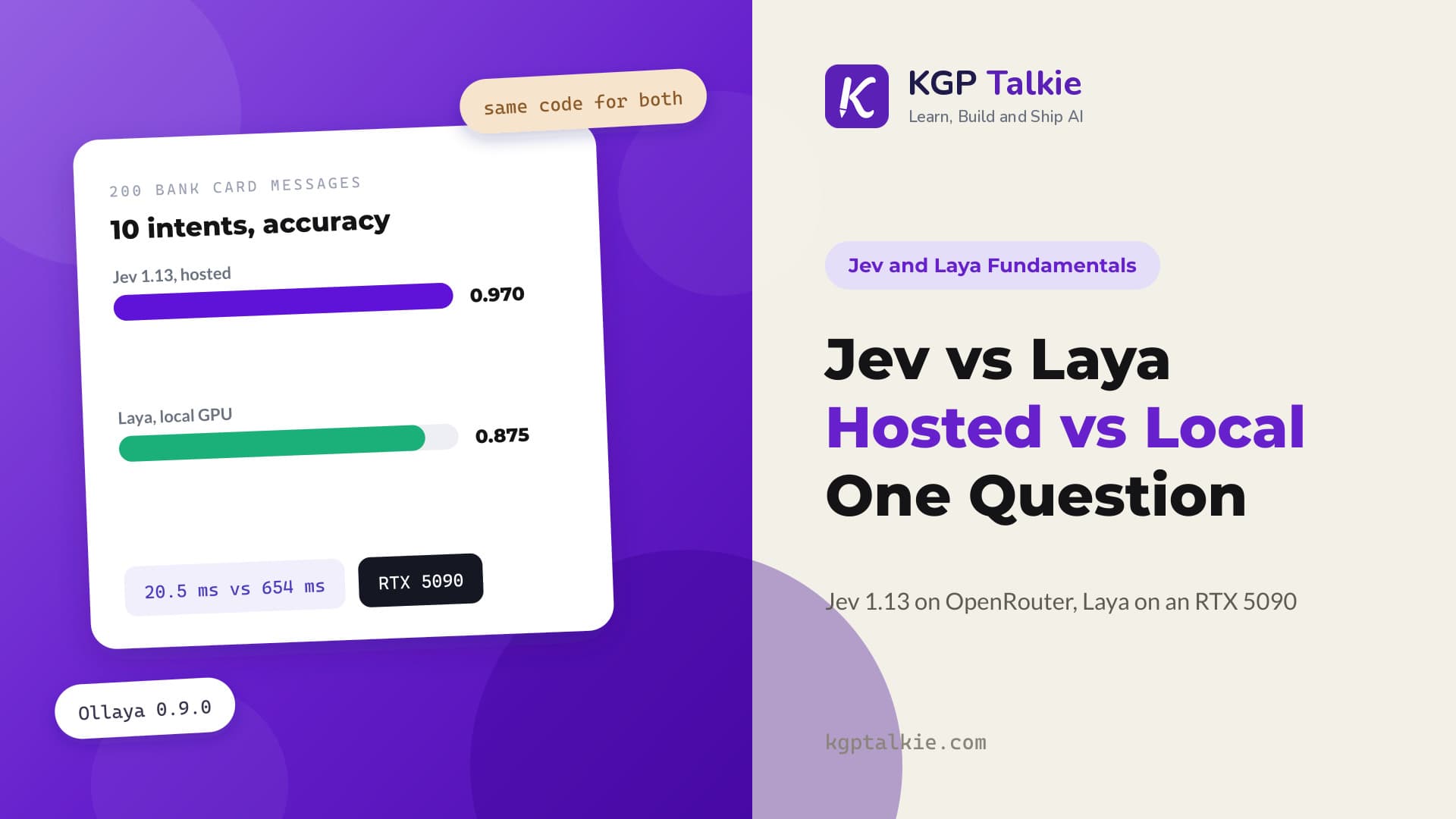
Before a message router answers customers on its own, we need two answers. How often is it right? And when it says it is sure, can we believe it? We tested Jev 1.13 on 200 real bank card messages. With a one-line description for each option, it routed 98.5% of them correctly. A cut-off at 0.95 confidence still let it answer 90% of the messages by itself, and 98.3% of those were right.
Intent routing means reading a customer message and deciding which team or flow should handle it. In simple words, it is a sorting desk for messages. Jev is TypeSafe's hosted decision model. It does not write text. It picks one option from our list and returns a probability for every option.
In this blog, we will learn how to measure Jev's accuracy on labelled data, how much option descriptions help, how to check whether its confidence is honest, and how to pick a confidence cut-off for automatic answers.
Our Test Setup
Let me tabulate the setup for your better understanding:
| Item | Value |
|---|---|
| Model that answered | typesafe/jev-1.13-20260917 |
| How we reached it | TypeSafe SDK, through OpenRouter |
| Data | 200 Banking77 card messages, 20 for each intent |
| Question | One Choice with 10 intents |
| Run | October 2026 |
The TypeSafe SDK reads TYPESAFE_BASE_URL and TYPESAFE_API_KEY from our .env file, and we point them at OpenRouter. client sends one request at a time, and aclient sends many at once. Let's see the setup code as below:
import asyncio
from datetime import date

import pandas as pd
import matplotlib.pyplot as plt
from dotenv import load_dotenv
from typesafe_sdk import TypeSafeClient, AsyncTypeSafeClient, Choice, Noul

load_dotenv()
client = TypeSafeClient()
aclient = AsyncTypeSafeClient()

df = pd.read_csv("data/card_messages.csv")
df.head()| id | text | intent | |
|---|---|---|---|
| 0 | 1 | I'm starting to think my card is lost because ... | card_arrival |
| 1 | 2 | What do I need to do to change my PIN? | change_pin |
| 2 | 3 | What do I do if I think my card was improperly... | compromised_card |
| 3 | 4 | I cannot find my credit card. | lost_or_stolen_card |
| 4 | 5 | How can I change my Tholepin ? | change_pin |
Here, we can see each row has the customer's text and a gold intent, the label a person gave it. Some messages have typos, like "Tholepin" for PIN. That is good, because real customers type like this.
Labels Only vs Labels With Descriptions
First, we ask the question with option names only. None means the option has no description:
INSTRUCTIONS = "What does the customer need help with?"

BARE = Choice(
    instructions=INSTRUCTIONS,
    criteria={
        "activate_my_card": None,
        "card_about_to_expire": None,
        "card_arrival": None,
        "card_not_working": None,
        "card_payment_fee_charged": None,
        "card_payment_wrong_exchange_rate": None,
        "change_pin": None,
        "compromised_card": None,
        "declined_card_payment": None,
        "lost_or_stolen_card": None,
    },
)

df.text[0], df.intent[0]("I'm starting to think my card is lost because it still hasn't arrived, can you help?", 'card_arrival')This first message is a good test. It says "lost", but the real problem is a card that has not arrived. Now we write the same question with one line per option. Each line says what a message in that class is about:
CRITERIA = {
    "activate_my_card": "activate a card the customer already has",
    "card_about_to_expire": "the card is expiring, or getting the replacement card",
    "card_arrival": "a new card has not arrived yet, delivery time or tracking",
    "card_not_working": "the card does not work at all, not one declined payment",
    "card_payment_fee_charged": "an extra fee was charged on a card payment",
    "card_payment_wrong_exchange_rate": "a payment in another currency used the wrong exchange rate",
    "change_pin": "change or reset the card PIN",
    "compromised_card": "someone else may have used the card or its details",
    "declined_card_payment": "a card payment was declined or did not go through",
    "lost_or_stolen_card": "the card is lost, missing or stolen",
}

DESCRIBED = Choice(instructions=INSTRUCTIONS, criteria=CRITERIA)

r = client.system_one(df.text[0], {"intent": DESCRIBED})
r.answers["intent"]ChoiceAnswer(type='choice', choice='card_arrival', confidence=0.92, probabilities={'activate_my_card': 0.0, 'card_arrival': 0.93, 'lost_or_stolen_card': 0.07, 'declined_card_payment': 0.0, 'card_about_to_expire': 0.0, 'card_not_working': 0.0, 'card_payment_wrong_exchange_rate': 0.0, 'change_pin': 0.0, 'compromised_card': 0.0, 'card_payment_fee_charged': 0.0})Here, we can see Jev picked card_arrival with 0.93 probability and kept 0.07 on lost_or_stolen_card. The answer carries the full list of probabilities, not just the winner.
Running All 200 Messages
Now we send all 200 messages through both versions of the question. asyncio.gather sends every request at once and keeps the input order:
async def ask_all(question):
    return await asyncio.gather(*[aclient.system_one(text, {"intent": question}) for text in df.text])

bare = await ask_all(BARE)
described = await ask_all(DESCRIBED)
len(bare), len(described)(200, 200)We get 200 answers for each version. Next, we save the answers as columns. p_top is the probability of the chosen option. confidence rescales it so that an even split across all options gives 0:
df["pred_bare"] = [r.answers["intent"].choice for r in bare]
df["pred"] = [r.answers["intent"].choice for r in described]
df["confidence"] = [r.answers["intent"].confidence for r in described]
df["p_top"] = [max(r.answers["intent"].probabilities.values()) for r in described]
df["correct"] = df.pred == df.intent
df.head()| id | text | intent | pred_bare | pred | confidence | p_top | correct | |
|---|---|---|---|---|---|---|---|---|
| 0 | 1 | I'm starting to think my card is lost because ... | card_arrival | card_arrival | card_arrival | 0.94 | 0.95 | True |
| 1 | 2 | What do I need to do to change my PIN? | change_pin | change_pin | change_pin | 1.00 | 1.00 | True |
| 2 | 3 | What do I do if I think my card was improperly... | compromised_card | compromised_card | compromised_card | 1.00 | 1.00 | True |
| 3 | 4 | I cannot find my credit card. | lost_or_stolen_card | lost_or_stolen_card | lost_or_stolen_card | 1.00 | 1.00 | True |
| 4 | 5 | How can I change my Tholepin ? | change_pin | change_pin | change_pin | 0.99 | 1.00 | True |
How Accurate Is Jev?
Accuracy is the share of rows where the prediction matches the gold label. Let's compare the two versions:
(df.pred_bare == df.intent).mean(), df.correct.mean()(np.float64(0.965), np.float64(0.985))Here, we can see labels only gave 0.965, and labels with descriptions gave 0.985. One short line per option was enough to lift the score. Let's see which rows the descriptions changed:
df[df.pred_bare != df.pred][["text", "intent", "pred_bare", "pred"]]| text | intent | pred_bare | pred | |
|---|---|---|---|---|
| 50 | My card didn't work in one of the shops. | declined_card_payment | card_not_working | declined_card_payment |
| 92 | I need to know the cost and when I will receiv... | card_about_to_expire | card_arrival | card_about_to_expire |
| 117 | Can I receive a new card while I am in China? | card_about_to_expire | card_arrival | card_about_to_expire |
| 129 | in china, need new card | card_about_to_expire | lost_or_stolen_card | card_about_to_expire |
All four changed answers moved to the gold label. The description "not one declined payment" pulled the shop message to declined_card_payment. The line "getting the replacement card" pulled the "new card" messages to card_about_to_expire.
The Three Wrong Answers
With descriptions on, Jev got 3 of the 200 messages wrong. Let's read them with their confidence:
df[~df.correct][["text", "intent", "pred", "confidence"]]| text | intent | pred | confidence | |
|---|---|---|---|---|
| 123 | Nothing goes through on my card. | card_not_working | declined_card_payment | 0.95 |
| 175 | Why am I being charged more ? | card_payment_wrong_exchange_rate | card_payment_fee_charged | 0.97 |
| 185 | Is there a way my new card can be renewed? | activate_my_card | card_about_to_expire | 0.98 |
Here, we can see each miss is a close neighbour of the right intent. "Why am I being charged more?" could be a fee or an exchange rate, and even a person might hesitate. Notice the confidence too: all three misses were at 0.95 or above. Keep that in mind for the cut-off section.
Can We Trust Jev's Confidence?
A model is well calibrated when its confidence matches how often it is right. In simple words, if it says 90% sure, it should be right about 9 times in 10. We check this with a reliability table. We group the answers into bins by p_top. Then, for each bin, said is the average top probability and right is the share that was correct:
df["bin"] = pd.cut(df.p_top, [0.1, 0.5, 0.8, 0.9, 0.95, 0.99, 1.0], include_lowest=True)

reliability = df.groupby("bin", observed=True).agg(
    said=("p_top", "mean"),
    right=("correct", "mean"),
    rows=("correct", "size"),
)
reliability| bin | said | right | rows |
|---|---|---|---|
| (0.099, 0.5] | 0.49000 | 1.000 | 1 |
| (0.5, 0.8] | 0.60000 | 1.000 | 4 |
| (0.8, 0.9] | 0.87375 | 1.000 | 8 |
| (0.9, 0.95] | 0.93500 | 0.875 | 8 |
| (0.95, 0.99] | 0.98500 | 0.875 | 16 |
| (0.99, 1.0] | 1.00000 | 1.000 | 163 |
Here, we can see 163 of the 200 answers landed in the 0.99 to 1.0 bin, and every one of them was right. The low bins were all right too, so there Jev was more careful than it needed to be.
The weak spot is the middle-high range. In the 0.9 to 0.95 and 0.95 to 0.99 bins, Jev said 0.935 and 0.985 on average but was right only 0.875 of the time, on 24 rows in total. So Jev was slightly overconfident there. With only 8 and 16 rows in those bins, one miss moves the number a lot, so we read this as a warning sign, not a final answer.
Note
A bin with few rows says little. Before trusting a reliability table, always look at the rows column next to it.
Coverage vs Accuracy per Threshold
Now the practical question. If Jev answers only when its confidence is at or above a threshold, how many messages does it handle, and how accurate are those answers? Coverage is the share of messages at or above the threshold, the ones answered automatically. Accuracy here is measured on those rows only:
thresholds = [0, 0.5, 0.7, 0.8, 0.9, 0.95]

pd.DataFrame({
    "threshold": thresholds,
    "coverage": [(df.confidence >= t).mean() for t in thresholds],
    "accuracy": [df[df.confidence >= t].correct.mean() for t in thresholds],
})| threshold | coverage | accuracy | |
|---|---|---|---|
| 0 | 0.00 | 1.000 | 0.985000 |
| 1 | 0.50 | 0.990 | 0.984848 |
| 2 | 0.70 | 0.975 | 0.984615 |
| 3 | 0.80 | 0.975 | 0.984615 |
| 4 | 0.90 | 0.935 | 0.983957 |
| 5 | 0.95 | 0.900 | 0.983333 |
Here, we can see a 0.95 threshold still answers 90% of the messages automatically, and those answers are 98.3% right. Let me tabulate the key numbers of this run for your better understanding:
| Measure | Jev 1.13, 200 bank card messages |
|---|---|
| Accuracy, labels only | 0.965 |
| Accuracy, with option descriptions | 0.985 |
| Coverage at a 0.95 confidence threshold | 0.900 |
| Accuracy on answers at or above 0.95 | 0.983 |
| Answers in the 0.99 to 1.0 bin | 163 of 200, all right |
| Share right in the 0.9 to 0.99 bins | 0.875, on 24 rows |
But there is a surprise in this table. Raising the threshold did not make the answers more accurate. Accuracy stays near 0.98 at every threshold. Why? Because all three wrong answers had a confidence of 0.95 or more, and every answer below that was right. On this sample, the cut-off sent correct answers to people and kept the mistakes.
So is the cut-off useless? No. On new messages, low confidence is still where unclear text shows up, and a person should look at those. But this run shows that a cut-off cannot catch confident mistakes. To find those, we need better descriptions, or a person who spot-checks a sample of the automatic answers.
Choosing a Confidence Threshold
We set THRESHOLD = 0.9 and read every message below it before deciding anything:
THRESHOLD = 0.9

df[df.confidence < THRESHOLD][["text", "intent", "pred", "confidence"]]| text | intent | pred | confidence | |
|---|---|---|---|---|
| 14 | I think I lost my card . I dont know how long ... | lost_or_stolen_card | lost_or_stolen_card | 0.82 |
| 29 | How can I get my physical card to work? | card_not_working | card_not_working | 0.45 |
| 50 | My card didn't work in one of the shops. | declined_card_payment | declined_card_payment | 0.83 |
| 58 | I broke my card | card_not_working | card_not_working | 0.88 |
| 62 | going to need a new card what are the fees and... | card_about_to_expire | card_about_to_expire | 0.85 |
| 71 | My card was taken from me | lost_or_stolen_card | lost_or_stolen_card | 0.87 |
| 75 | Some idiot stole my card. | lost_or_stolen_card | lost_or_stolen_card | 0.88 |
| 87 | How do I unblock my card using the app? | card_not_working | card_not_working | 0.81 |
| 92 | I need to know the cost and when I will receiv... | card_about_to_expire | card_about_to_expire | 0.88 |
| 117 | Can I receive a new card while I am in China? | card_about_to_expire | card_about_to_expire | 0.43 |
| 129 | in china, need new card | card_about_to_expire | card_about_to_expire | 0.55 |
| 141 | How do I freeze my account? | compromised_card | compromised_card | 0.60 |
| 194 | Can I freeze my card right now? | compromised_card | compromised_card | 0.60 |
Here, we can see the low-confidence messages are the unclear ones: a card in China, a frozen account, a card that will not work. Every one of them was answered correctly, but they are exactly the messages where a human check is cheap insurance.
Now we turn the confidence into three bands. Below 0.5 goes to a human, 0.5 up to 0.9 asks for a quick confirm, and above 0.9 lets the system act:
df["band"] = pd.cut(df.confidence, [0, 0.5, THRESHOLD, 1.0], labels=["human", "confirm", "act"], include_lowest=True)
df.groupby("band", observed=True).correct.agg(["mean", "size"])| band | mean | size |
|---|---|---|
| human | 1.000000 | 2 |
| confirm | 1.000000 | 12 |
| act | 0.983871 | 186 |
Here, we can see 186 messages fall in the act band at 0.984 accuracy. Only 2 go to a person and 12 ask for a confirmation. The right band edges depend on the cost of a mistake. A wrong answer about a PIN change costs little. A wrong answer about a stolen card costs a lot, so that intent may deserve a higher bar.
Does Option Order Change the Answer?
A good router should not care which option we list first. So we build REVERSED with Choice(instructions=INSTRUCTIONS, criteria=dict(reversed(CRITERIA.items()))). It has the same options and descriptions in reverse order. Then we count how many answers change:
reordered = await ask_all(REVERSED)
df["pred_reversed"] = [r.answers["intent"].choice for r in reordered]
(df.pred != df.pred_reversed).sum()np.int64(1)Here, we can see only 1 of the 200 answers changed. The one message that flipped was "Can I receive a new card while I am in China?", which also had one of the lowest confidences, 0.43.
Pinning the Model Version
Our thresholds only hold for the model we tuned them on. If the model behind the alias changes, the confidence numbers can shift. So we pin the exact version:
pinned = TypeSafeClient(model="typesafe/jev-1.13")
pinned.system_one(df.text[0], {"intent": DESCRIBED}).model'typesafe/jev-1.13-20260917'Here, we can see the pinned client answered with typesafe/jev-1.13-20260917, the same version as the whole run. We save this version with our results, and we run the test again whenever it changes.
Limits of This Test
This is one run on one dataset:
- 200 messages with only 3 misses is a small sample for judging calibration. The 0.9 to 0.99 bins hold just 24 rows.
- Jev was reached through OpenRouter, and every number belongs to the version
typesafe/jev-1.13-20260917. - The option wording matters. Our Jev vs Laya comparison uses the same 200 messages with differently worded descriptions, so its Jev accuracy is not comparable with the numbers here.
If you test Jev on your own messages, please share your accuracy and your threshold in the comments.
Conclusion
This is how we test a Jev 1.13 intent router before launch. We started with option names only and got 0.965 accuracy. One line of description per option lifted it to 0.985. The reliability table showed 163 of 200 answers at 0.99 or above, all right, and a slightly overconfident middle range on a small sample. Finally, a 0.95 cut-off still answered 90% of messages automatically at 0.983 accuracy, but it could not catch the three confident mistakes.
Key takeaways:
- Always measure a router on labelled data before it answers customers.
- Short option descriptions lifted Jev 1.13 from 0.965 to 0.985 on these 200 messages.
- Read the
rowscolumn of a reliability table before trusting any bin. - A confidence cut-off sends unclear messages to people, but it cannot catch confident mistakes.
- Pin the model version, because thresholds belong to one version.
Next steps:
- Read Jev vs Laya: hosted Jev 1.13 vs local Laya on an RTX 5090 to run the same kind of question on your own GPU.
- See Laya 421M vs Qwen3.5 0.8B vs Qwen2.5 0.5B for how temperature fitting fixes a model's confidence.
- Try structured output and JSON mode to see how chat LLMs return fixed labels.
In short, we routed 200 bank card messages with Jev 1.13, checked its confidence, and picked an auto-answer cut-off from real coverage and accuracy numbers.