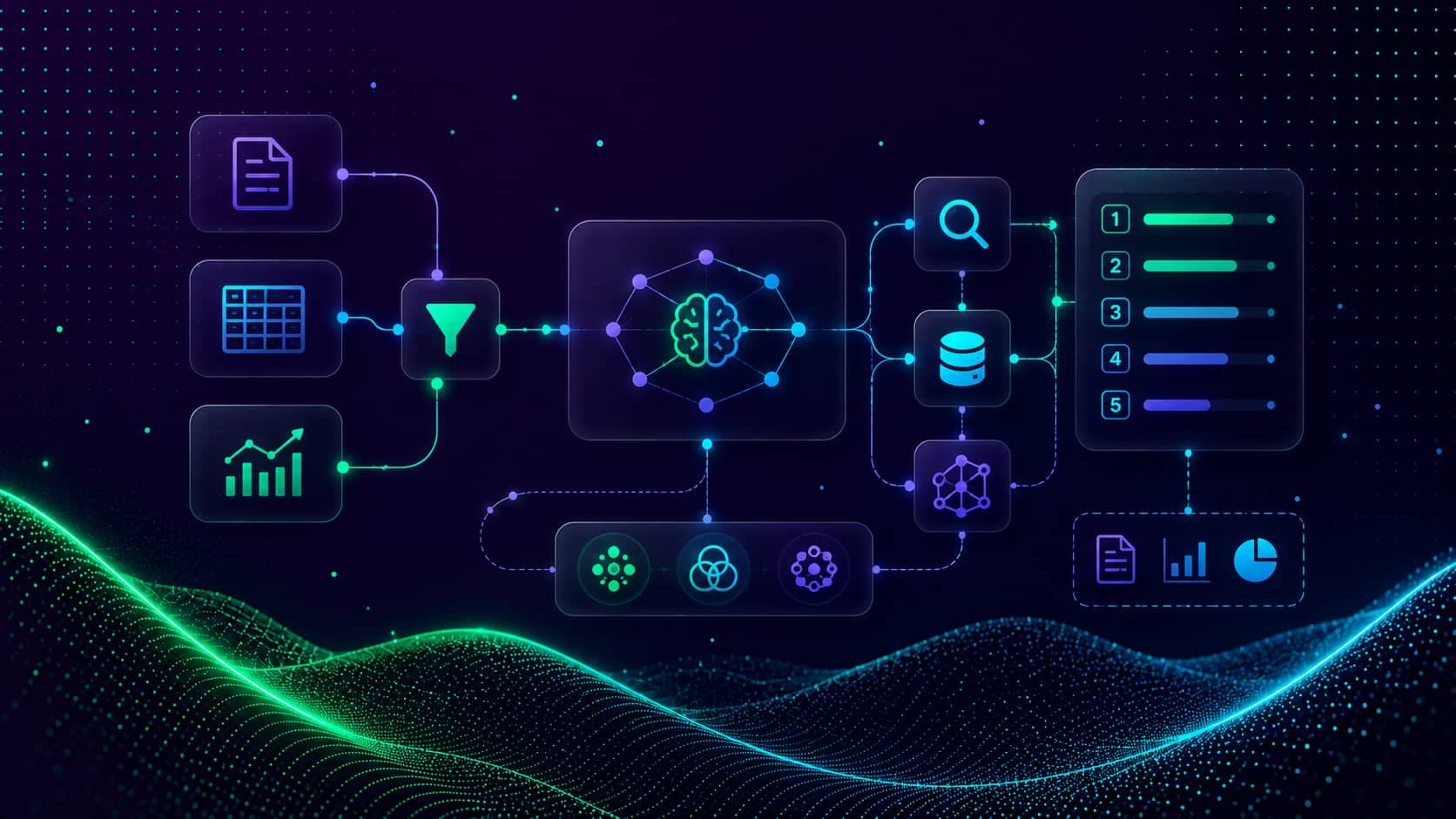
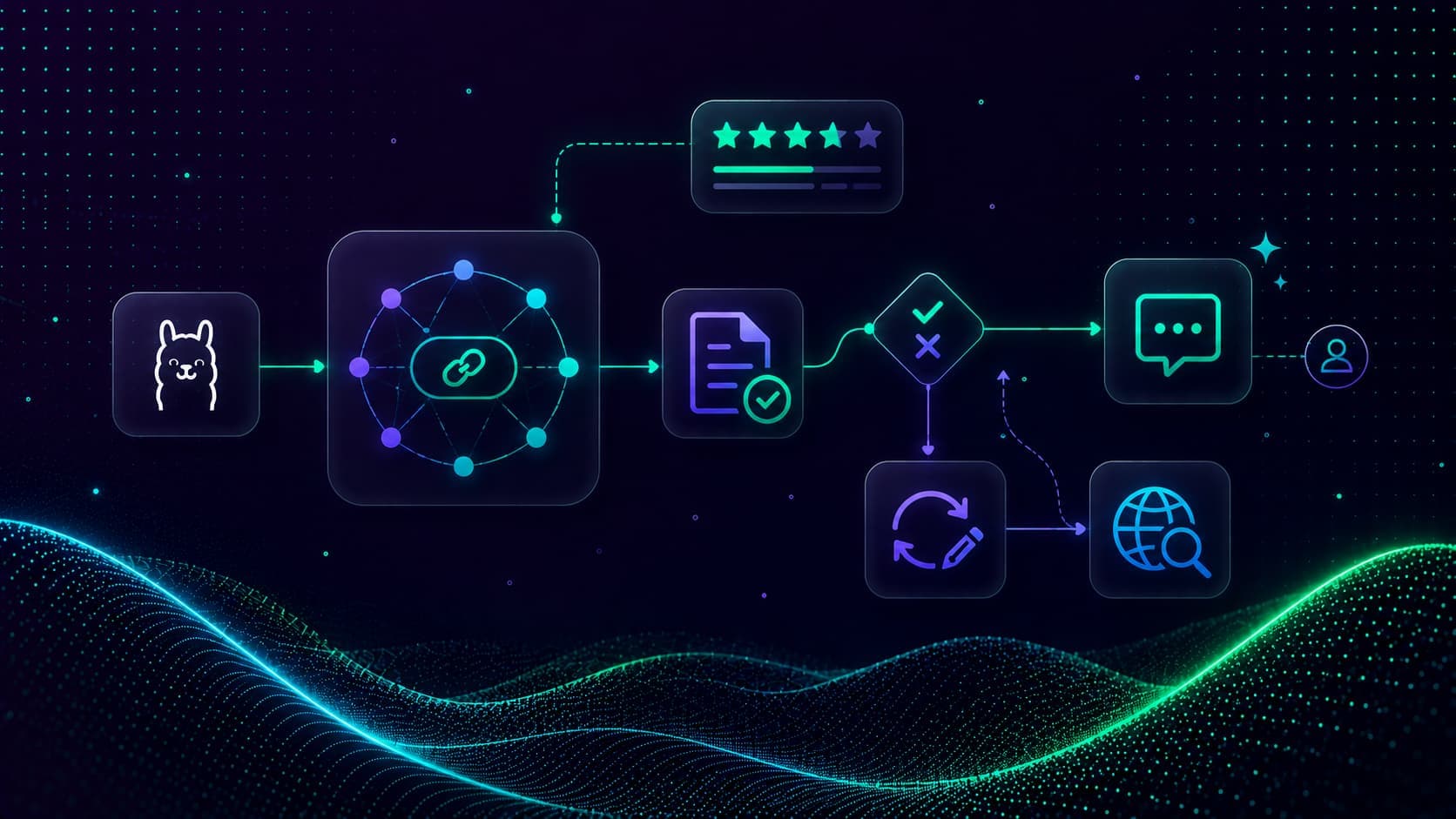
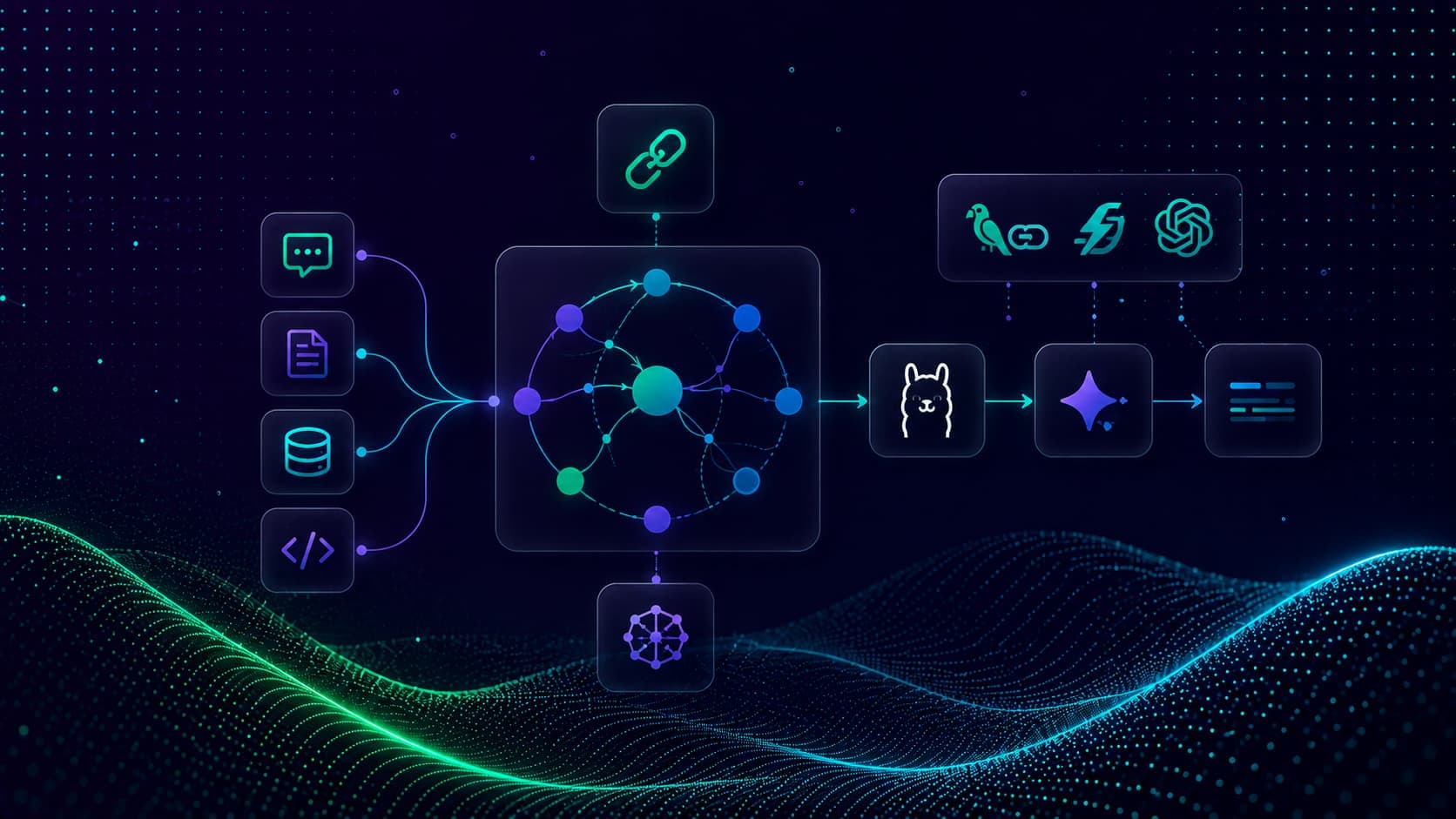
Adaptive RAG (Jeong et al., 2024) routes each query to the right knowledge source based on its intent.
This capstone joins three paths behind a single entry point:
retrieve→ financial documents via the full Self-RAG flowsql_agent→ an employee SQL databaseweb_search→ live web for general knowledge
In this blog, we reuse the Self-RAG nodes from the previous lesson and add a SQL agent and a web-search agent.
Prerequisites: the scripts/nodes.py from Self-RAG and scripts/my_tools.py from RAG Data Retrieval and Re-Ranking. Ollama running with qwen3, plus the packages below.
pip install -U langgraph langgraph-checkpoint-sqlite langchain langchain-ollama langchain-community langchain-core pydantic
ollama pull qwen3The SQL Agent Tools
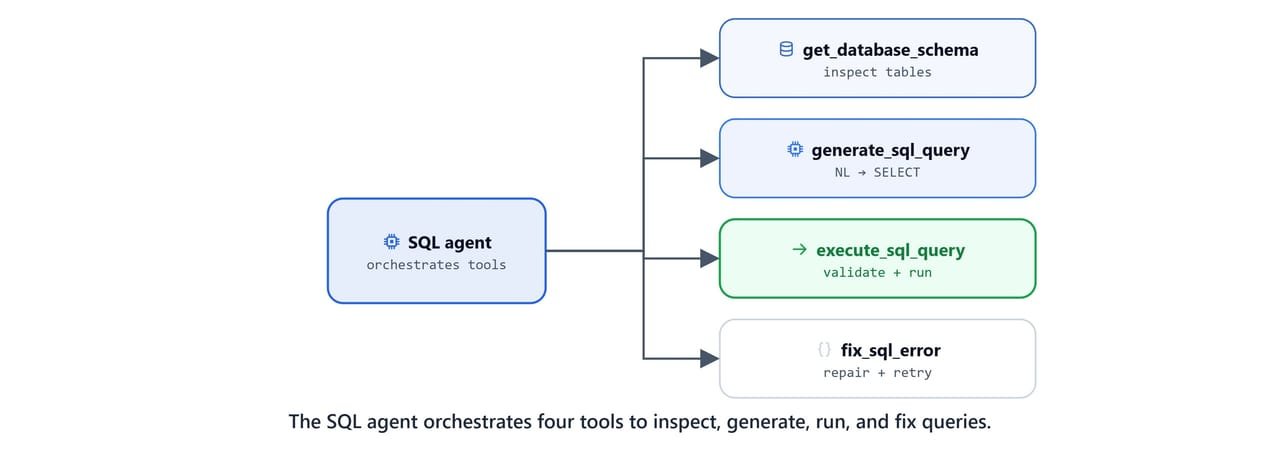
The SQL path uses the employees database, a SQLite port of the classic MySQL test database with 300,024 employee records. The tools live in scripts/mysql_tools.py.
import re
from langchain_community.utilities import SQLDatabase
from langchain_ollama import ChatOllama
from langchain_core.tools import tool

llm = ChatOllama(model="gpt-oss", base_url="http://localhost:11434", reasoning=True)

def get_db_connection():
    return SQLDatabase.from_uri('sqlite:///db/employees_db-full-1.0.6.db')

db = get_db_connection()
SCHEMA = db.get_table_info()
Note
Download employees_db-full-1.0.6.db from the employees-db-sqlite repository and place it in a db/ subfolder. SQLDatabase.from_uri() connects via a SQLite URI, so no database server is required.
Four tools cover the full text-to-SQL workflow: inspect schema, generate, execute, and fix:
@tool
def get_database_schema(table_name: str = None):
    """Get database schema information for SQL query generation."""
    db = get_db_connection()
    if table_name:
        tables = db.get_usable_table_names()
        if table_name.lower() in [t.lower() for t in tables]:
            return db.get_table_info([table_name])
        return f"Error: Table '{table_name}' not found. Available tables: '{', '.join(tables)}'"
    return SCHEMA

@tool
def generate_sql_query(question: str, schema_info: str = None):
    """Generate a SQL SELECT query from a natural language question using database schema."""
    schema_to_use = schema_info if schema_info else SCHEMA
    prompt = f"""Based on this database schema:
                {schema_to_use}
                Generate a SQL query to answer this question: {question}
                Rules:
                - Use only SELECT statements
                - Include only existing columns and tables
                - Limit results to 10 rows unless specified otherwise
                - Use proper SQL syntax for SQLite
                Return only the SQL query, nothing else."""
    sql_query = llm.invoke(prompt).content.strip()
    print(f"[TOOL] Generated SQL Query: {sql_query[:30]}...")
    return sql_query

@tool
def validate_sql_query(query: str):
    """Validate SQL query for safety and syntax before execution."""
    clean_query = re.sub(r'```sql\s*', '', query.strip(), flags=re.IGNORECASE)
    clean_query = re.sub(r'```\s*', '', clean_query, flags=re.IGNORECASE).strip().rstrip(';')

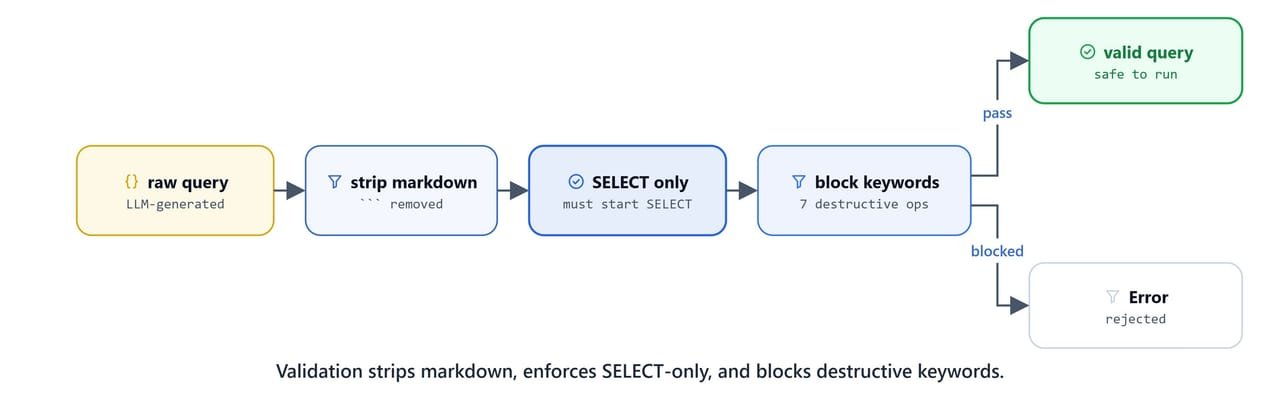
    if not clean_query.lower().startswith('select'):
        return "Error: only 'select' statements are allowed."

    dangerous_keywords = ['INSERT', 'UPDATE', 'DELETE', 'ALTER', 'DROP', 'CREATE', 'TRUNCATE']
    for keyword in dangerous_keywords:
        if keyword in clean_query:
            return f"Error: {keyword} operations are not allowed."

    print("[TOOL] Your sql query is validated. Passed!")
    return clean_query

@tool
def execute_sql_query(sql_query: str):
    """Execute a validated SQL query and return results."""
    db = get_db_connection()
    query = validate_sql_query.invoke(sql_query)
    if query.startswith('Error:'):
        return f"Query '{sql_query}' validation failed with Error: {query}"
    result = db.run(query)
    return f"Query Results: {result}" if result else "Query Executed Successfully but No Result was Found!"

@tool
def fix_sql_error(original_query: str, error_message: str, question):
    """Fix a failed SQL query by analyzing the error and generating a corrected version."""
    fix_prompt = f"""The following SQL query failed:
                    Query: {original_query}
                    Error: {error_message}
                    Original Question: {question}
                    Database Schema:
                    {SCHEMA}
                    Return only the corrected SQL query, nothing else."""
    return llm.invoke(fix_prompt).content.strip()

ALL_SQL_TOOLS = [get_database_schema, generate_sql_query, execute_sql_query, fix_sql_error]
Caution
validate_sql_query is the safety boundary: it strips Markdown fences, allows only SELECT statements, and blocks every destructive keyword. Never expose a text-to-SQL agent to a database without a guard like this.
Query Router
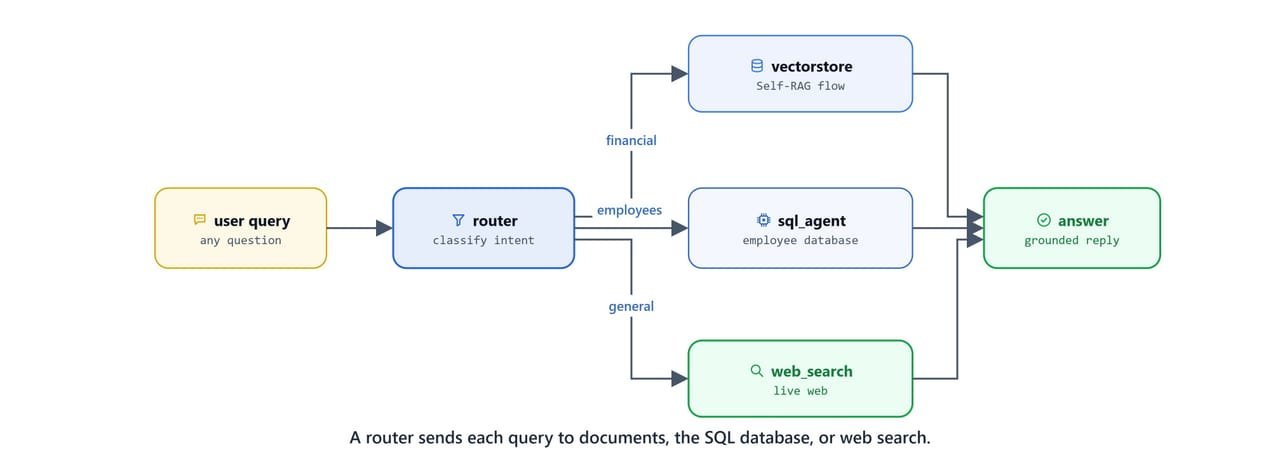
A structured-output router classifies each query into one of the three datasources.
from typing_extensions import TypedDict
from typing import Annotated, List
import operator, os
from langgraph.graph import StateGraph, START, END
from langchain_ollama import ChatOllama
from langchain_core.messages import HumanMessage, SystemMessage
from pydantic import BaseModel, Field
from langchain.agents import create_agent

from scripts import my_tools, mysql_tools
from scripts.nodes import (
    retrieve_node, grade_documents_node, generate_node, transform_query_node,
    should_generate, check_answer_quality, get_latest_user_query
)

llm = ChatOllama(model="qwen3", base_url="http://localhost:11434")

class AgentState(TypedDict):
    messages: Annotated[list, operator.add]
    retrieved_docs: str
    rewritten_queries: List[str]

class RouterQuery(BaseModel):
    datasource: str = Field(description="Datasource to route query to: 'retrieve' for financial documents, 'sql_agent' for employee information, 'web_search' for general knowledge")

def route_question(state):
    query = get_latest_user_query(state['messages'])
    llm_router = llm.with_structured_output(RouterQuery)

    system_prompt = """You are an expert at routing user questions to the appropriate datasource.

                    1. retrieve: Financial documents (10-K, 10-Q, 8-K) about Amazon, Apple, Google
                       - revenue, operating income, cash flow, segments, quarterly/annual performance
                    2. sql_agent: Employee database
                       - employees, departments, salaries, managers, job titles, hiring dates
                    3. web_search: General knowledge outside our databases
                       - current events, general facts, unrelated topics

                    Return the datasource field only."""

    response = llm_router.invoke([SystemMessage(system_prompt), HumanMessage(query)])
    print(f"[DECISION] Routing to {response.datasource}")
return response.datasourceroute_question({'messages': [HumanMessage('what is the revenue of google?')]})[QUERY] what is the revenue of google?
[DECISION] Routing to retrieveSQL and Web-Search Agent Nodes
Each non-document path is a self-contained agent built with LangChain's create_agent, given its own tools and system prompt.
def sql_agent_node(state):
    query = get_latest_user_query(state['messages'])
    system_prompt = f"""You are an expert SQL analyst working with an employees database.

                    Database Schema:
                    {mysql_tools.SCHEMA}

                    Workflow:
                    1. Use get_database_schema to understand tables (if needed)
                    2. Use generate_sql_query to create SQL
                    3. Use execute_sql_query to run the validated query
                    4. If there's an error, use fix_sql_error and retry (up to 3 times)

                    Provide clear, formatted results in MARKDOWN. Use tables for structured data."""

    agent = create_agent(model=llm, tools=mysql_tools.ALL_SQL_TOOLS, system_prompt=system_prompt)
    result = agent.invoke({'messages': [HumanMessage(query)]})
    print("[SQL] Agent completed!")
    return {'messages': result['messages']}

def web_search_node(state):
    query = get_latest_user_query(state['messages'])
    system_prompt = """You are a helpful web search assistant. Be concise and accurate.
                    Use the web_search tool, synthesize multiple sources, and answer in
                    MARKDOWN (150-250 words) with ## headings, **bold**, and bullet points."""

    agent = create_agent(model=llm, tools=[my_tools.web_search], system_prompt=system_prompt)
    result = agent.invoke({'messages': [HumanMessage(query)]})
    print("[WEB] Agent is completed!")
return {'messages': result['messages']}Short-Term Memory with a SQLite Checkpointer
A checkpointer persists graph state between invocations, giving the agent conversational memory keyed by a thread_id.
from langgraph.checkpoint.sqlite import SqliteSaver
import sqlite3

db_name = "db/checkpoints.db"
os.makedirs('db', exist_ok=True)
Building the Adaptive Graph
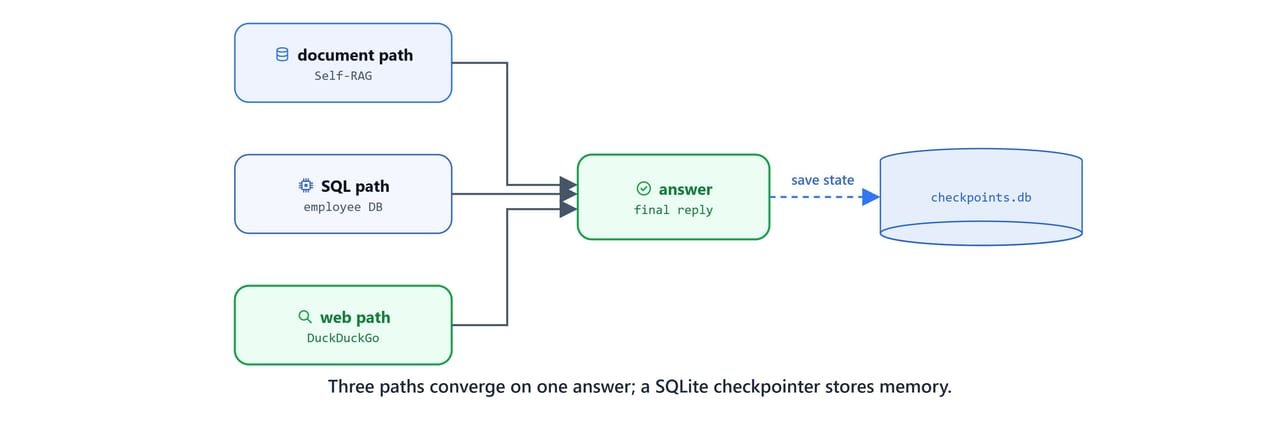
Combine the routed entry point, the Self-RAG document path, the two agent nodes, and the checkpointer.
def create_adaptive_rag():
    builder = StateGraph(AgentState)

    builder.add_node('retrieve', retrieve_node)
    builder.add_node('grade_documents', grade_documents_node)
    builder.add_node('generate', generate_node)
    builder.add_node('transform_query', transform_query_node)
    builder.add_node('sql_agent', sql_agent_node)
    builder.add_node('web_search', web_search_node)

    # routed entry point
    builder.add_conditional_edges(START, route_question, ['retrieve', 'sql_agent', 'web_search'])

    # document path (Self-RAG)
    builder.add_edge('retrieve', 'grade_documents')
    builder.add_edge('transform_query', 'retrieve')
    builder.add_conditional_edges('grade_documents', should_generate, ['transform_query', 'generate'])
    builder.add_conditional_edges('generate', check_answer_quality, ['generate', END, 'transform_query'])

    # agent paths
    builder.add_edge('sql_agent', END)
    builder.add_edge('web_search', END)

    conn = sqlite3.connect(db_name, check_same_thread=False)
    checkpointer = SqliteSaver(conn)
    return builder.compile(checkpointer=checkpointer)

agent = create_adaptive_rag()
Testing Adaptive RAG
A financial question routes to the document path and produces a grounded, cited answer:
config = {'configurable': {'thread_id': 'demo1'}}
query = "show me amazon's revenue in 2023?"
result = agent.invoke({'messages': [HumanMessage(query)]}, config=config)[QUERY] show me amazon's revenue in 2023?
[DECISION] Routing to retrieve
[RETRIEVE] fetching documents...
[GRADE] Relevance: yes
[ROUTER] Have relevant documents - generating answer
[GENERATE] Creating Answer
[ROUTER] Generation is grounded in documents
[ROUTER] Checking answer quality
[ROUTER] generation is good. - USEFULHere, we can see the query route to the document path, pass both Self-RAG gates, and produce a grounded answer.
A general-knowledge question routes to web search:
result = agent.invoke({'messages': [HumanMessage("What is the latest AI news?")]}, config=config)[QUERY] What is the latest AI news?
[DECISION] Routing to web_search
[WEB] Agent is completed!Employee questions route to the SQL agent, which generates, validates, and runs the query:
result = agent.invoke({'messages': [HumanMessage("How many employees are there?")]}, config=config)
print(result['messages'][-1].content)[QUERY] How many employees are there?
[DECISION] Routing to sql_agent
[TOOL] Generated SQL Query: SELECT COUNT(*) AS total_emplo...
[TOOL] Your sql query is validated. Passed!
[SQL] Agent completed!
There are 300,024 employees in the database.A more complex SQL question joins three tables for a department-wise average:
result = agent.invoke({'messages': [HumanMessage("show me average salary department wise")]}, config=config)
print(result['messages'][-1].content)[QUERY] show me average salary department wise
[DECISION] Routing to sql_agent
[TOOL] Generated SQL Query: SELECT d.dept_name, AVG...
[TOOL] Your sql query is validated. Passed!
[SQL] Agent completed!The agent returns a Markdown table of average salary by department:
| Department | Average Salary |
|---|---|
| Sales | $81,128.72 |
| Marketing | $72,406.43 |
| Finance | $70,899.76 |
| Research | $60,182.94 |
| Production | $60,086.69 |
| Development | $59,957.12 |
| Customer Service | $59,567.38 |
| Quality Management | $57,759.23 |
| Human Resources | $56,181.15 |
Tip
What You Built
In this blog, we built the Adaptive RAG capstone:
- Query router: a structured-output classifier sends each query to documents, SQL, or web
- Safe SQL agent: five tools generate, validate, execute, and fix queries, blocking destructive operations
- Three converging paths: the Self-RAG document flow, a SQL agent, and a web-search agent all end at one answer
- Short-term memory: a
SqliteSavercheckpointer persists state perthread_id - Composable design: any path can be upgraded to a different RAG pattern from this series
This is how Adaptive RAG routes and answers. We now have a complete, self-correcting, multi-source RAG system, built end to end on local models with LangGraph, ChromaDB, and Ollama.