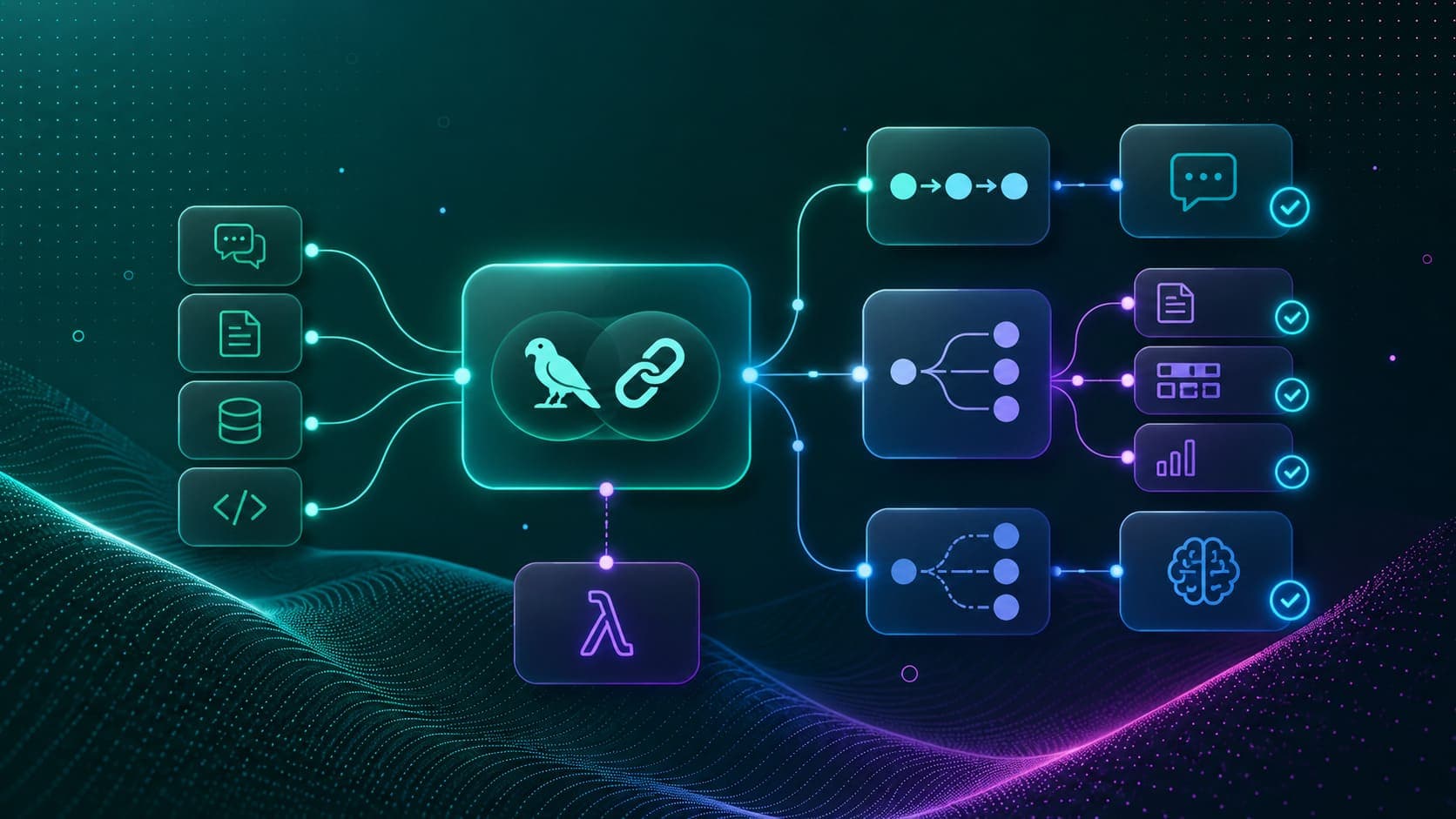
Parsing resumes is hard because every candidate uses a different layout. Old regex or rule-based parsers break easily. LLMs solve this by reading the document for meaning, not position. In this lesson, we pull the raw text out of a PDF resume with PyMuPDFLoader. Then a two-stage LLM pipeline (extraction + validation) makes sure the output is perfect JSON.

Prerequisites: langchain, langchain-ollama, langchain-core, pymupdf, python-dotenv installed. Ollama running with qwen3. A sample resume PDF in a resume/ directory.
pip install -U langchain langchain-ollama langchain-core pymupdf python-dotenvHow Do We Organize the LLM Logic?
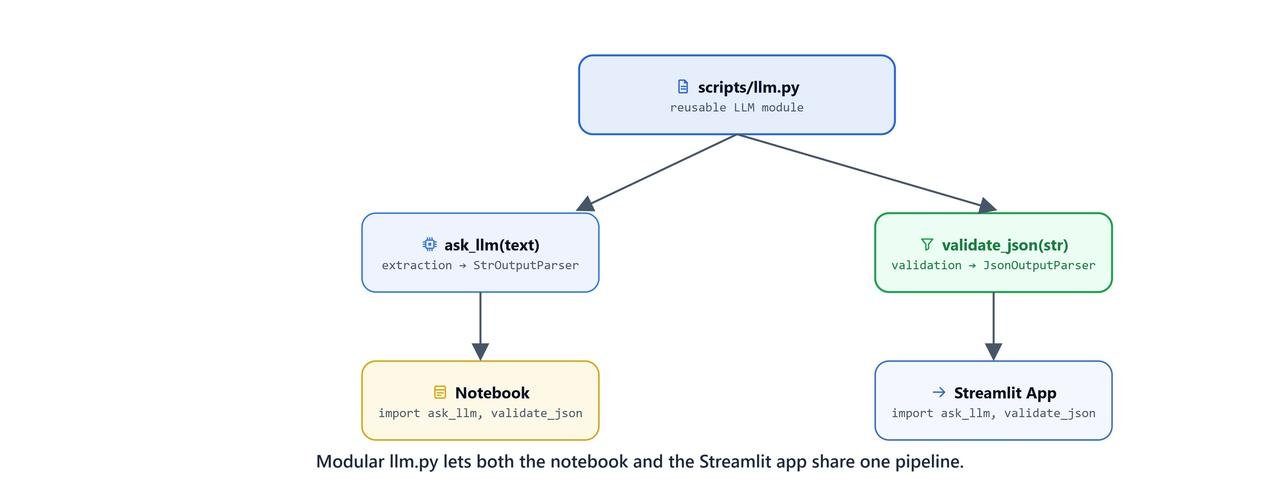
Instead of writing all the LLM logic in a notebook, we move it into a reusable llm.py script. This makes it easy to reuse the same logic in a web app later.
1. Model Setup
from langchain_ollama import ChatOllama
from langchain_core.prompts import (SystemMessagePromptTemplate,
                                    HumanMessagePromptTemplate,
                                    ChatPromptTemplate)
from langchain_core.output_parsers import StrOutputParser, JsonOutputParser

base_url = "http://localhost:11434"
model = 'qwen3'

llm = ChatOllama(base_url=base_url, model=model)

system = SystemMessagePromptTemplate.from_template(
    """You are helpful AI assistant who answer user question based on the provided context."""
)
2. The Extraction Function (ask_llm)
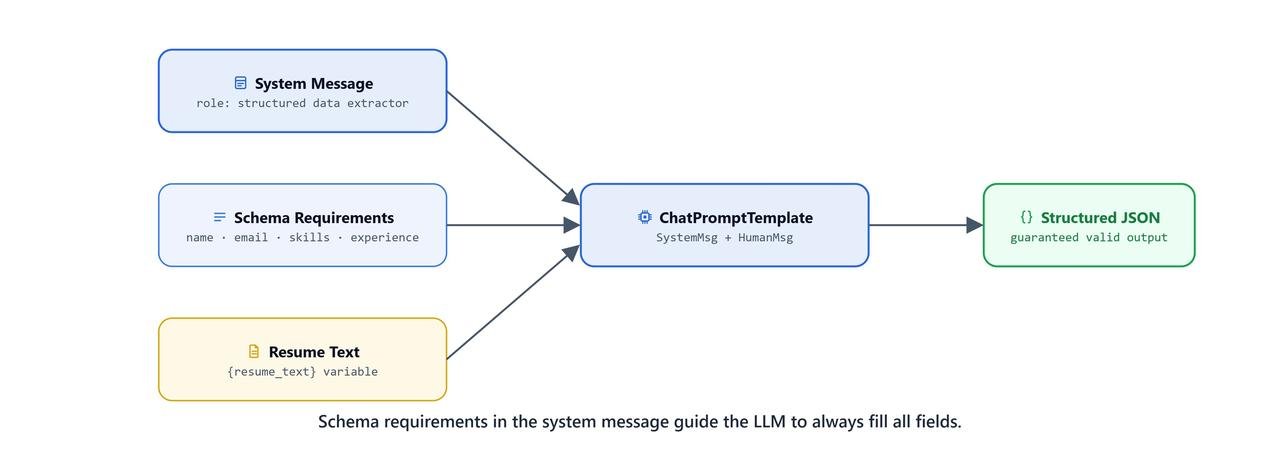
The first pass extracts information into a structured text format. Notice how specific the prompt is about the required sections:
prompt = """
            **Task:** Extract key information from the following resume text.

            **Resume Text:**
            {context}

            **Instructions:**
            Please extract the following information and format it in a clear structure:

            1. **Contact Information:**
            - Name:
            - Email:
            - Phone Number:
            - Website/Portfolio:

            2. **Education:**
            - Institution Name:
            - Degree:
            - Field of Study:
            - Graduation Dates:

            3. **Experience:**
            - Job Title:
            - Company Name:
            - Location:
            - Dates of Employment:
            - Responsibilities/Projects:

            4. **Projects:**
            - Project Title:
            - Description/Technologies Used:
            - Outcomes/Results:

            5. **Skills:**
            - Programming Languages:
            - Technologies/Tools:

            6. **Additional Information:** (if applicable)
            - Certifications:
            - Awards or Honors:
            - Professional Affiliations:
            - Languages:

            **Question:**
            {question}

            **Extracted Information:**
        """

prompt = HumanMessagePromptTemplate.from_template(prompt)

def ask_llm(context, question):
    messages = [system, prompt]
    template = ChatPromptTemplate(messages)

    # Use StrOutputParser for the initial extraction pass
    qna_chain = template | llm | StrOutputParser()
    return qna_chain.invoke({'context': context, 'question': question})
3. The Validation Function (validate_json)
Even when we ask for JSON, LLMs sometimes add chatty openers (e.g., "Here is the JSON you requested:") or markdown backticks. The second pass uses JsonOutputParser to force a valid Python dictionary out of the first pass's output.
def validate_json(data):
    json_prompt = """
            Please validate and correct the following JSON data:

            **Extracted Information:**
            {data}

            Provide only the corrected JSON, with no preamble or explanation.

            **Corrected JSON:**"""

    json_prompt = HumanMessagePromptTemplate.from_template(json_prompt)
    json_messages = [system, json_prompt]
    json_template = ChatPromptTemplate(json_messages)

    # Use JsonOutputParser to guarantee a valid JSON object is returned
    json_chain = json_template | llm | JsonOutputParser()
return json_chain.invoke({'data': data})How Do We Run the Extraction?
With the LLM logic living in scripts/llm.py, the notebook only has to load the document and run the pipeline.
Loading the PDF
from dotenv import load_dotenv
load_dotenv('./../.env')

from langchain_community.document_loaders import PyMuPDFLoader

filename = 'resume-1.pdf'

loader = PyMuPDFLoader('resume/{}'.format(filename))
docs = loader.load()
PyMuPDFLoader extracts text quickly and accurately from PDFs. The resulting docs list contains one Document per page.
context = docs[0].page_content

question = """You are tasked with parsing a job resume. Your goal is to extract relevant information in a valid structured 'JSON' format.
                Do not write preambles or explanations."""
Executing the Two-Stage Pipeline
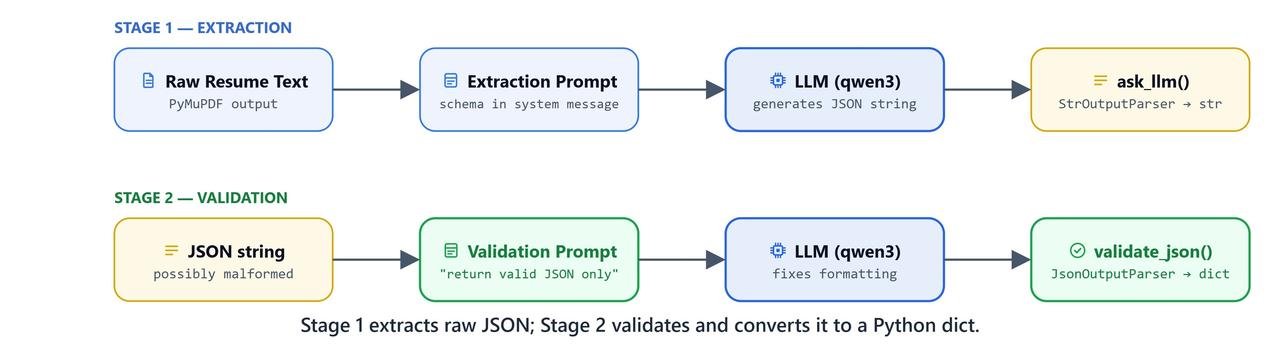
We import the functions from our module and run them one after the other:
from scripts.llm import ask_llm, validate_json

# Stage 1: Semantic Extraction (returns string)
response = ask_llm(context=context, question=question)

# Stage 2: JSON Validation (returns dict)
response = validate_json(response)
Inspecting the Parsed Data
print(response){
'Contact Information': {
'Name': 'Kumar Pallav',
'Email': 'me@kumarpallav.com',
'Phone Number': '+1-206-910-0006',
'Website/Portfolio': 'http://kumarpallav.com'
},
'Education': {
'Institution Name': 'Indian Institute of Technology, Bombay',
'Degree': 'Bachelor of Computer Science and Engineering (with Hons.)',
'Field of Study': 'Computer Science and Engineering',
'Graduation Dates': 'Jun 2010 - May 2014'
},
'Experience': [
{
'Job Title': 'Software Engineer · OneNote',
'Company Name': 'Microsoft',
'Location': 'Redmond, WA',
'Dates of Employment': 'Jun 2016 - Present',
'Responsibilities/Projects': [
'Magic Ink and Ink Lookup: Recognizing ink strokes into words...',
'Whiteboard App: Shared session via OneDrive for Business...'
]
},
...
],
'Projects': [...],
'Skills': {
'Programming Languages': ['C++', 'CSharp', 'JavaScript', 'Java', 'C'],
'Technologies/Tools': ['NodeJs', 'UWP', 'Win32']
}
}Here, we can see the output is a clean Python dictionary, matching the exact categories we asked for in the ask_llm prompt. Even the nested lists for experiences and skills came out right.
Saving to JSON
Finally, we save the dictionary to a .json file for later use:
import json

output_file = filename.replace('.pdf', '.json')
output_file = 'parsed_resume/{}'.format(output_file)

json.dump(response, open(output_file, 'w'), indent=4)
Why Use a Two-Stage Pipeline?
You might wonder why we don't just use JsonOutputParser on the first call.
- Mental load: pulling complex data out of dense, messy text is hard. Asking the model to also write perfect JSON at the same time invites mistakes.
- Separate jobs: pass 1 only reads and extracts the data. Pass 2 only formats the data into JSON syntax.
- Reliability: this split sharply cuts JSON errors in production.
What You Built
In this lesson, we built a production-ready resume parsing engine:
PDF loading: used
PyMuPDFLoaderto pull raw text out of PDF resumesModular pipeline: kept all the LangChain logic inside
scripts/llm.pyTwo-stage processing:
- Stage 1: pulled out a structured text summary with
StrOutputParser - Stage 2: checked the text and turned it into a strict dictionary with
JsonOutputParser
- Stage 1: pulled out a structured text summary with
Saving: stored the finished dictionary as a
.jsonfile
This is how resume parsing works with an LLM. One pass reads, one pass formats, and the parser guarantees the JSON. In the next lesson, we will turn this exact pipeline into a web app.