
A support agent often needs three details from a billing ticket: the name, the amount and the date. They are already in the message, but a long message hides them. Named-entity recognition marks those parts of the text and gives each one a type.
In this blog, we will learn how to use Scikit-LLM's GPTExplainableNER with Qwen 3.8 27B on our own machine. Then we will find out what the estimator really returns, and how to check each marked value against the ticket.
The figure below shows the plan. The ticket goes to the estimator, and every tag is checked against our own answer key.
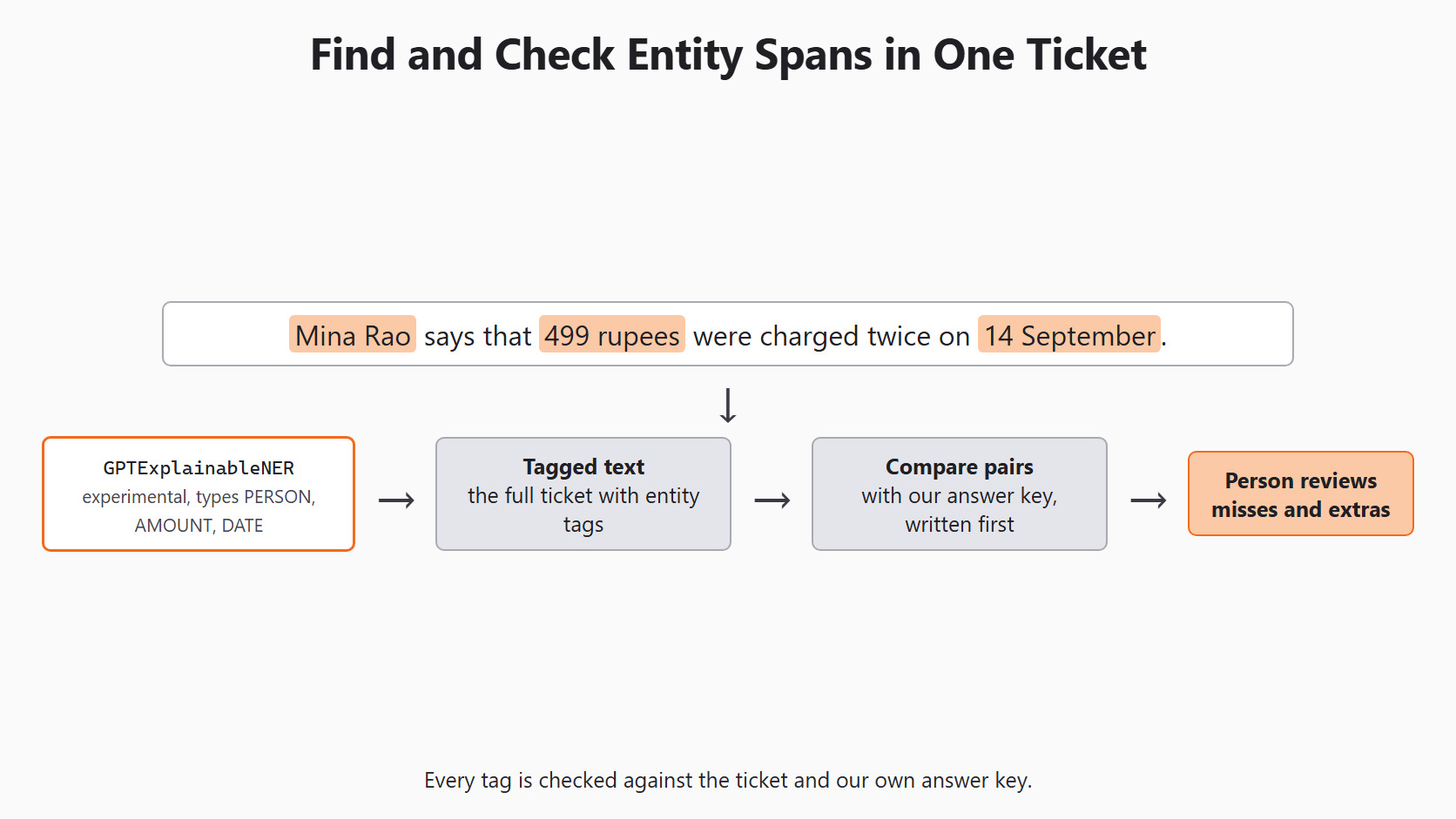
Like Day 11, we keep the original text beside every result. The named-entity feature is marked experimental in the official NER guide, so we inspect its output closely.
What Is a Named Entity?
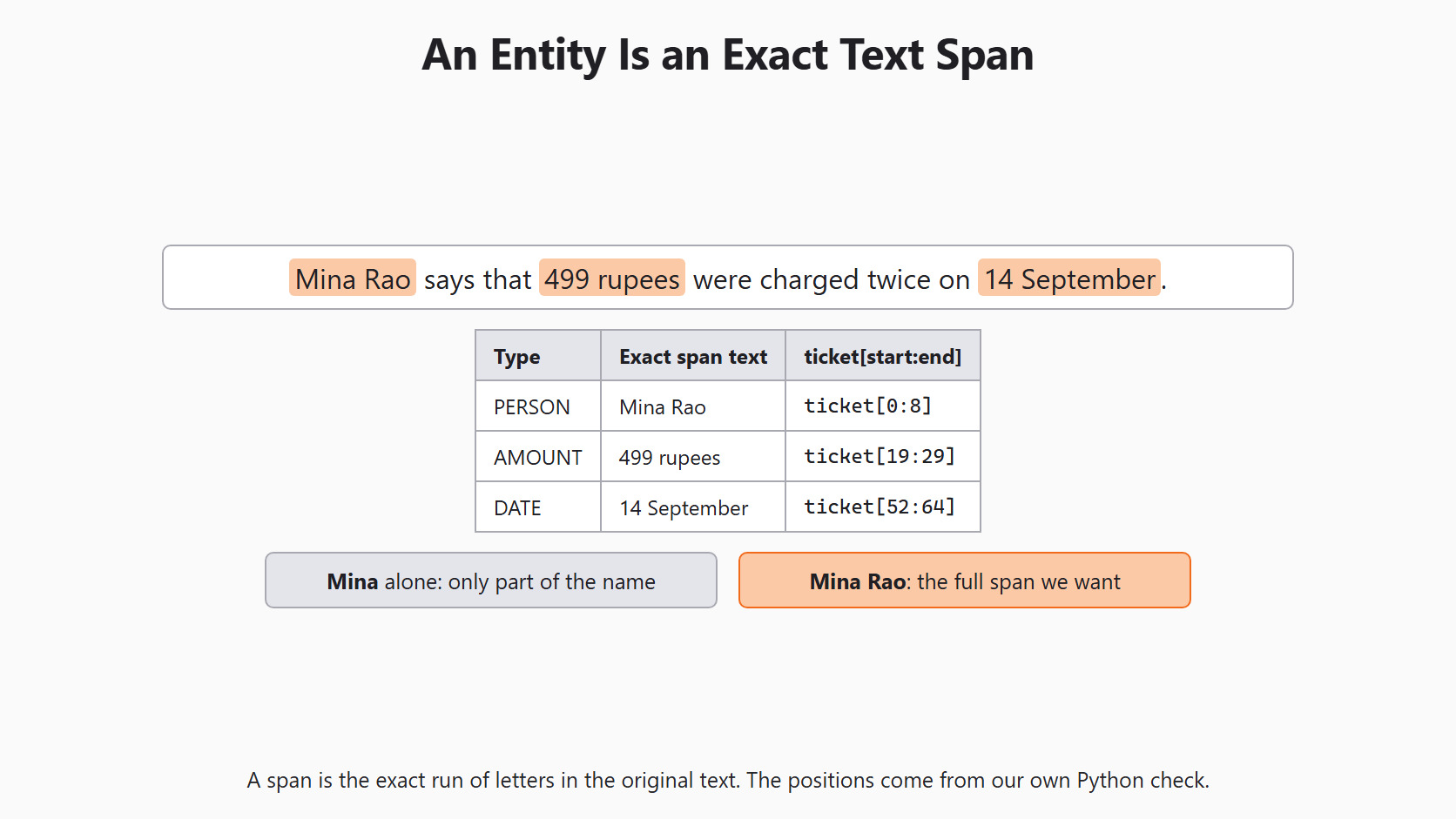
A named entity is a part of the text that belongs to a type we care about. In our ticket, Mina Rao is a person, 499 rupees is an amount and 14 September is a date.
A span is the exact run of letters that holds that value in the original text. Boundaries matter here. Mina alone is only part of the name, so it is not the span we want. A cut-off name can send an agent to the wrong student record.
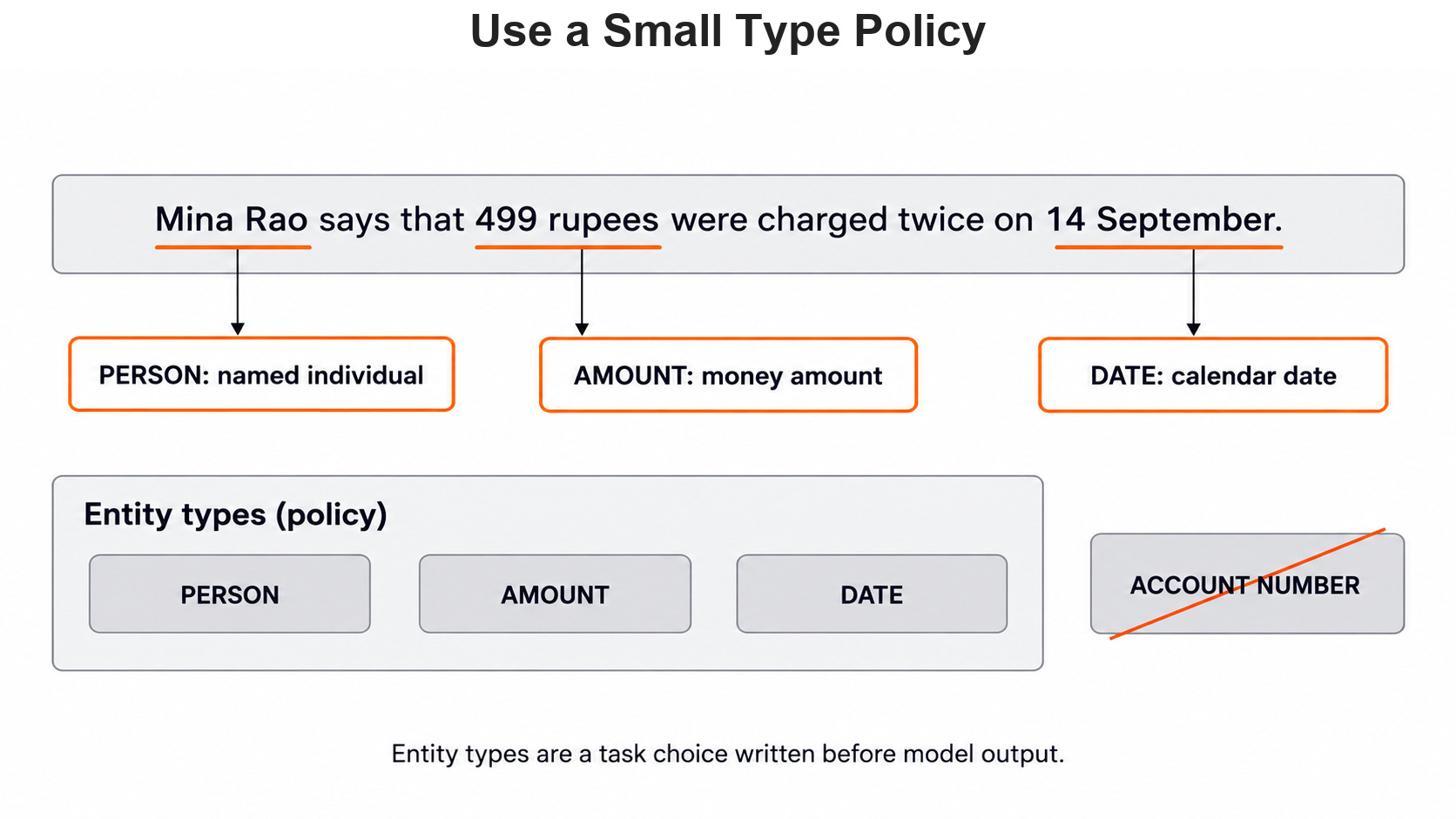
The list of types is our own small policy. We ask for PERSON, AMOUNT and DATE, because these help an agent handle a payment case. We leave out account numbers, because our ticket has none. Each extra type means more tags to check and more chances for a wrong mark.
Write the Answer Key First
We write the expected spans before any model call. That way, a model answer can never become its own answer key. The ticket is made up and holds no real student's details.
Let's see the code as below:
ticket = 'Mina Rao says that 499 rupees were charged twice on 14 September.'
expected_spans = {
    'PERSON': ['Mina Rao'],
    'AMOUNT': ['499 rupees'],
    'DATE': ['14 September'],
}

for entity_type, values in expected_spans.items():
    for value in values:
print(entity_type, value, 'in source:', value in ticket)PERSON Mina Rao in source: True
AMOUNT 499 rupees in source: True
DATE 14 September in source: TrueHere, we can see that every value in our key appears in the ticket. This checks our own key, not the model. A typo in the key would print False here.
We can also check where each value sits. The find() method returns the position where a value starts. Then we slice the ticket to confirm the saved text is exactly what those positions select:
for kind, values in expected_spans.items():
    for value in values:
        start = ticket.find(value)
        assert start >= 0
        end = start + len(value)
        assert ticket[start:end] == value
print(kind, start, end, ticket[start:end])PERSON 0 8 Mina Rao
AMOUNT 19 29 499 rupees
DATE 52 64 14 SeptemberHere, we can see the start and end position of each value in our key. These positions come from plain Python, not from Scikit-LLM. The estimator returns tagged text, with no start or end positions. Also, find() returns only the first copy of a value, which matters later for repeated words.
Setup
Every model call in this series goes through the same setup block. Day 2 explains each line. We repeat it here so this article runs on its own:
import os

from skllm.config import SKLLMConfig

# Default: Qwen 3.8 27B running on our own machine through Ollama
SKLLMConfig.set_gpt_url("http://localhost:11434/v1")
SKLLMConfig.set_gpt_key("ollama")
MODEL = "custom_url::qwen3.8:27b"

# Option: the free Qwen 3.8 27B on OpenRouter (uncomment these lines)
# SKLLMConfig.set_gpt_url("https://openrouter.ai/api/v1")
# SKLLMConfig.set_gpt_key(os.environ["OPENROUTER_API_KEY"])
# MODEL = "custom_url::qwen/qwen3.8-27b:free"
With Ollama, the model runs on our own computer, so there is no API bill. The key "ollama" is only a placeholder. If the model is not downloaded yet, ollama pull qwen3.8:27b fetches it once.
Tip
The free OpenRouter model allows 20 requests per minute and 50 per day. Keep the key in the OPENROUTER_API_KEY environment variable and never print it.
Ask for Three Entity Types
GPTExplainableNER takes a dictionary of entity types. Each description goes into the prompt, so it tells the model where a type starts and stops.
Let's see the code as below:
from skllm.models.gpt.tagging.ner import GPTExplainableNER

entities = {
    'PERSON': 'A named individual mentioned in the ticket.',
    'AMOUNT': 'A money amount stated in the ticket.',
    'DATE': 'A calendar date stated in the ticket.',
}

ner = GPTExplainableNER(
    entities=entities,
    model=MODEL,
    display_predictions=False,
    sparse_output=True,
)
display_predictions=False is the default, and we keep it for scripts. With True, the library shows the tags as HTML in Jupyter. Outside Jupyter, it writes skllm_ner_output.html and tries to open a browser.
sparse_output=True is also the default. In sparse mode, the model is asked for a JSON list only. Each item holds a reasoning, a tag and a value. The library then finds each value in the ticket and wraps it in tags. Every other word goes inside <not_entity> tags.
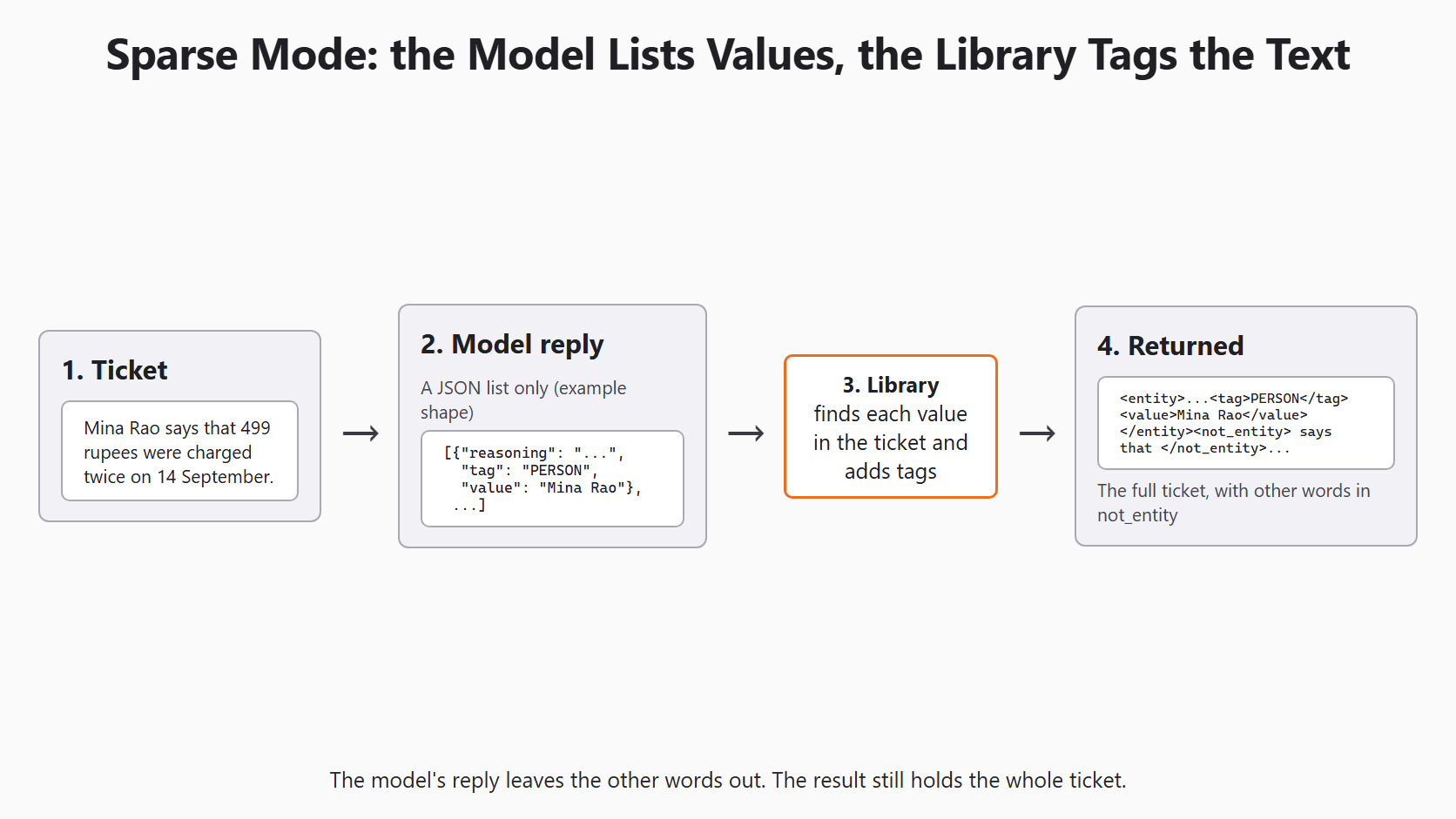
So the result is not a short list of values. It is the full ticket with tags added. Let's run it:
tagged = ner.fit_transform([ticket])
print(tagged[0])
fit() only stores the entity list, so fit_transform() sends one request per text. It returns a list with one tagged string per ticket. A found value looks like <entity><reasoning>...</reasoning><tag>PERSON</tag><value>Mina Rao</value></entity>. If the reply holds no JSON list, the whole ticket comes back inside one <not_entity> tag.
Warning
Sparse mode only tags a value it finds letter for letter in the ticket. If the model writes Rs 499 instead of 499 rupees, that value gets no tag, and no error is raised.
See What Sparse Mode Does With a Reply
We cannot print a model reply here, but we can see the mapping step. json_to_xml() is the helper that transform() uses in sparse mode. It lives in skllm.utils.xml, which is internal, so its name may change in later versions.
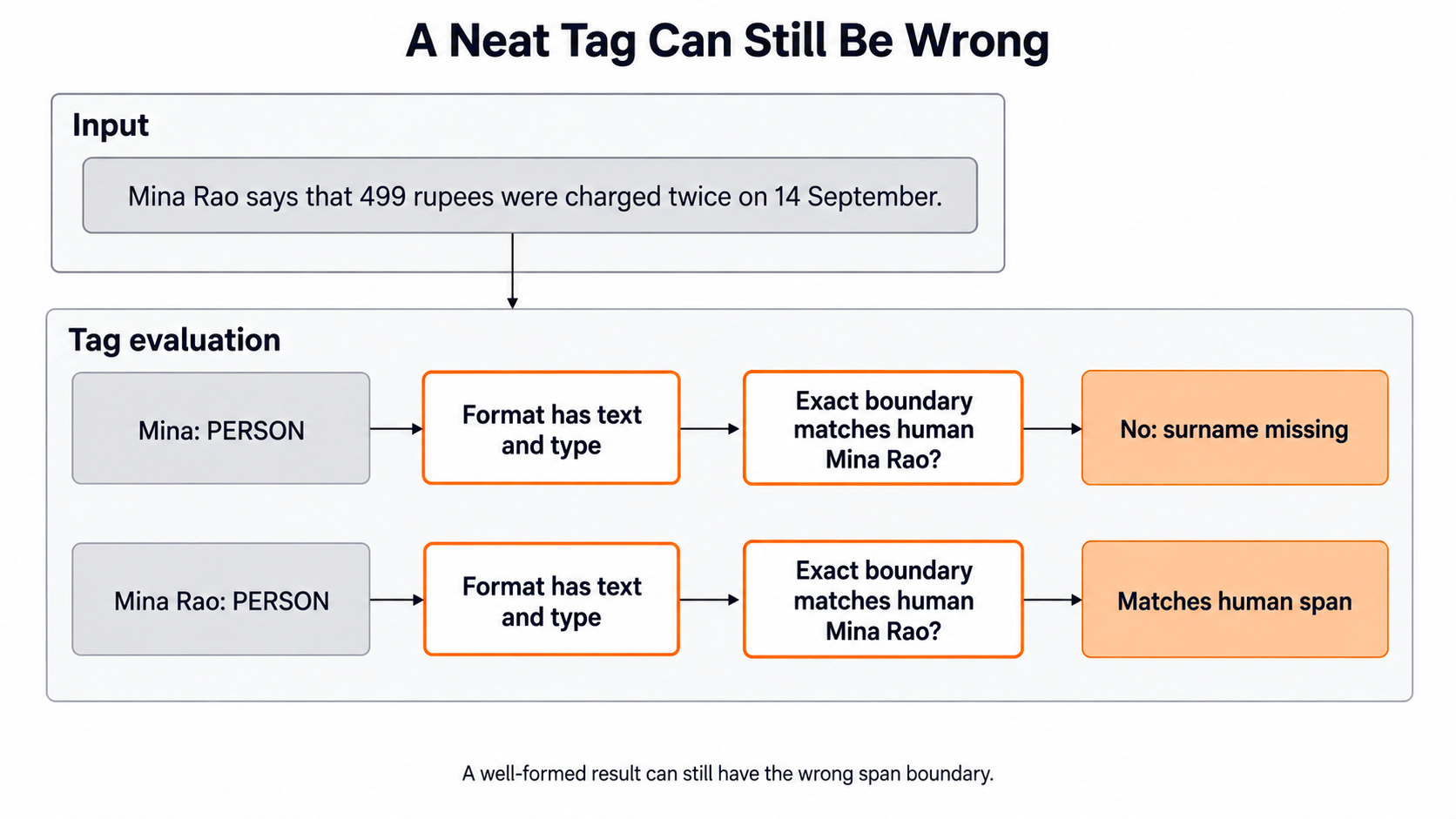
Let's feed it a reply we wrote by hand. It has a boundary error, Mina instead of Mina Rao, and it misses the date:
from skllm.utils.xml import json_to_xml

hand_reply = [
    {'reasoning': 'A name', 'tag': 'PERSON', 'value': 'Mina'},
    {'reasoning': 'A money amount', 'tag': 'AMOUNT', 'value': '499 rupees'},
]
example_tagged = json_to_xml(
    ticket, hand_reply, 'entity', 'not_entity',
    attributes=['reasoning', 'tag', 'value'],
)
print(example_tagged)<not_entity></not_entity><entity><reasoning>A name</reasoning><tag>PERSON</tag><value>Mina</value></entity><not_entity> Rao says that </not_entity><entity><reasoning>A money amount</reasoning><tag>AMOUNT</tag><value>499 rupees</value></entity><not_entity> were charged twice on 14 September.</not_entity>Here, we can see the whole ticket in the result. Mina got a PERSON tag, and Rao was left in a <not_entity> part. The date has no tag, because our hand-written reply left it out. The format looks neat, yet two of the three values are wrong.
Count Exact Matches, Misses and Extras
To score the result, we turn the tags into (type, value) pairs. Then we compare them with the pairs from our answer key. An exact match needs the same type and the same full text.
import re


def entity_pairs(tagged_text):
    pattern = r'<tag>(.*?)</tag><value>(.*?)</value>'
    return set(re.findall(pattern, tagged_text))


expected = {
    (kind, value) for kind, values in expected_spans.items() for value in values
}
found = entity_pairs(example_tagged)
print('correct:', sorted(found & expected))
print('missed:', sorted(expected - found))
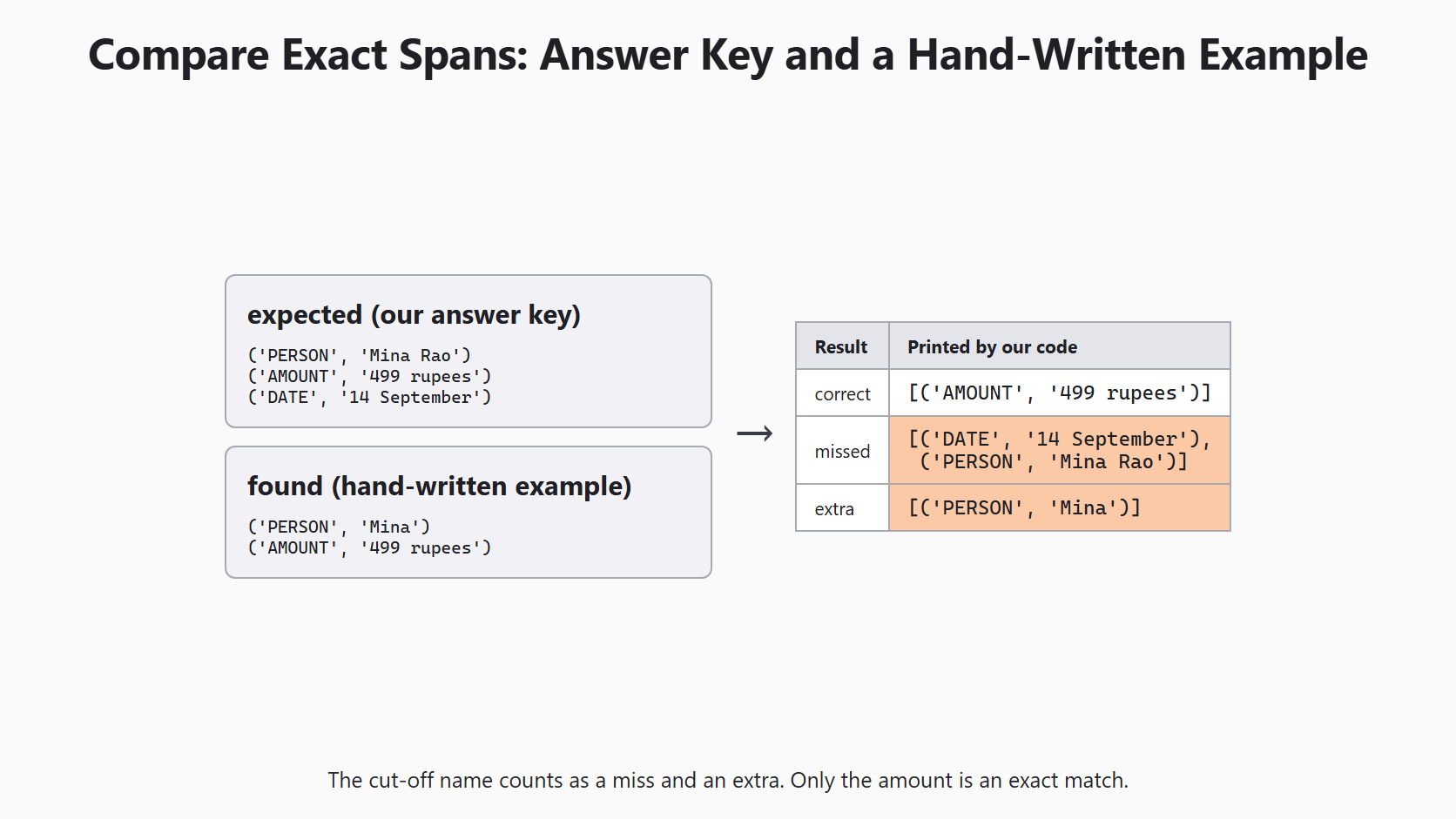
print('extra:', sorted(found - expected))correct: [('AMOUNT', '499 rupees')]
missed: [('DATE', '14 September'), ('PERSON', 'Mina Rao')]
extra: [('PERSON', 'Mina')]Here, we can see one exact match, the amount. The cut-off name counts as both a miss and an extra, because Mina is not Mina Rao. The missing date shows up only as a miss.
A wrong type looks similar. If 14 September were tagged AMOUNT, the boundary would be right. But the pair would still land in both lists. So we read the missed and extra lists together before we write a review note.
Now, we run the same check on the model's result:
model_found = entity_pairs(tagged[0])
print('missed:', sorted(expected - model_found))
print('extra:', sorted(model_found - expected))
Two empty lists mean the model matched our key exactly for this ticket. Any pair in either list goes to a person. One ticket teaches the method. To judge the estimator, we would need many tickets labeled by people first.
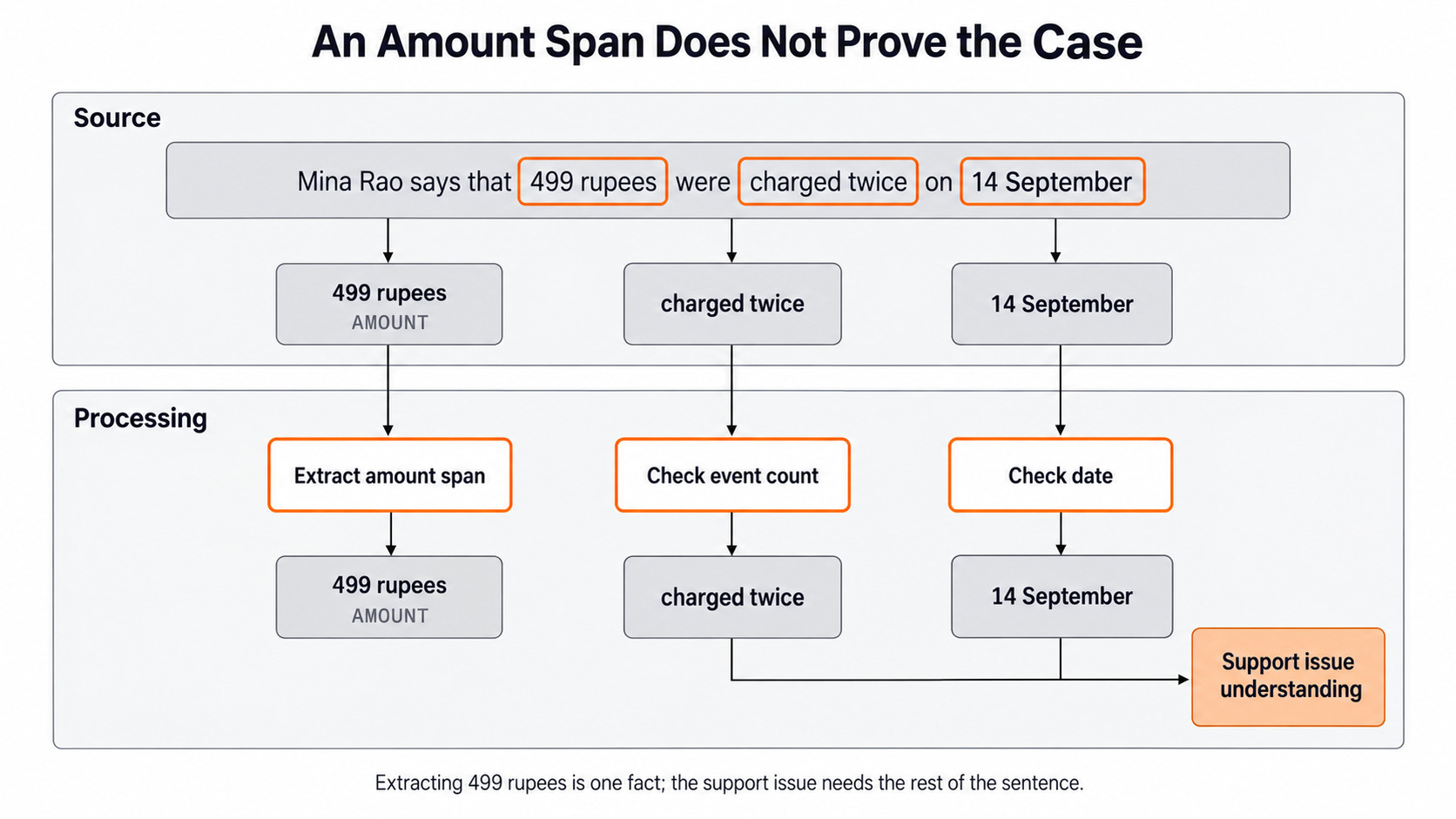
A correct AMOUNT tag still does not tell us what happened to the money. 499 rupees could be a charge, a refund or a balance. So the check from Day 10, reading each fact in its source sentence, still applies.
When the Same Word Appears Twice
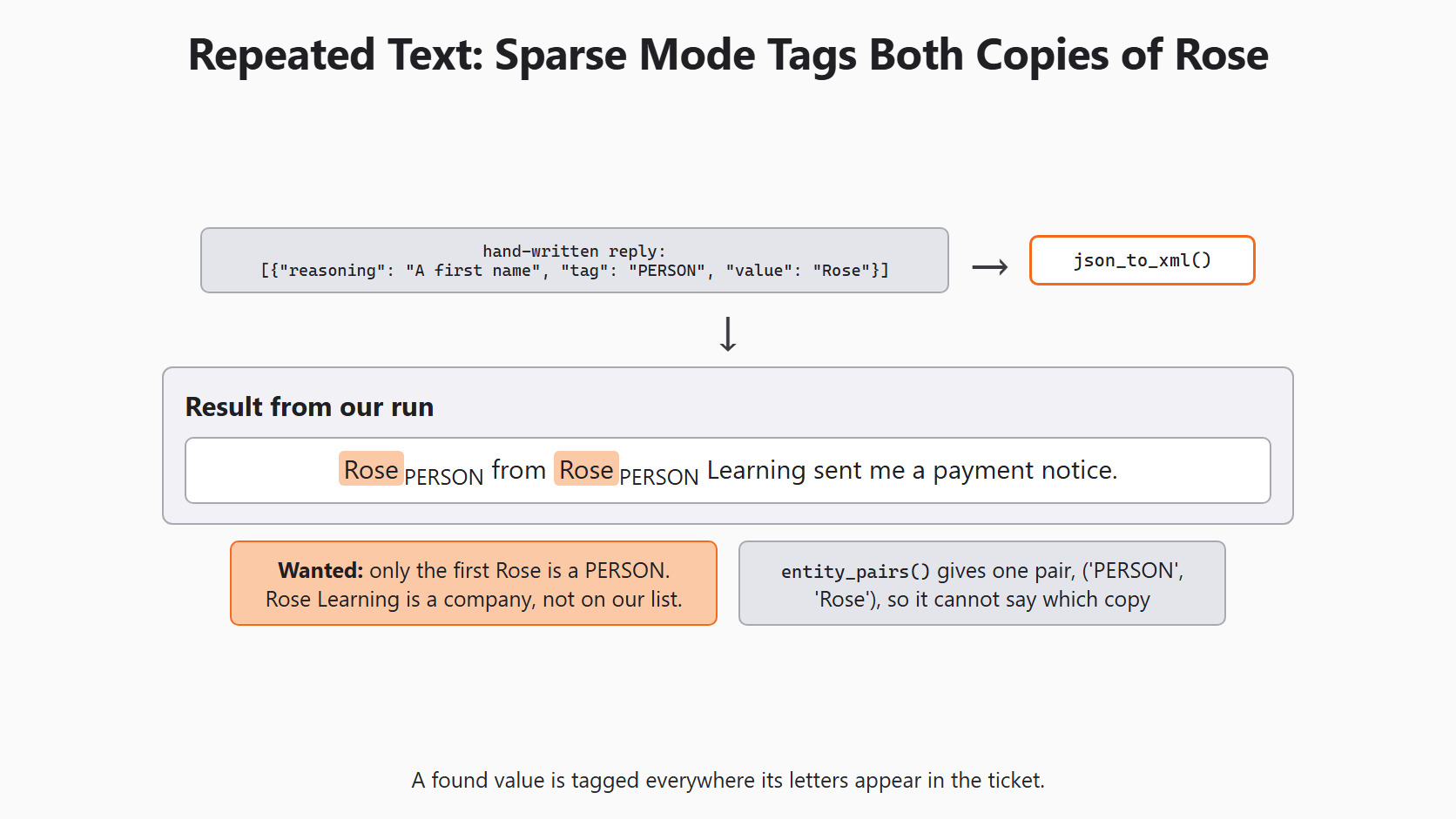
Let's say a ticket reads Rose from Rose Learning sent me a payment notice. The first Rose is a person. The second is part of a company name, which is not on our type list. So the right answer tags only the first Rose as PERSON.
Sparse mode cannot do that. The model only returns the value Rose, and the library tags every copy it finds. Let's see it with a hand-written reply:
rose_ticket = 'Rose from Rose Learning sent me a payment notice.'
rose_reply = [{'reasoning': 'A first name', 'tag': 'PERSON', 'value': 'Rose'}]
print(json_to_xml(
    rose_ticket, rose_reply, 'entity', 'not_entity',
    attributes=['reasoning', 'tag', 'value'],
))<not_entity></not_entity><entity><reasoning>A first name</reasoning><tag>PERSON</tag><value>Rose</value></entity><not_entity> from </not_entity><entity><reasoning>A first name</reasoning><tag>PERSON</tag><value>Rose</value></entity><not_entity> Learning sent me a payment notice.</not_entity>Here, we can see two PERSON tags, one on each Rose. The second tag is wrong. Also, entity_pairs() returns a set, so both tags collapse into one pair. The pair alone cannot show which Rose was meant.
Try Dense Mode and Check the Text
The official guide suggests sparse mode for most text. It keeps dense mode for sentences where the same word has two meanings, like our Rose ticket.
In dense mode, the model rewrites the whole sentence with the tags inside it. That lets it tag each copy of a word differently. But the model could also change a word while rewriting. Scikit-LLM 1.4.3 keeps only the text inside the tags, and its check against the source is commented out.
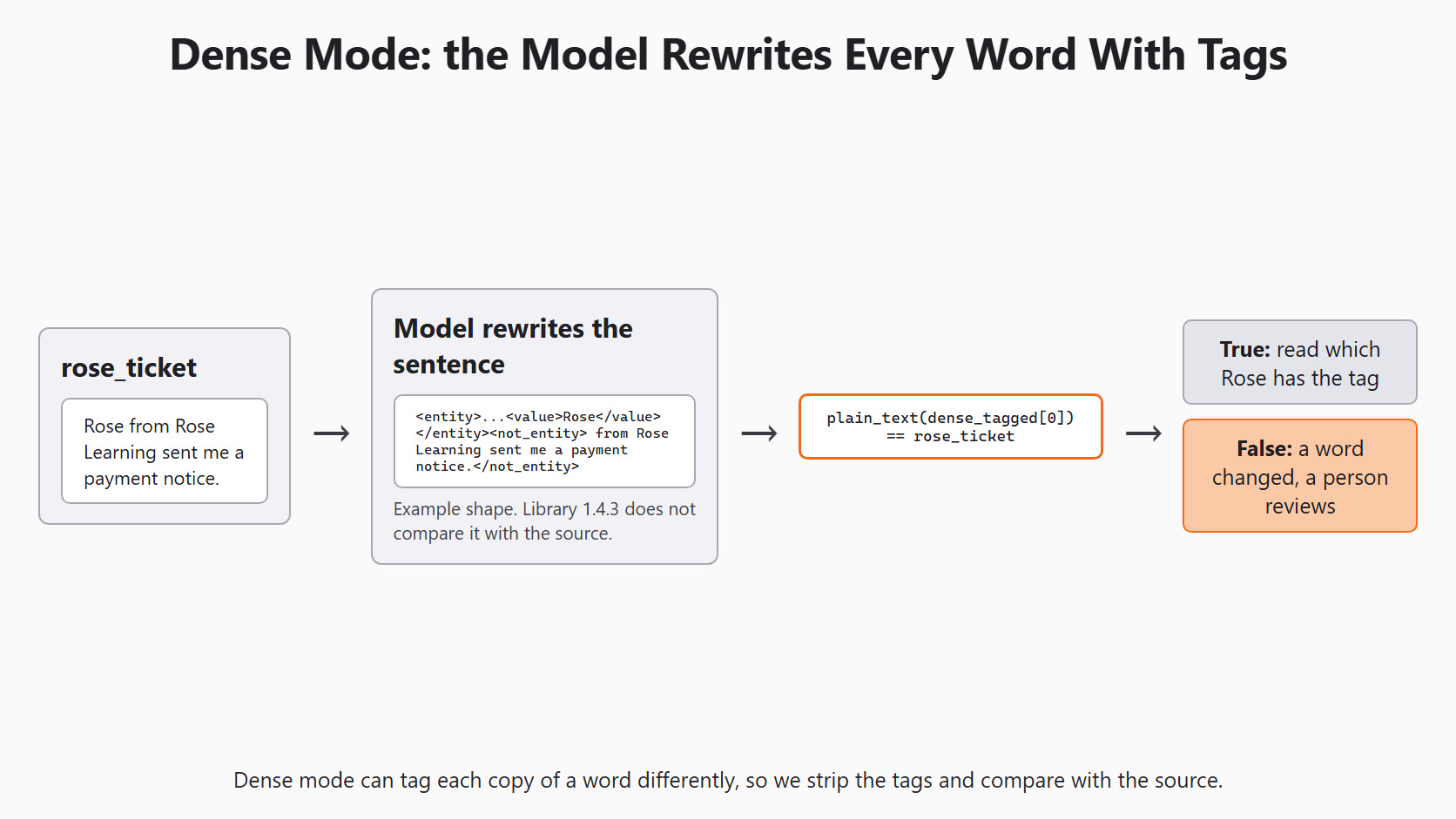
So we write our own check. plain_text() removes the tags and keeps each value, which should give back the original text. We test it first on the tagged example from before:
def plain_text(tagged_text):
    text = re.sub(
        r'<entity>.*?<value>(.*?)</value></entity>', r'\1', tagged_text, flags=re.S
    )
    return re.sub(r'</?not_entity>', '', text)


print(plain_text(example_tagged) == ticket)TrueHere, we can see that stripping the tags gives back the exact ticket. Now, we run dense mode on the Rose ticket and apply the same check:
dense_ner = GPTExplainableNER(
    entities=entities,
    model=MODEL,
    display_predictions=False,
    sparse_output=False,
)
dense_tagged = dense_ner.fit_transform([rose_ticket])
print(dense_tagged[0])
print('text unchanged:', plain_text(dense_tagged[0]) == rose_ticket)
The first line prints the tagged sentence. The second prints True only when every character of the ticket survived. False means a word was changed, dropped or added, so a person reviews that result. When it is True, we read the tagged sentence to see which Rose carries the PERSON tag.
Keep NER Under Review
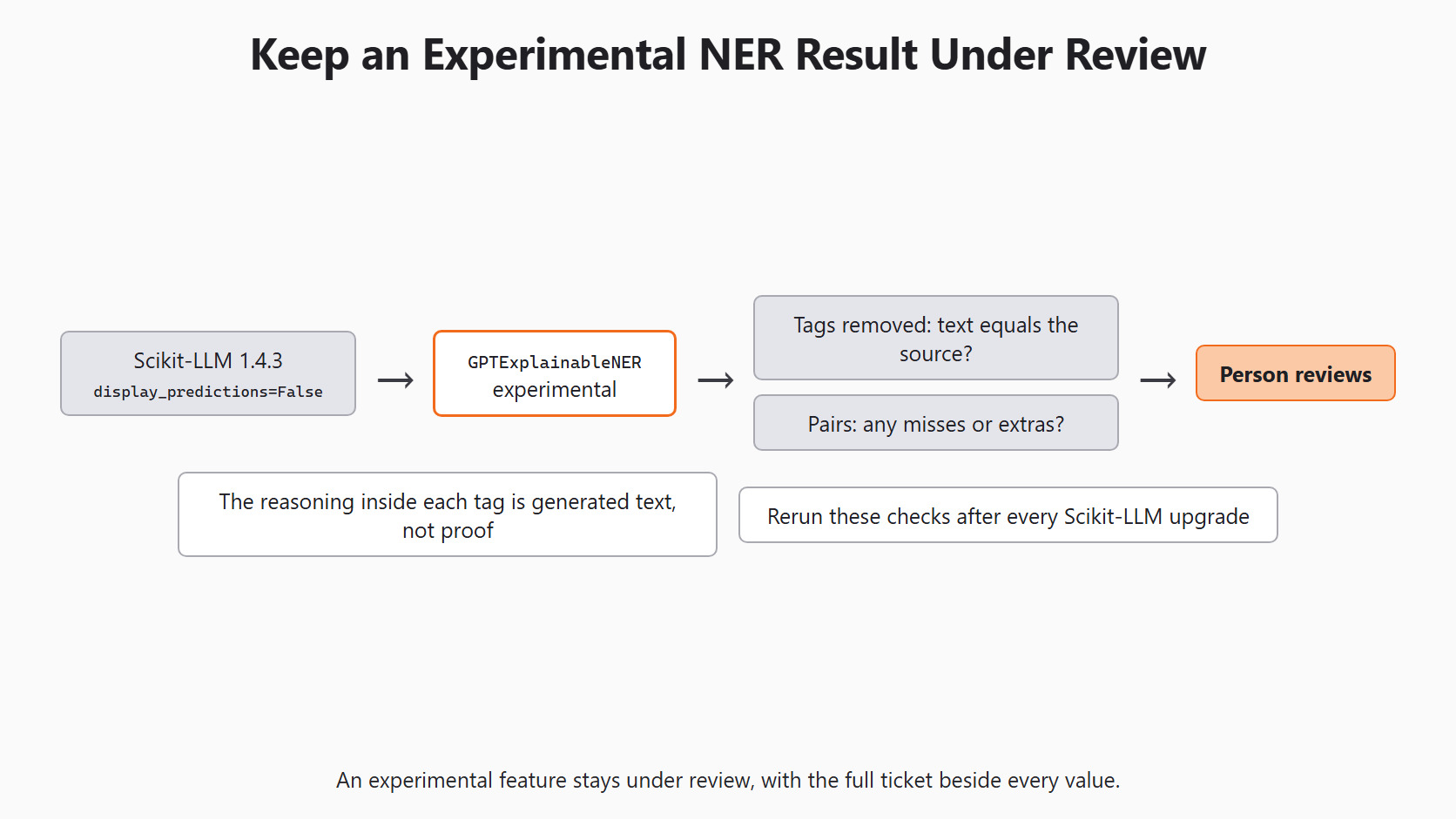
The reasoning inside each tag is generated text too. It helps a reviewer, but it is not proof that the tag is right. Because the feature is experimental, we rerun these checks after every Scikit-LLM upgrade.
Note
Keep the full ticket beside every extracted value in the support tool. An agent should see the sentence around 499 rupees, not only the tag.
Conclusion
This is how named-entity recognition works in Scikit-LLM. We wrote an answer key first, then asked GPTExplainableNER for three types with the local Qwen model. Finally, we turned the tagged text into pairs, counted matches, and checked dense mode against the source.
- Both modes return the full text with tags, never start and end positions.
- Sparse mode tags every copy of a found value, like both copies of
Rose. - Dense mode rewrites the text, so we strip the tags and compare with the source.
- Score exact
(type, value)pairs, and keep misses and extras separate.
Next steps:
- Go back to translating support tickets for the same habit of keeping the source beside the result.
- Continue with Scikit-LLM Predictions and Explanations, where we separate a label from its explanation.
- Revisit summarizing support tickets to check each fact in its source sentence.


