
A support agent may need to read a long thread before helping a student. A short summary saves that reading time. But a smooth summary can also add a fact that never happened, such as a refund nobody approved.
In this blog, we will learn how to ask Scikit-LLM's GPTSummarizer for a short summary of a billing thread, using Qwen 3.8 27B on our own machine. Then we will find out how to check each important claim in that summary against the thread it came from.
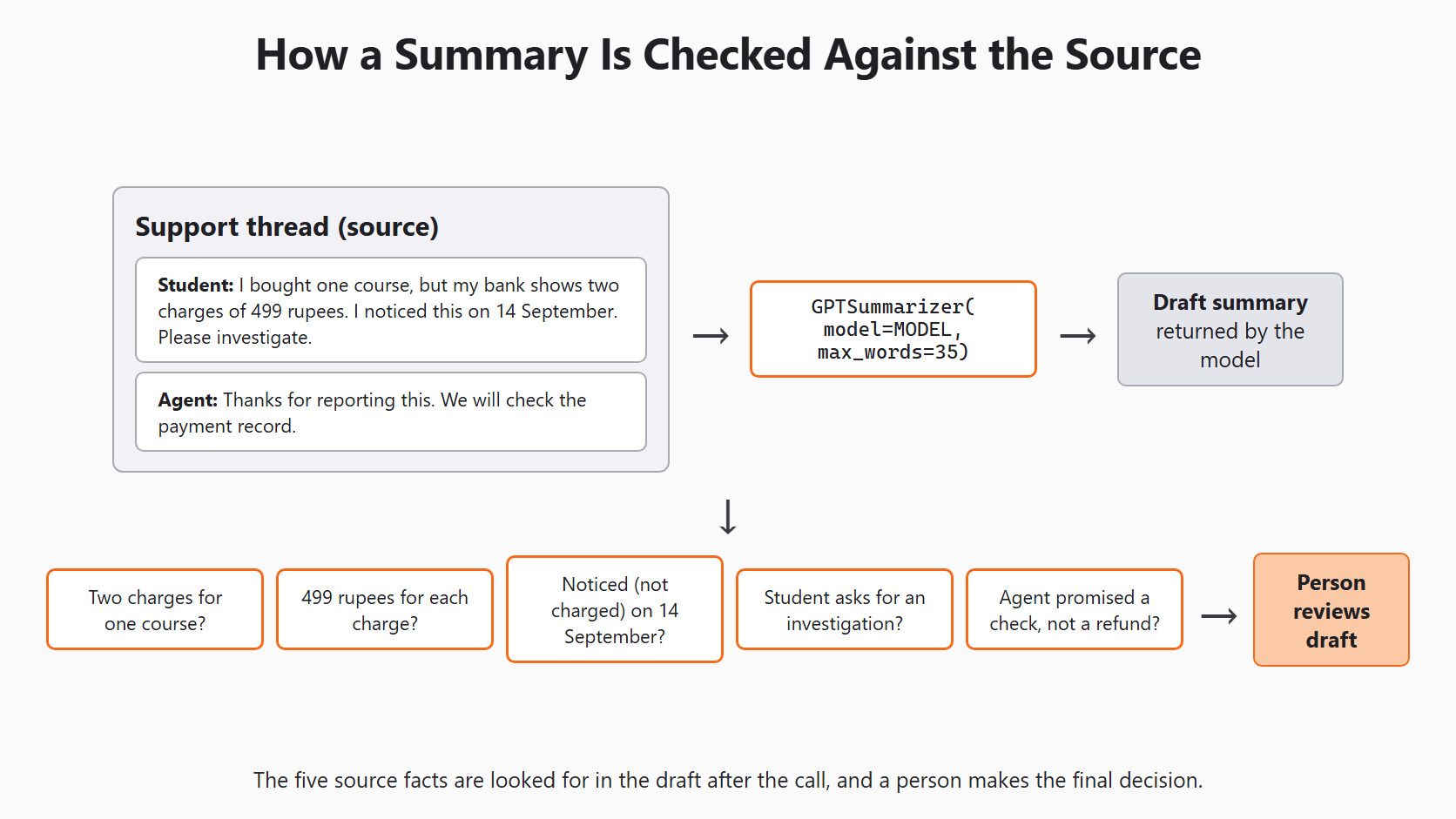
The figure below shows the whole plan. The thread goes to the summarizer, and each source fact is then looked for in the draft before a person approves it.
Decide Which Facts Must Survive
Before we ask for a summary, we write down the facts it must keep. We do this first on purpose. If we read the model's answer first, it is easy to excuse a missing detail afterward.
Our thread has two messages. The student reports a problem, and the agent replies. The student gives four facts: the issue, the amount, the date and the request.
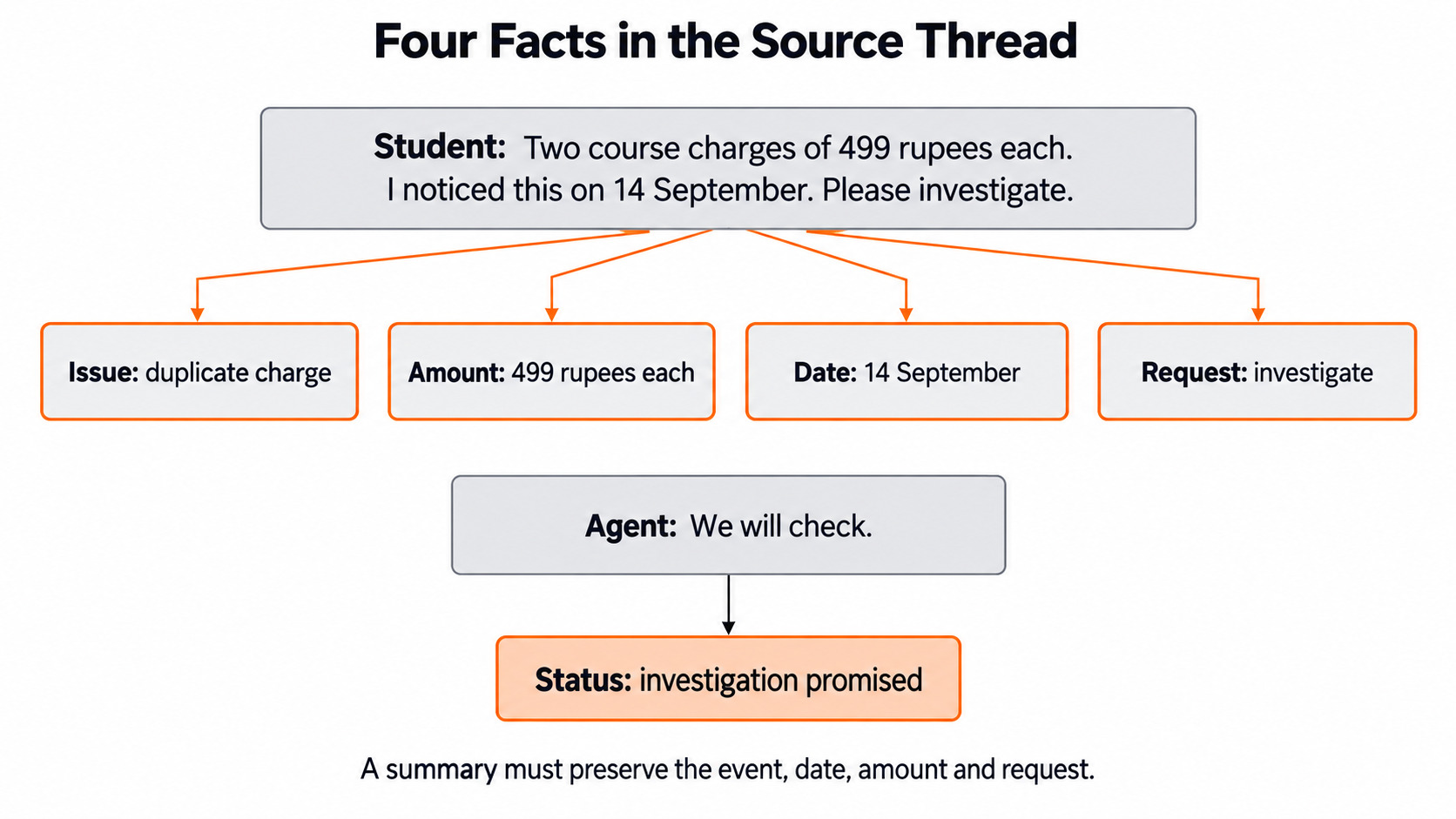
The agent adds a fifth fact: the team will check the payment record. We keep this promise on our list because a summary can easily turn "we will check" into "refund approved". Let me tabulate the five facts for your better understanding.
| Fact to keep | Source speaker | What the source supports |
|---|---|---|
| Two charges for one course | Student | A duplicate charge was reported. |
| 499 rupees per charge | Student | The amount is 499 for each charge. |
| Noticed on 14 September | Student | This is when the student noticed it. |
| Request to investigate | Student | The student asked for a check. |
| Payment record will be checked | Agent | The agent promised a check, not a refund. |
Here, we can see that each row keeps a relation, not just a word. "Noticed on 14 September" is not the same as "charged on 14 September". The thread never says when the charges happened. In the same way, "two charges of 499 rupees" is not "a total charge of 499 rupees".
A summary may use different words and still be correct. It must only keep the meaning of these five rows.
Setup
Every model call in this series goes through the same setup block. Day 2 explains each line. We repeat it here so this article runs on its own:
import os

from skllm.config import SKLLMConfig

# Default: Qwen 3.8 27B running on our own machine through Ollama
SKLLMConfig.set_gpt_url("http://localhost:11434/v1")
SKLLMConfig.set_gpt_key("ollama")
MODEL = "custom_url::qwen3.8:27b"

# Option: the free Qwen 3.8 27B on OpenRouter (uncomment these lines)
# SKLLMConfig.set_gpt_url("https://openrouter.ai/api/v1")
# SKLLMConfig.set_gpt_key(os.environ["OPENROUTER_API_KEY"])
# MODEL = "custom_url::qwen/qwen3.8-27b:free"
With Ollama, the model runs on our own computer. There is no API bill, and the key "ollama" is only a placeholder. The one-time download is ollama pull qwen3.8:27b, which is 16.5 GB.
Note
Qwen 3.8 thinks before it answers, so each call can take a while on a home machine. The thinking stays out of the text we get back. If Ollama is not running, Scikit-LLM tries 3 times and then raises a RuntimeError that says "Could not complete the operation after 3 retries".
Tip
On the OpenRouter option, the free model allows 20 requests per minute and 50 per day. Keep the key in the OPENROUTER_API_KEY environment variable and never print it.
Create the Synthetic Thread
Now, we write the thread as one string inside a list. GPTSummarizer works on a collection of texts, so even one thread goes in a list. The thread is invented for teaching, so no real student's data leaves our machine.
thread = [
    "Student: I bought one course, but my bank shows two charges of "
    "499 rupees. I noticed this on 14 September. Please investigate. "
    "Agent: Thanks for reporting this. We will check the payment record."
]
The agent reply promises a check. It does not promise a refund. That small difference is the main fact we will guard.
Ask for a Short Summary
GPTSummarizer turns each text into a shorter text. Its max_words setting goes into the prompt as "in at most 35 words". In simple words, it is a request to the model, not a hard limit. The library docstring calls it a soft limit, and nothing in the code trims the reply. The default is 15 words, so we ask for 35 to leave room for all five facts.
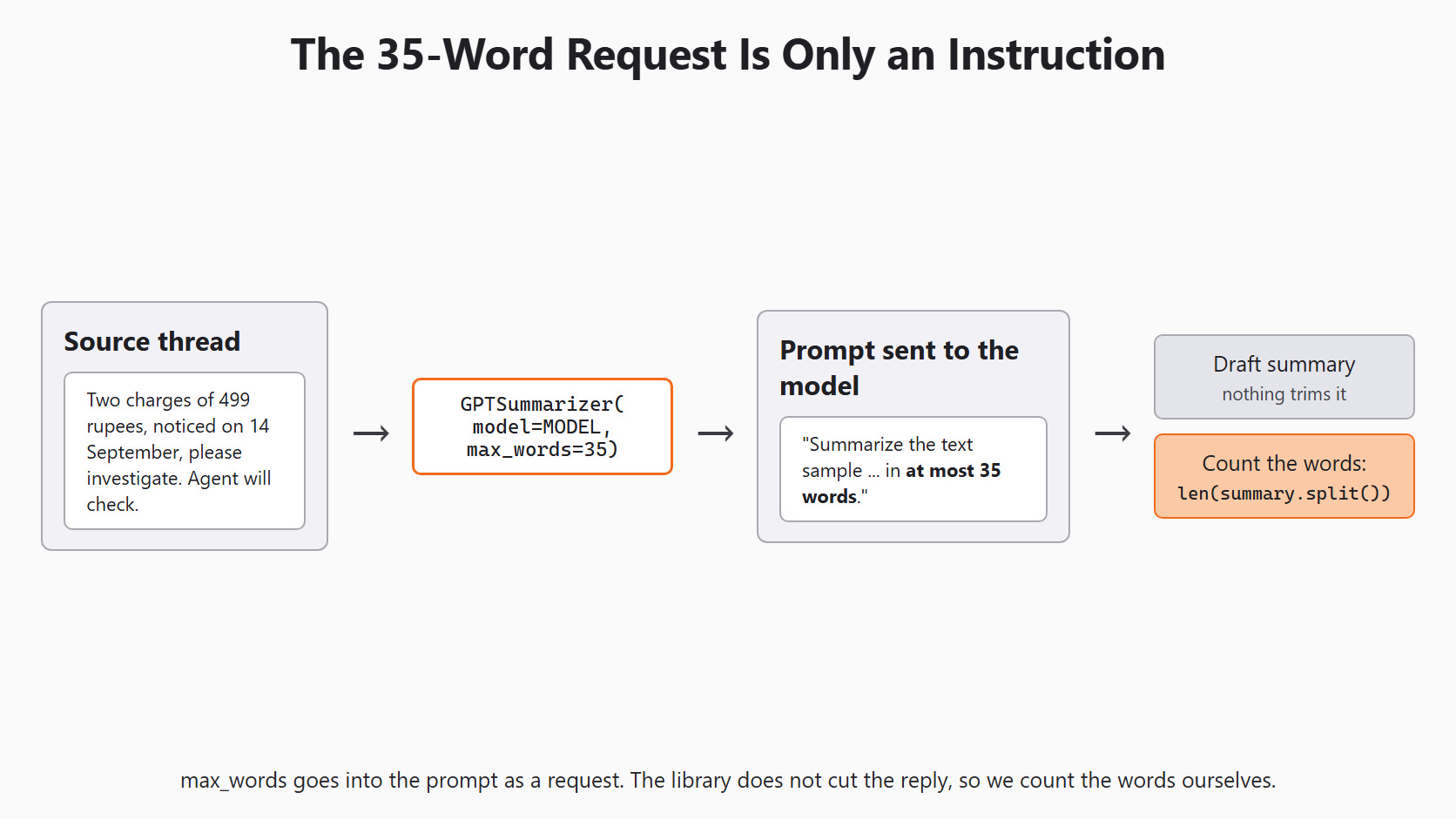
Let's see the code as below:
from skllm.models.gpt.text2text.summarization import GPTSummarizer

summarizer = GPTSummarizer(model=MODEL, max_words=35)
fit does nothing for a summarizer, so fit_transform() simply sends one request per text. It returns a list of summaries, and we take the first one. We also count its words, because the model may go over the limit:
summary = summarizer.fit_transform(thread)[0]
print(summary)
print("Word count:", len(summary.split()))
This prints the model's summary, then a line such as Word count: followed by the real count. A progress bar also appears while the request runs. The count can be above 35, since the library only asked the model to stay near it.
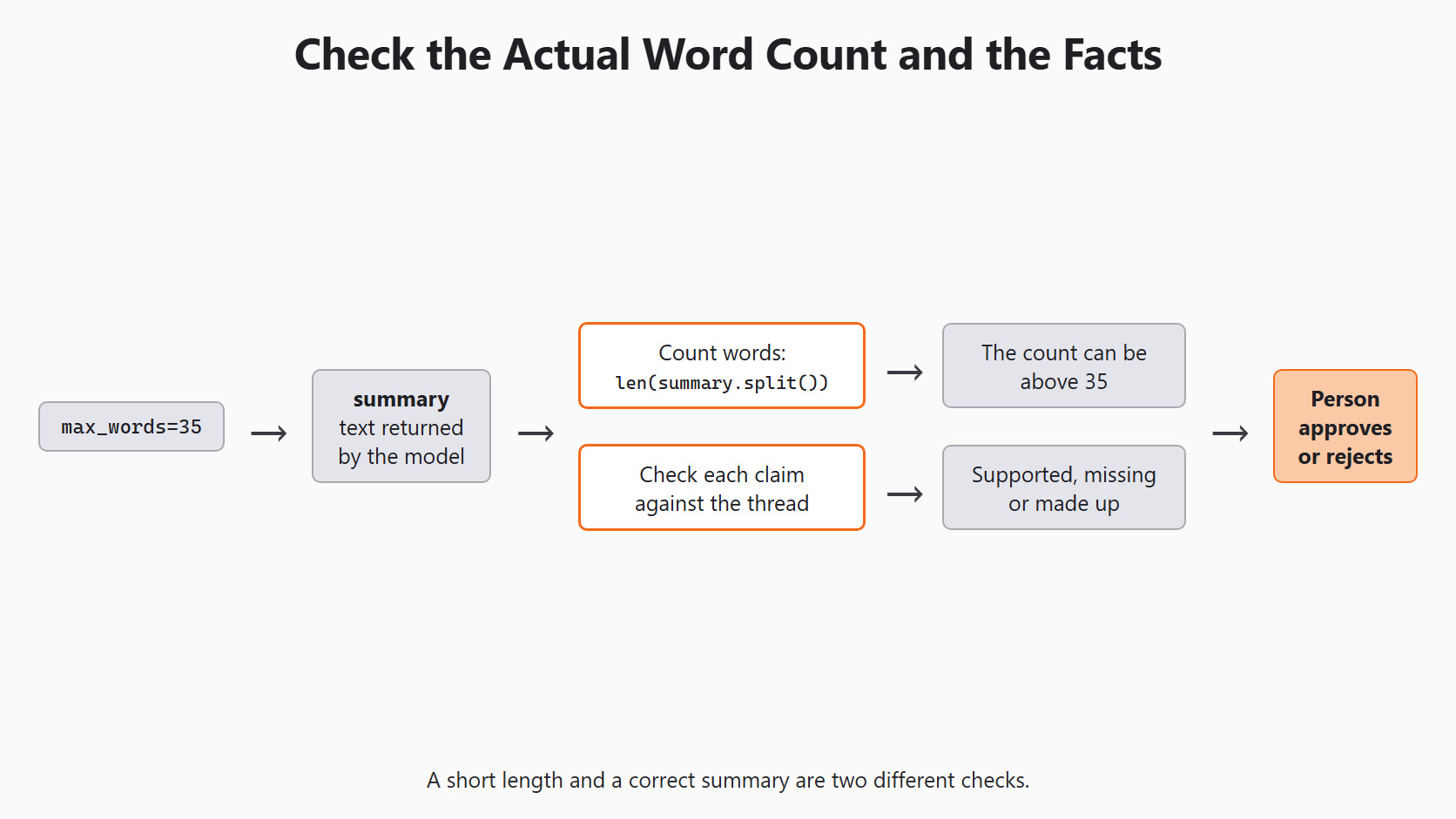
summary.split() splits on spaces. That is fine for this lesson. It is a count of words on the screen, not the model's token count.
Warning
Do not cut a long summary at word 35 to make it fit. The cut could remove "not yet approved" and turn a careful sentence into a false one. If a screen needs a hard limit, shorten by hand and check the meaning again.
Check Claims Against the Source
A string check can answer one narrow question, such as "does 499 appear?". Let's write two small checks for the amount and the date. A date can be written day first or month first, so the date check accepts both orders:
def amount_mentioned(text):
    return "499" in text


def date_mentioned(text):
    text = text.lower()
    forms = ["14 sep", "sep 14", "sept 14", "september 14"]
    return any(form in text for form in forms)
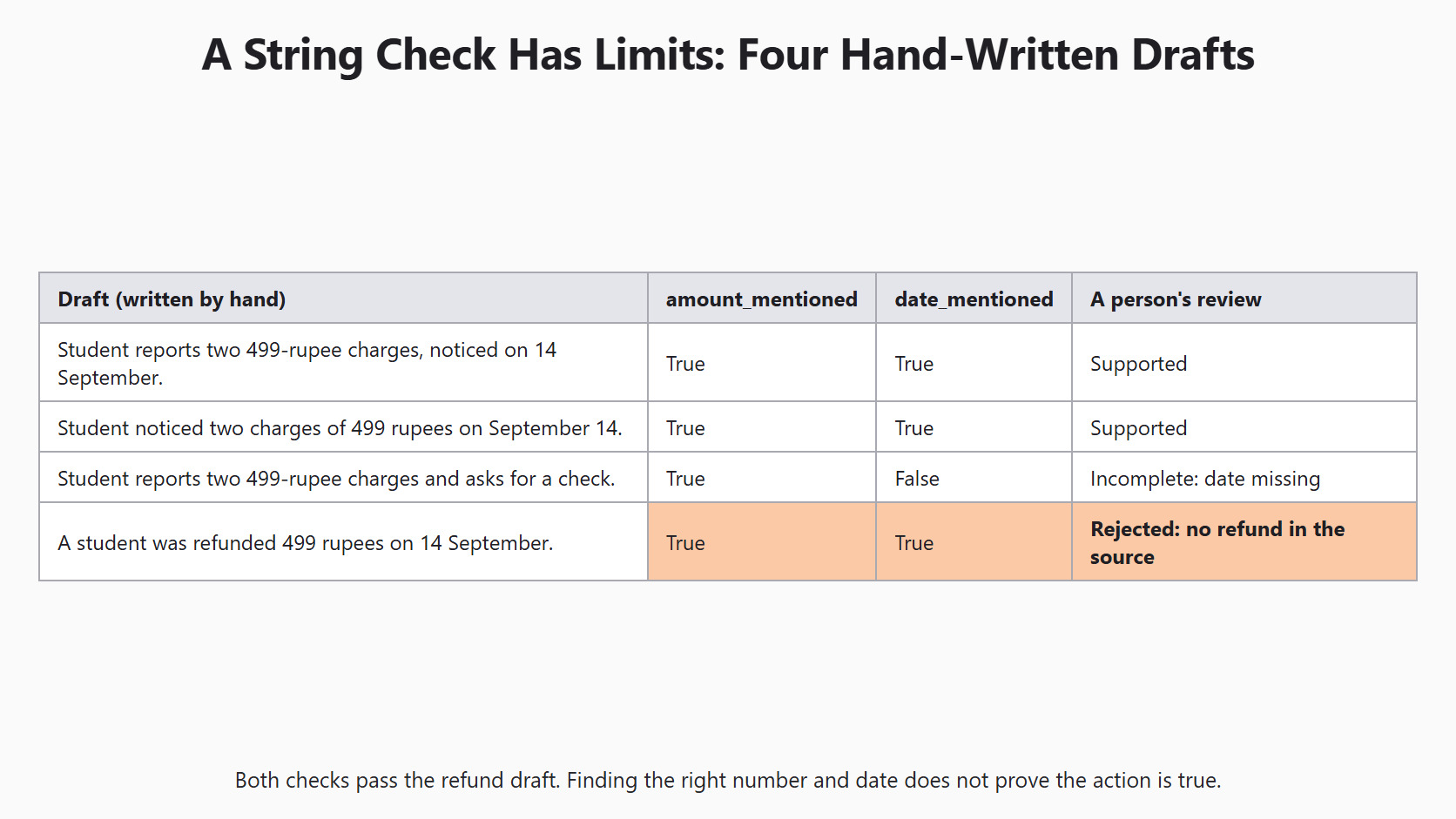
Before we trust these checks, we test them on four drafts we wrote by hand. Draft 3 leaves out the date. Draft 4 invents a refund:
test_drafts = [
    "Student reports two 499-rupee charges, noticed on 14 September.",
    "Student noticed two charges of 499 rupees on September 14.",
    "Student reports two 499-rupee charges and asks for a check.",
    "A student was refunded 499 rupees on 14 September.",
]
for draft in test_drafts:
print(amount_mentioned(draft), date_mentioned(draft), "|", draft)True True | Student reports two 499-rupee charges, noticed on 14 September.
True True | Student noticed two charges of 499 rupees on September 14.
True False | Student reports two 499-rupee charges and asks for a check.
True True | A student was refunded 499 rupees on 14 September.Here, we can see that both date orders pass, and the draft without a date fails. But the refund draft passes both checks. The string checks cannot tell a charge from a refund. Other forms, such as "14th September" or "14/09", would also fail the date check and need a person.
Now, we run the same checks on the real summary:
print("499 mentioned:", amount_mentioned(summary))
print("date mentioned:", date_mentioned(summary))
Each line prints True or False. A False flags a missing fact for review. A True only means the letters are there.
So a person still reads the summary beside the thread. The reviewer checks who reported the issue, whether two charges were described, and what the student asked for. Most of all, the reviewer checks what the agent really promised.
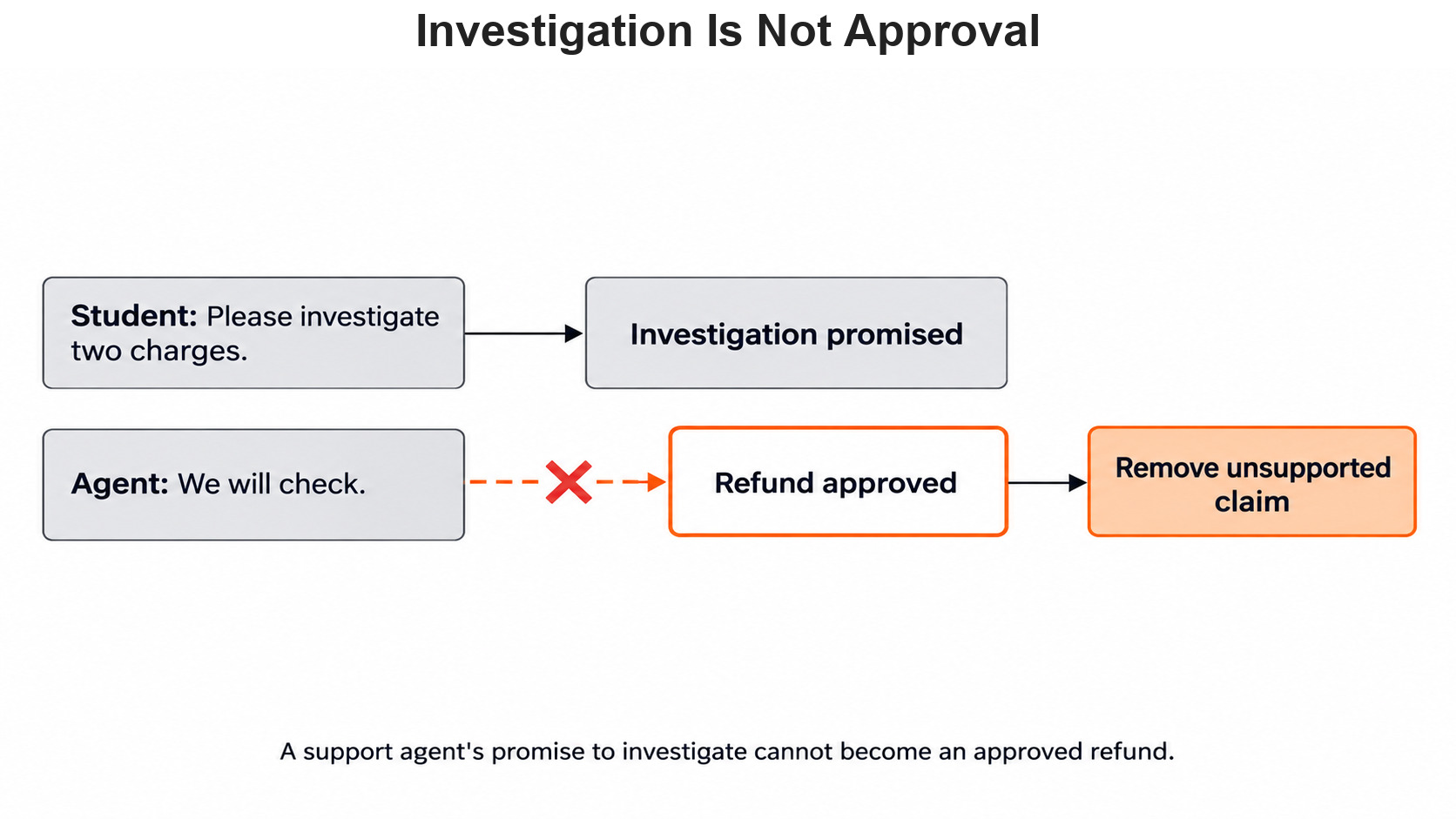
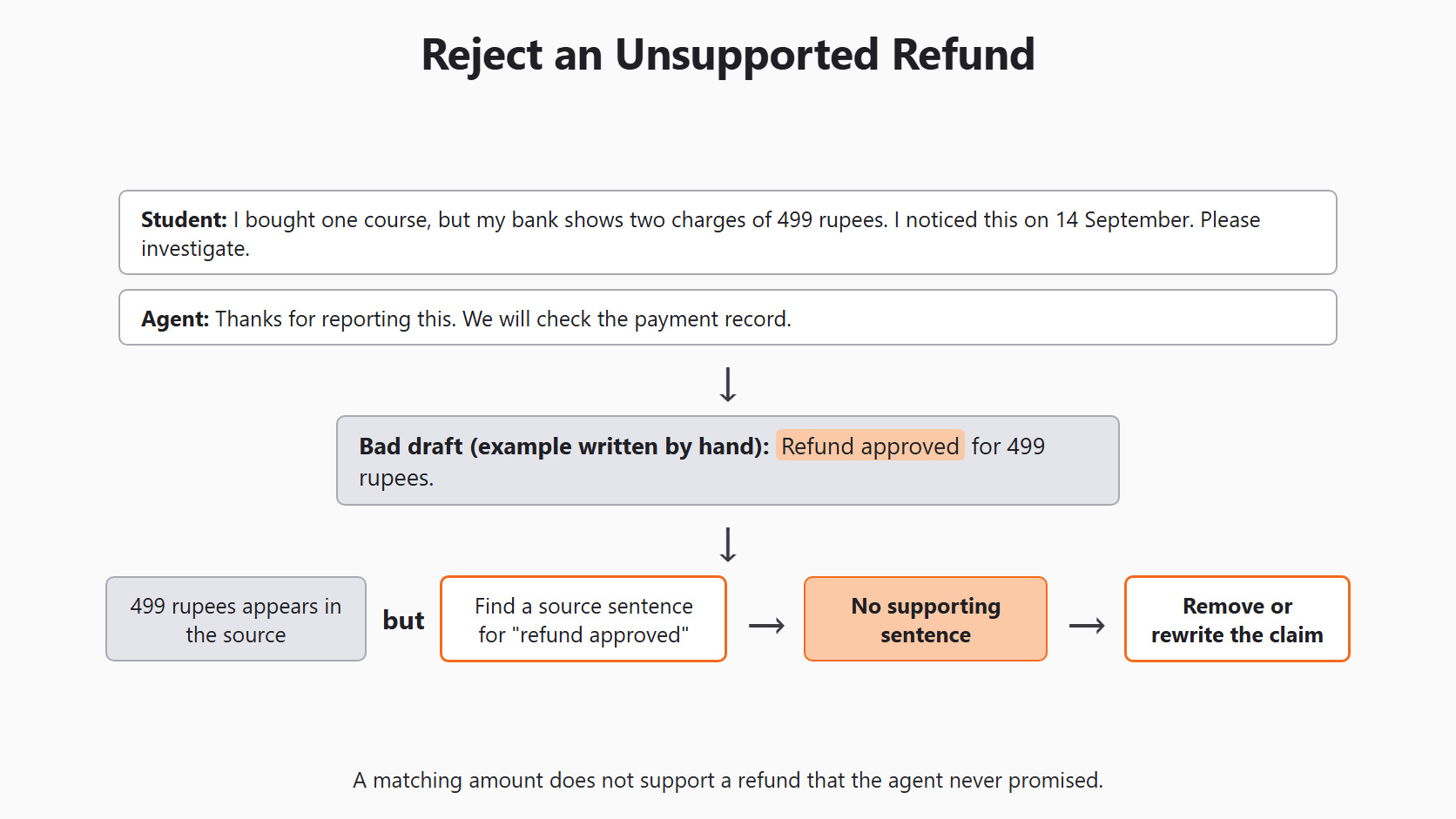
If the summary says a refund was approved, the reviewer looks for a source sentence that supports it. There is none, so the claim is removed or the summary is rejected. A matching amount does not rescue it.
Separate Missing Facts From Made-Up Claims
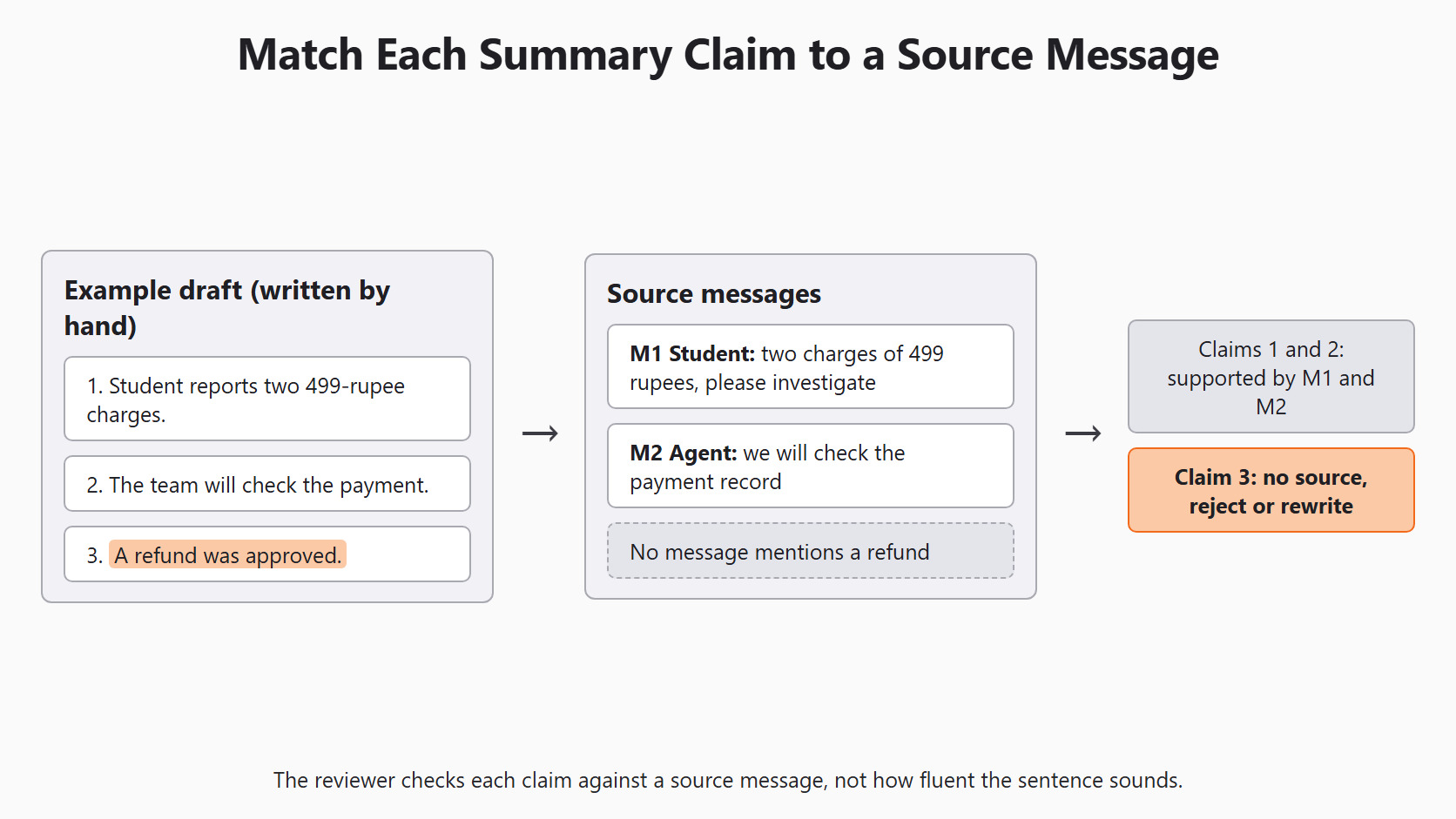
Our test drafts show two different errors. Draft 3 is incomplete: it leaves out the date, but every claim it makes is true. Draft 4 is wrong: it states a refund that the thread never mentions. These errors need different review notes.
So the review runs in two directions. First, we take each source fact and mark it present or missing in the draft. This catches left-out details. Then, we take each claim in the draft and point to the source sentence that supports it. This catches invented details.
A useful review record keeps the draft, the message IDs, the fact list and the reviewer's decision. The purpose of the summary decides which facts are required. An inbox preview may not need the date, but a payment case does. If an agent edits the draft, we save the edited version separately from the model's original.
Handle Long Threads in Stages
A model can read only a limited amount of text at once. A very long thread may not fit in one request. Our thread is short enough for one call, but real threads can grow.
One option is a staged summary. We split the thread into groups of messages and keep each message's ID and order. We summarize each group, then combine the parts into one draft.
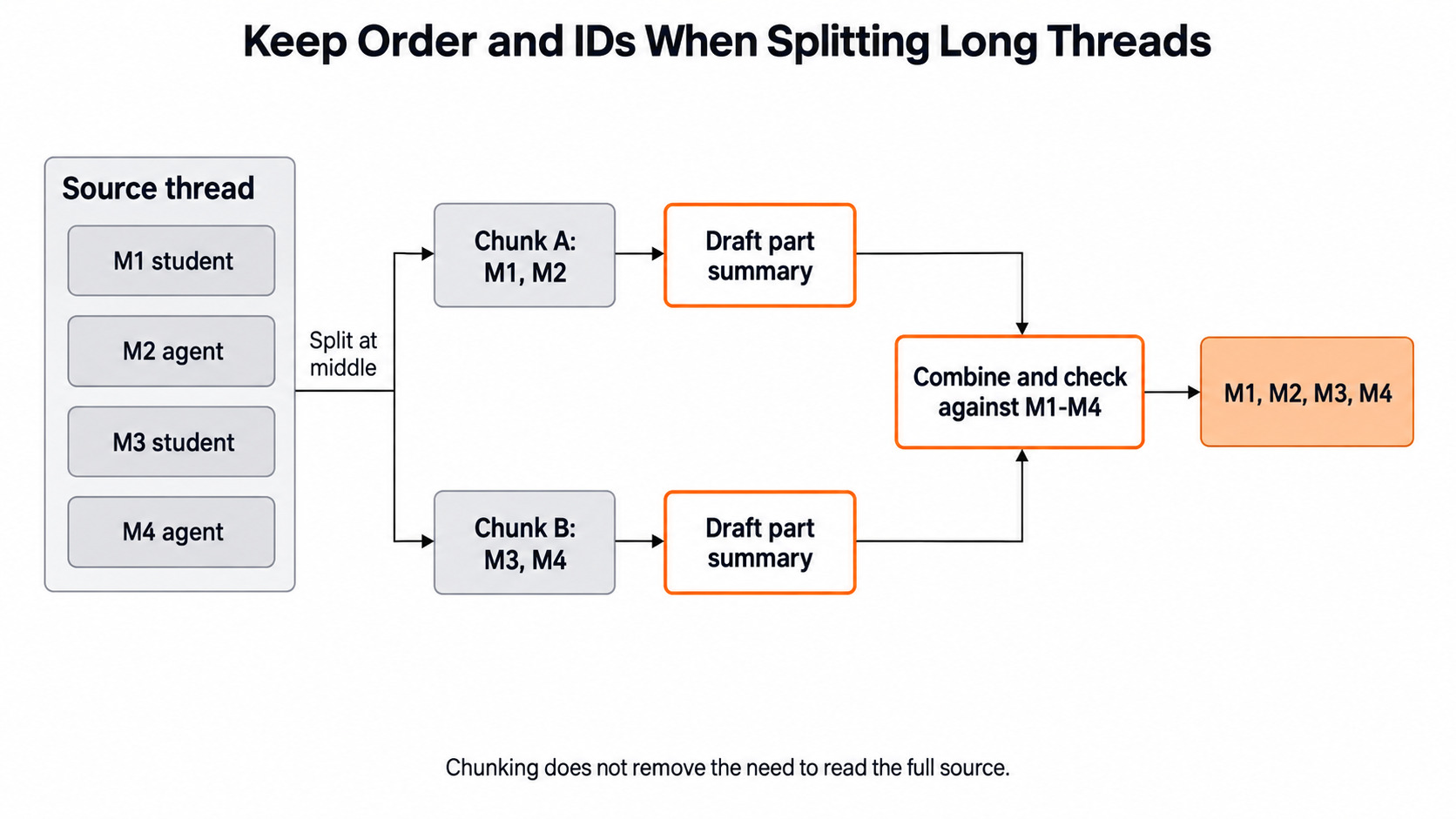
Every stage can lose a fact, so the final check still goes back to the full thread. Order matters too. Let's say an early message asks for a refund, and a later one says the second charge was only a bank hold. A draft built without order may repeat the old request as the current state.
Summarize an Updated Thread
A new message can change what a summary is allowed to say. Let's add a second agent reply and summarize again. Before we run it, we update our fact list: the agent found both payment entries and is still checking.
updated_thread = [
    thread[0] + " Agent: We found both payment entries and are still checking."
]
new_summary = summarizer.transform(updated_thread)[0]
print(new_summary)
The new summary may mention two entries and an open check. It may not say the charges were confirmed as duplicates or that a refund was issued. The word "found" can sound more final in a short summary than it did in the thread.
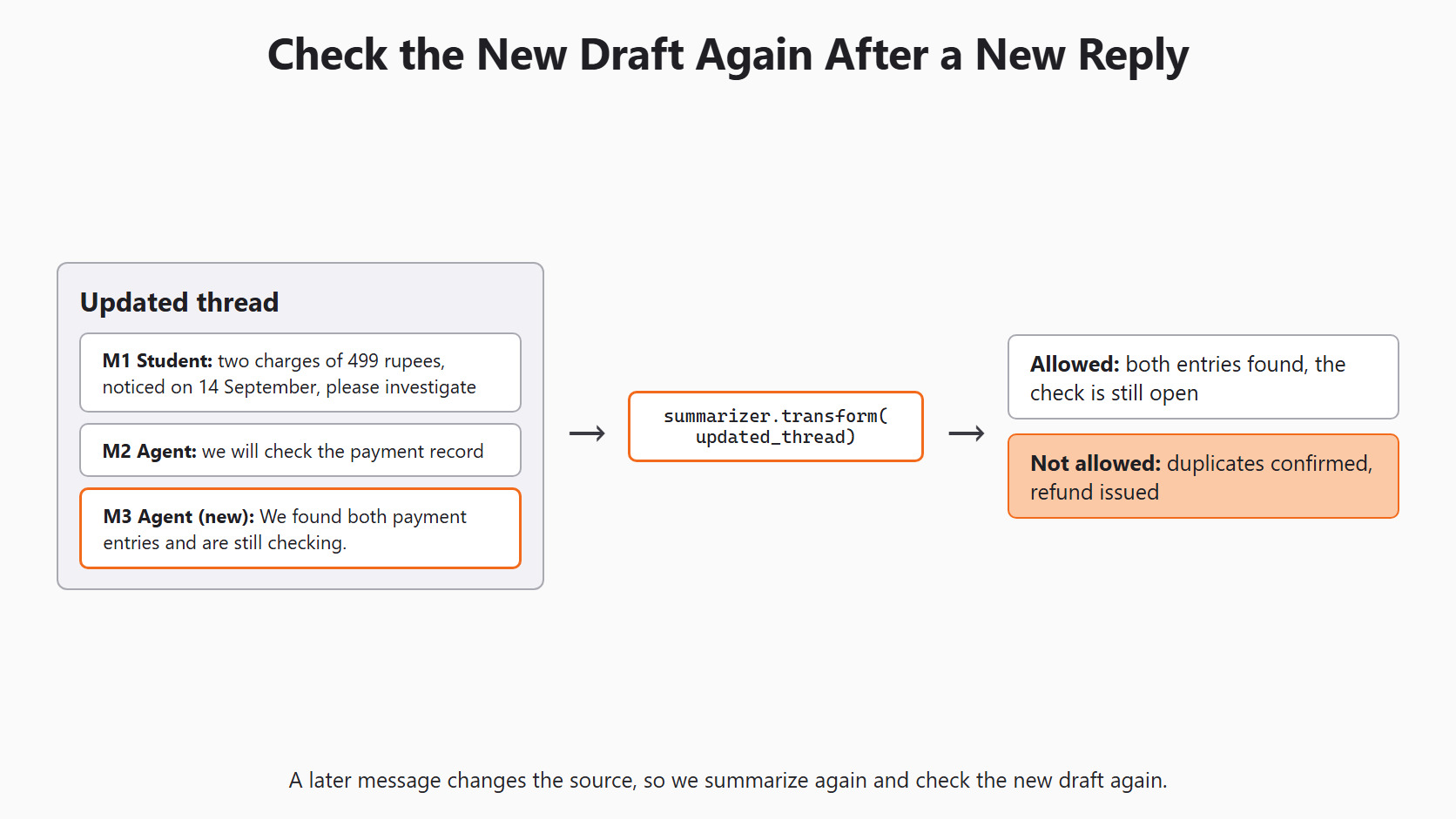
If the new draft says a refund was issued, we point to the missing source sentence and reject that claim. We reject it even when the amount and date are correct.
Conclusion
This is how checking a Scikit-LLM summary works. We wrote the five source facts first, then asked GPTSummarizer for a 35-word draft from the local Qwen model. Finally, we tested simple string checks and saw where they stop, so a person reviews each claim against the thread.
max_wordsasks the model for a length. It does not enforce it.- A summary can be short and still invent an action, such as a refund.
- String checks catch missing numbers and dates, but not a changed meaning.
- Review in two directions: source facts present, and draft claims supported.
Next steps:
- Go back to Dynamic Few-Shot Learning with Scikit-LLM to see how the classifier picks its own examples.
- Continue with translating support tickets, where we keep each translation beside its original message.
- Revisit Evaluate Scikit-LLM Without Fooling Yourself for a larger, human-labeled check set.


