
Our model may know the word "charge", but it does not know how our support team sorts tickets. A few labeled examples can show it our policy. In this blog, we will give Scikit-LLM six labeled tickets and use them to sort a new one.
We will find out what fit() really stores and what the model actually reads. We will also keep the examples away from the check tickets of Day 4, so the comparison with zero-shot stays fair.
What Few-Shot Adds
Think of a teacher who shows two solved problems before giving us a new one. The solved problems show how the teacher uses each word. Few-shot classification works the same way. Zero-shot gives the model the labels and a new ticket. Few-shot also adds a small set of solved tickets, each with its label.
This figure shows the whole path, from the example bank to the returned label.
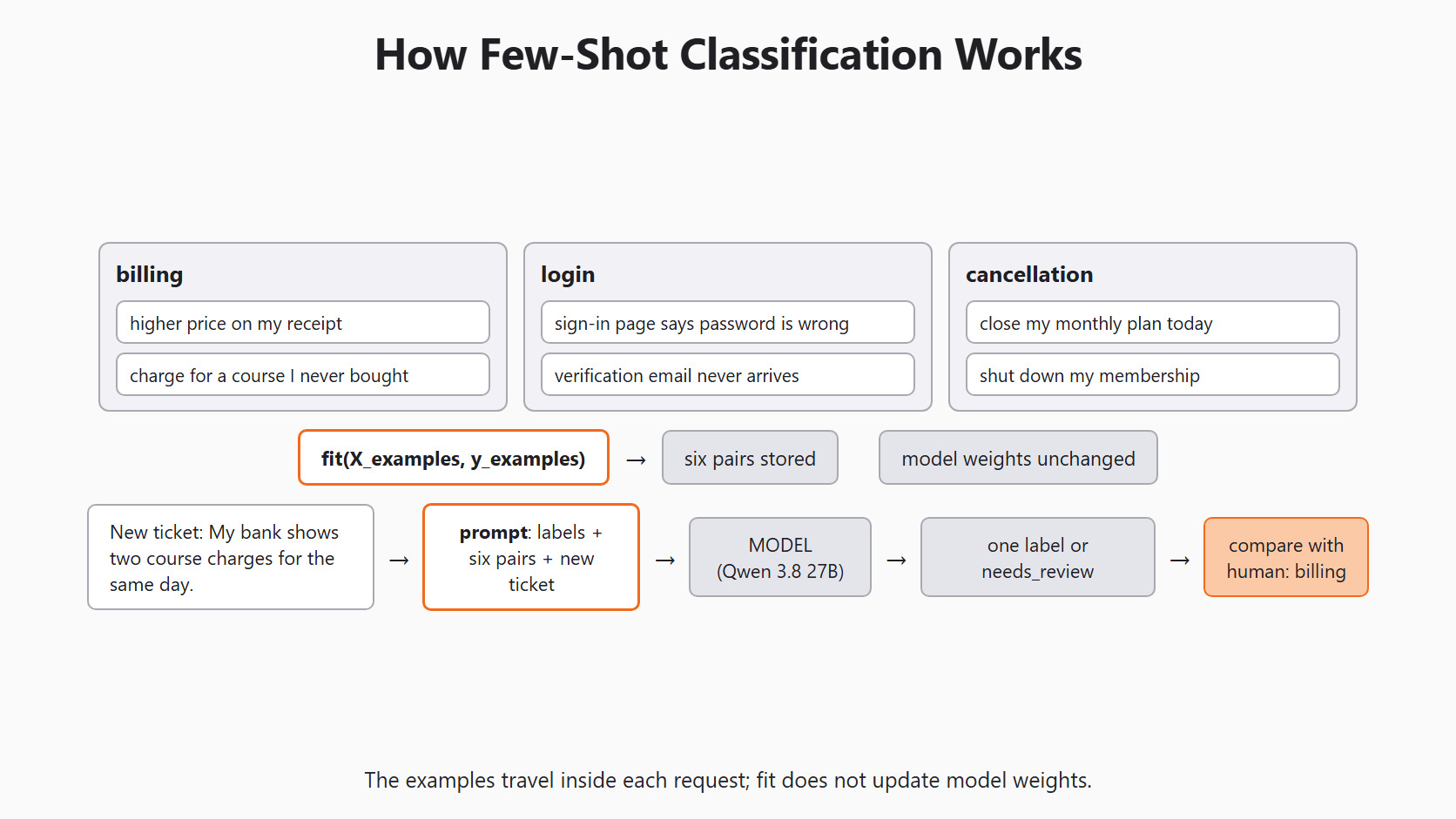
In simple words, the examples travel inside the request. This is also called in-context learning. The model reads the examples with the new ticket, and its stored weights stay as they were. So a different example bank can change the answer, even with the same model.
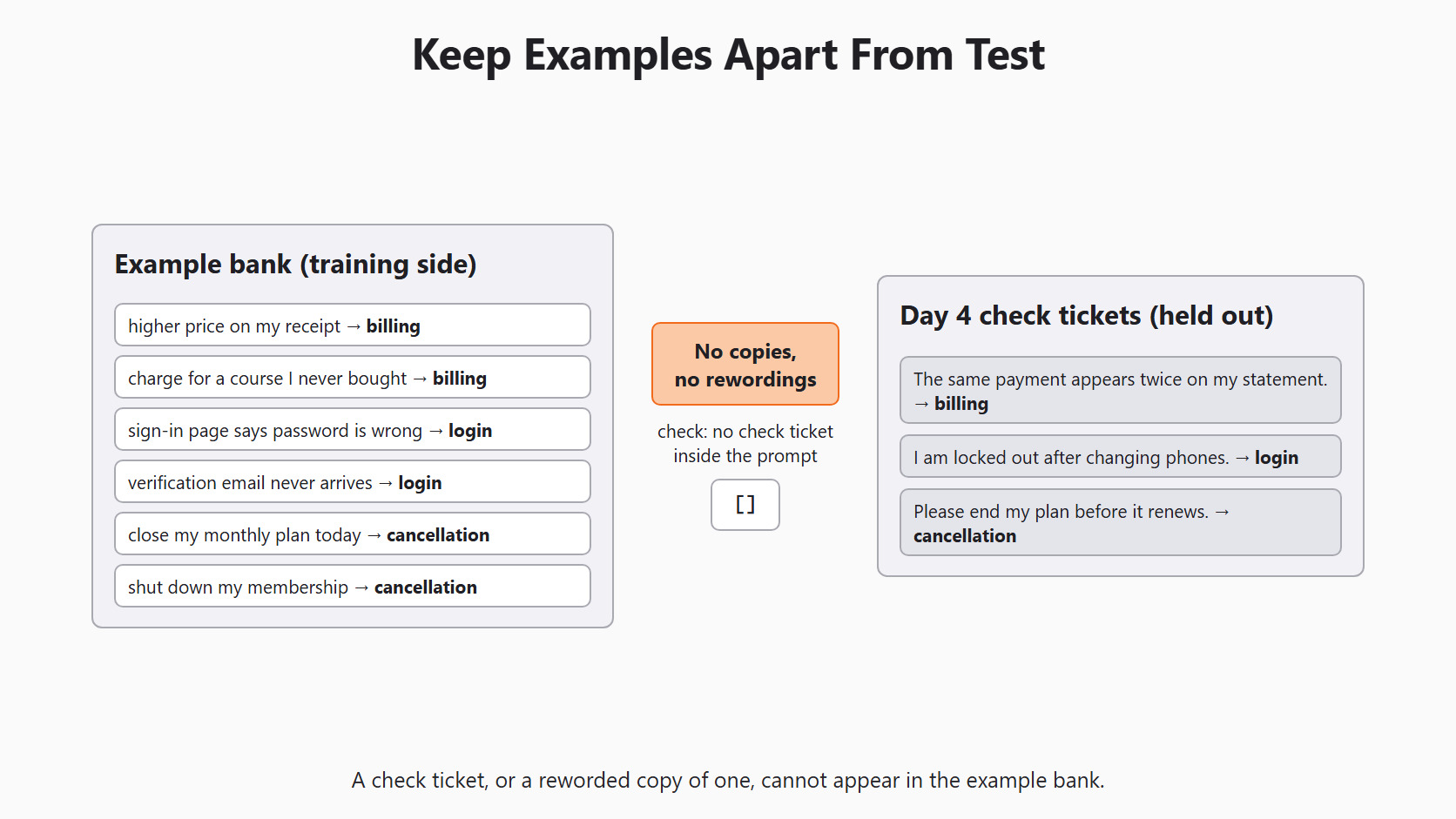
The new ticket is the question, so its answer must never sit in the example bank. The same rule covers every check ticket.
Write a Balanced Example Bank
Why two examples for each label? Because one example shows the basic issue, and a second one in other words shows that the label means more than one keyword. Equal counts also stop the prompt from filling up with mostly billing examples. That balance is a teaching choice, not a rule for every inbox.
Each example text stays paired with its human label at the same list position.
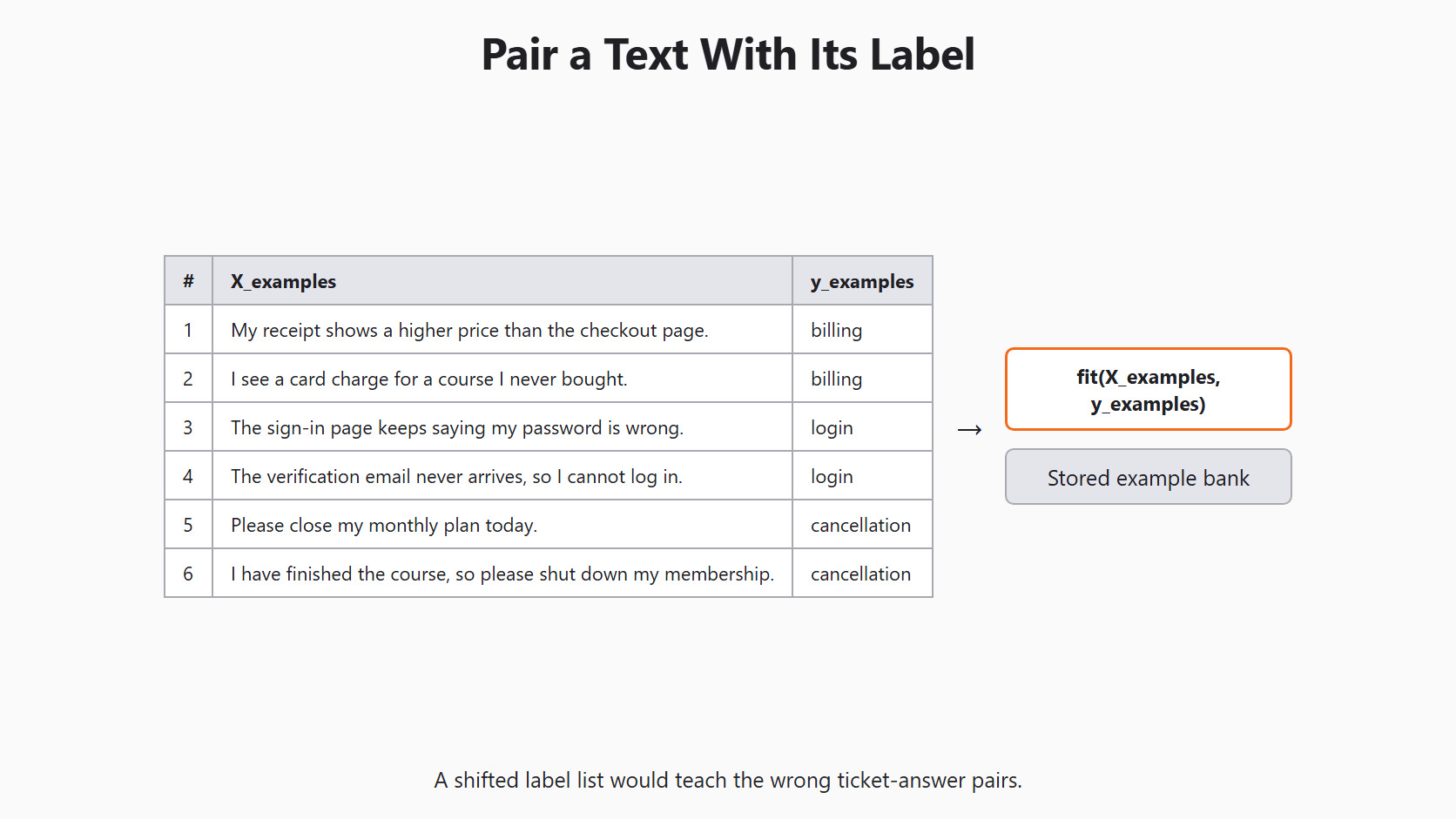
These six synthetic tickets were written fresh for this lesson. None of them repeats or rewords a Day 4 check ticket. Let's see the code as below:
X_examples = [
    "My receipt shows a higher price than the checkout page.",
    "I see a card charge for a course I never bought.",
    "The sign-in page keeps saying my password is wrong.",
    "The verification email never arrives, so I cannot log in.",
    "Please close my monthly plan today.",
    "I have finished the course, so please shut down my membership.",
]
y_examples = [
    "billing", "billing", "login", "login",
    "cancellation", "cancellation",
]
Before asking the model anything, we check the bank with plain Python. The lists must have equal length, no blank text and only our three labels. Then we count each label and print every pair for a person to read:
from collections import Counter

assert len(X_examples) == len(y_examples)
assert all(text.strip() for text in X_examples)
assert set(y_examples) == {"billing", "login", "cancellation"}
print(Counter(y_examples))
for text, label in zip(X_examples, y_examples):
print(label, "|", text)Counter({'billing': 2, 'login': 2, 'cancellation': 2})
billing | My receipt shows a higher price than the checkout page.
billing | I see a card charge for a course I never bought.
login | The sign-in page keeps saying my password is wrong.
login | The verification email never arrives, so I cannot log in.
cancellation | Please close my monthly plan today.
cancellation | I have finished the course, so please shut down my membership.Here, we can see two examples for each label, and each text sits next to its answer. The asserts catch a shifted list or a blank example. Only a person can catch a wrong label on a well-shaped pair, which is why we print every pair.
Setup
The classifier needs the same setup as every Scikit-LLM lesson, and Day 2 explains each line.
import os

from skllm.config import SKLLMConfig

# Default: Qwen 3.8 27B running on our own machine through Ollama
SKLLMConfig.set_gpt_url("http://localhost:11434/v1")
SKLLMConfig.set_gpt_key("ollama")
MODEL = "custom_url::qwen3.8:27b"

# Option: the free Qwen 3.8 27B on OpenRouter (uncomment these lines)
# SKLLMConfig.set_gpt_url("https://openrouter.ai/api/v1")
# SKLLMConfig.set_gpt_key(os.environ["OPENROUTER_API_KEY"])
# MODEL = "custom_url::qwen/qwen3.8-27b:free"
Note
With the local route, the example tickets never leave our machine. With OpenRouter, every request carries all six examples, so real tickets need private details removed first.
Fit the Few-Shot Classifier
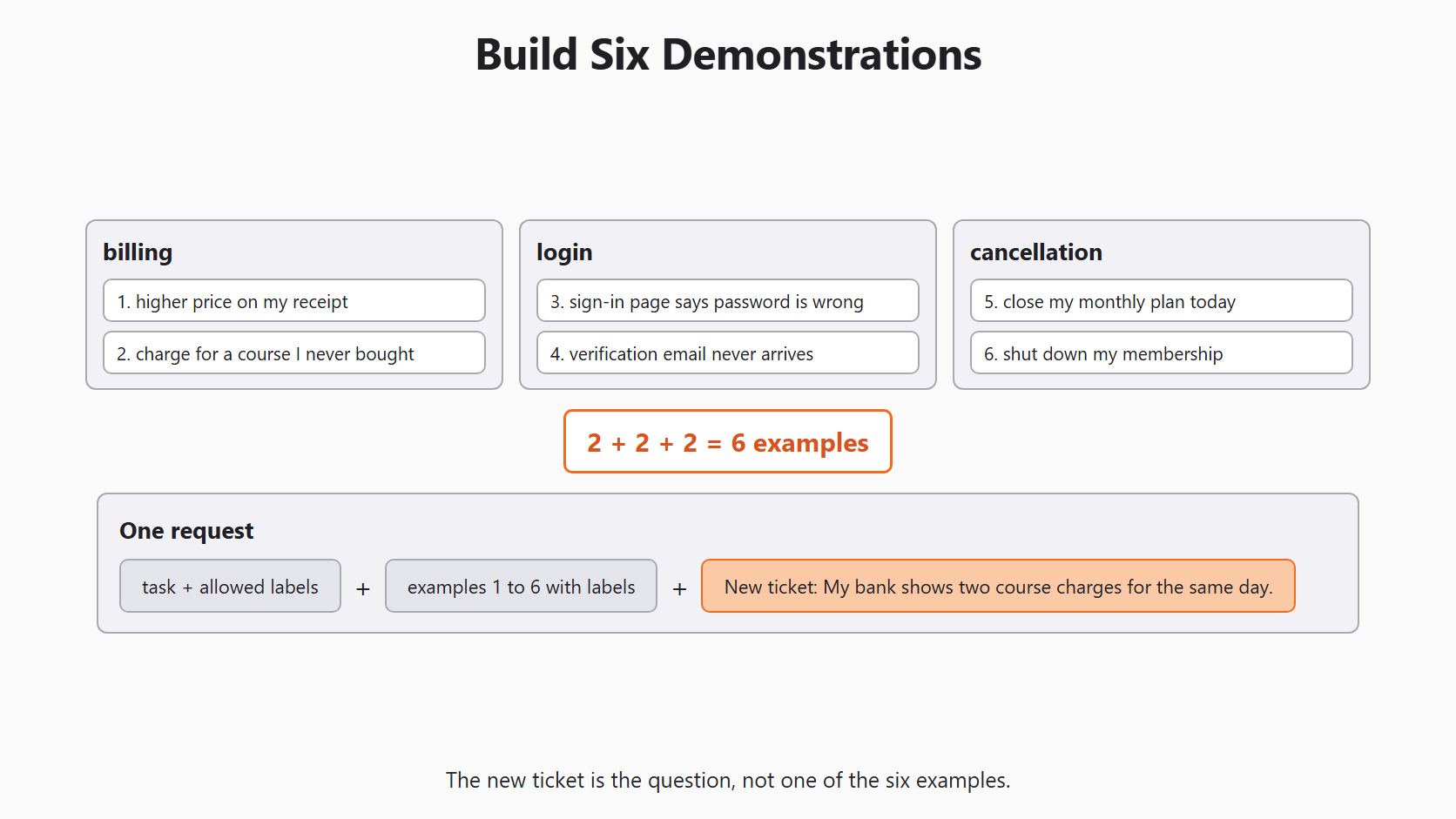
Two examples from each of three labels make six demonstrations. Every request shows all six before the new ticket.
We import FewShotGPTClassifier, which gives one label per ticket. As on Day 3, any reply outside our labels becomes needs_review:
from skllm.models.gpt.classification.few_shot import FewShotGPTClassifier

clf = FewShotGPTClassifier(model=MODEL, default_label="needs_review")
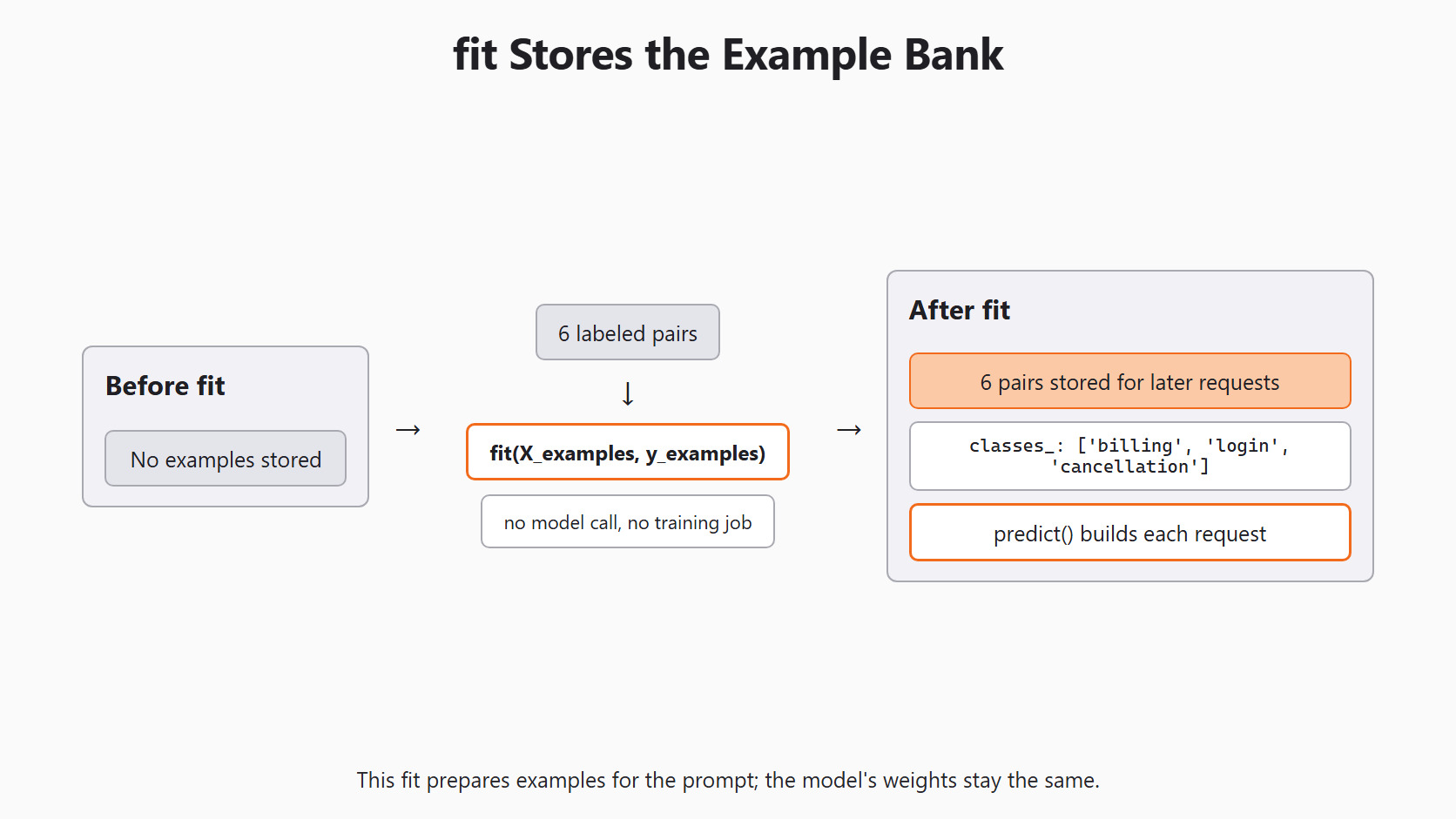
clf.fit(X_examples, y_examples)
print(clf.classes_)['billing', 'login', 'cancellation']Here, we can see that fit() found our three labels from y_examples. It made no model call and started no training job. It only stored the six pairs for later requests.
Read the Prompt Before Sending It
The classifier builds its prompt with _get_prompt(). The leading underscore means it is a private helper, so it may change in a later version. It is still the easiest way to see what the model will read. It runs locally on our computer and sends nothing to the model.
We bring back the three Day 4 check tickets. Then we count the examples in the prompt and look for any check ticket inside it:
new_ticket = ["My bank shows two course charges for the same day."]
X_check = [
    "The same payment appears twice on my statement.",
    "I am locked out after changing phones.",
    "Please end my plan before it renews.",
]
y_check = ["billing", "login", "cancellation"]

prompt = clf._get_prompt(new_ticket[0])["messages"]
print(prompt.count("Sample input:"))
print([text for text in X_check if text in prompt])6
[]Here, we can see six solved examples in the prompt and no copied check ticket. This check only catches exact copies. A reworded copy of a check ticket would pass it, so we still read the bank by hand.
The prompt has three parts: the task with the allowed labels, the six solved pairs, and the new ticket without its answer. The model may notice the wording and order of every example. So we save the bank and its order with every run.
Predict a New Ticket
Now we ask about a ticket that is not in the example bank. We start with one ticket, so we can read the answer before sending more:
prediction = clf.predict(new_ticket)
print(prediction)
This prints a NumPy array with one label. It is always one of billing, login, cancellation or needs_review. Our human answer for this ticket is billing.
The same six pairs go into every request, whatever the new ticket is about.
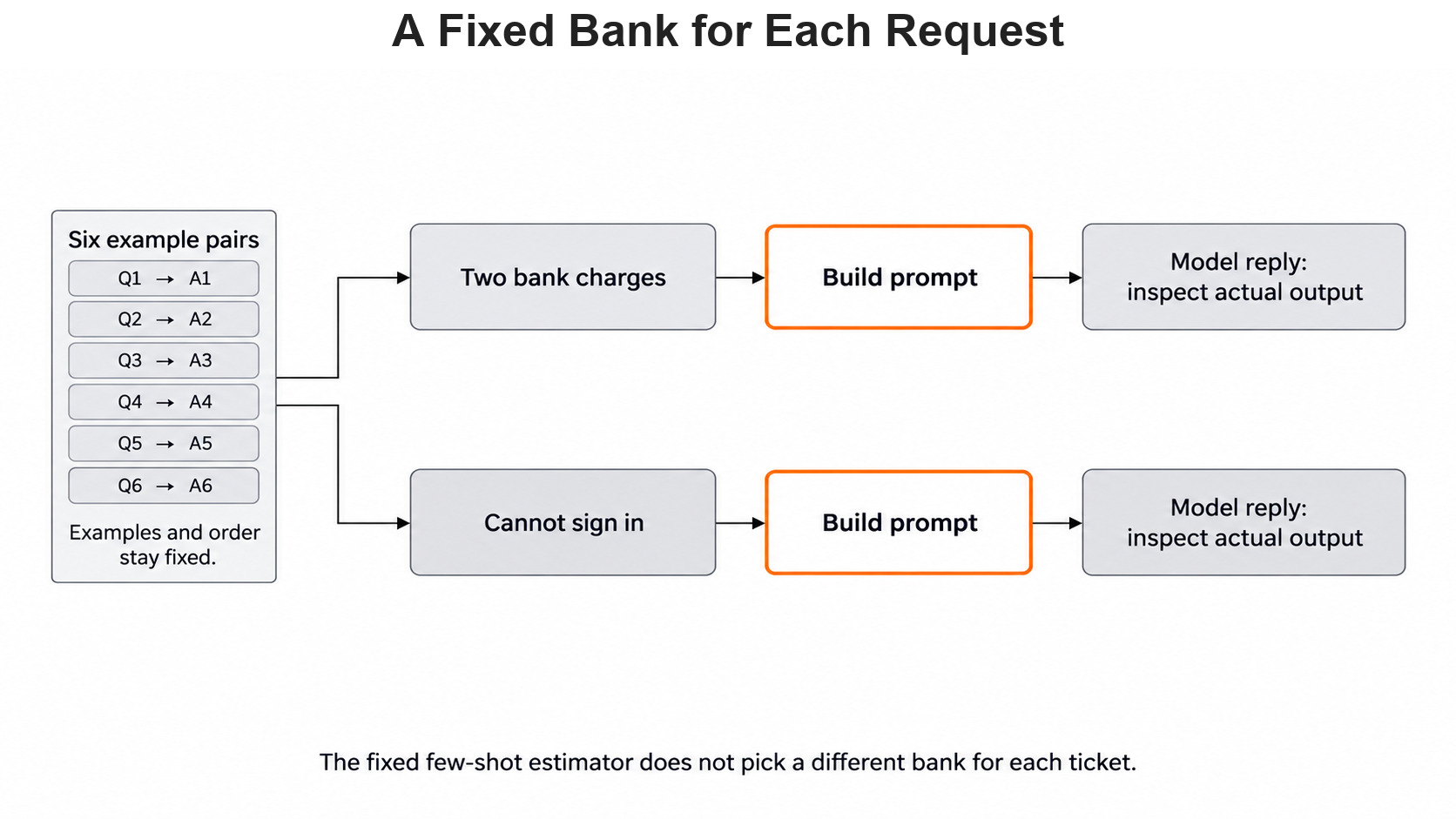
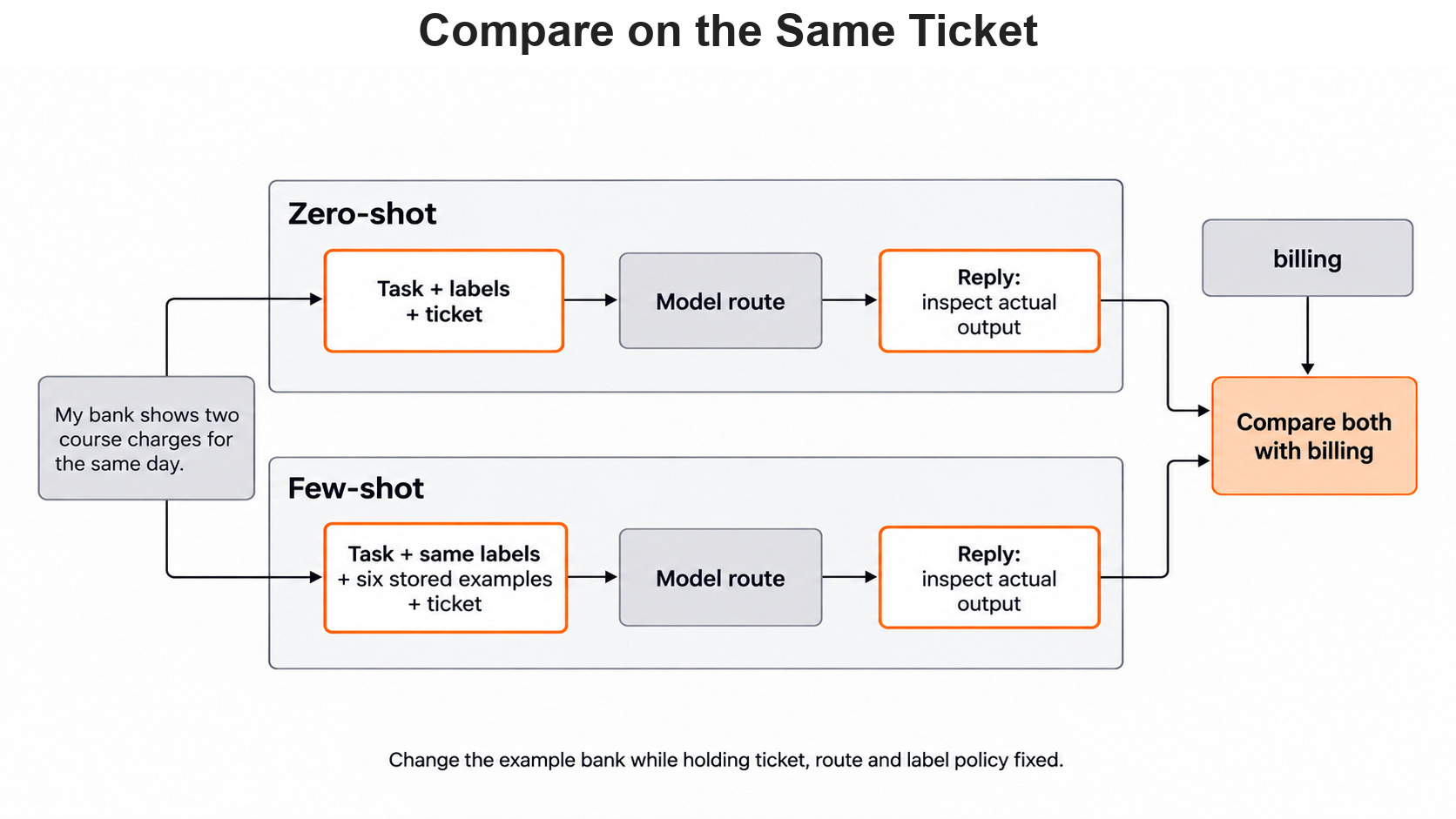
One answer on one single ticket proves very little about the examples. To judge the examples, we must ask zero-shot and few-shot the same ticket.
Compare With Zero-Shot on the Same Tickets
A fair comparison changes one thing only: the example bank. The tickets, the model and the labels stay fixed. So we build Day 3's zero-shot classifier and ask both classifiers the three Day 4 check tickets:
from skllm.models.gpt.classification.zero_shot import ZeroShotGPTClassifier

zero_shot = ZeroShotGPTClassifier(model=MODEL, default_label="needs_review")
zero_shot.fit(None, ["billing", "login", "cancellation"])

zero_pred = zero_shot.predict(X_check)
few_pred = clf.predict(X_check)
for text, human, zero, few in zip(X_check, y_check, zero_pred, few_pred):
    print(text, "| human:", human, "| zero-shot:", zero, "| few-shot:", few)
Each row prints the ticket, the human label and both answers. Every answer is one of the three labels or needs_review. If few-shot fixes one ticket but breaks another, we report both rows. With three designed tickets, one changed answer swings the score a lot. A real decision needs a larger set of independent conversations.
Warning
A check ticket must never enter X_examples, not even in other words. If the model sees the answer in the prompt, the check only tests copying.
Choose Examples That Teach the Boundary
Two examples per label are a starting point, not a guarantee. A good second example describes the issue in a different way. It should not just swap one word, such as "twice" for "two times".
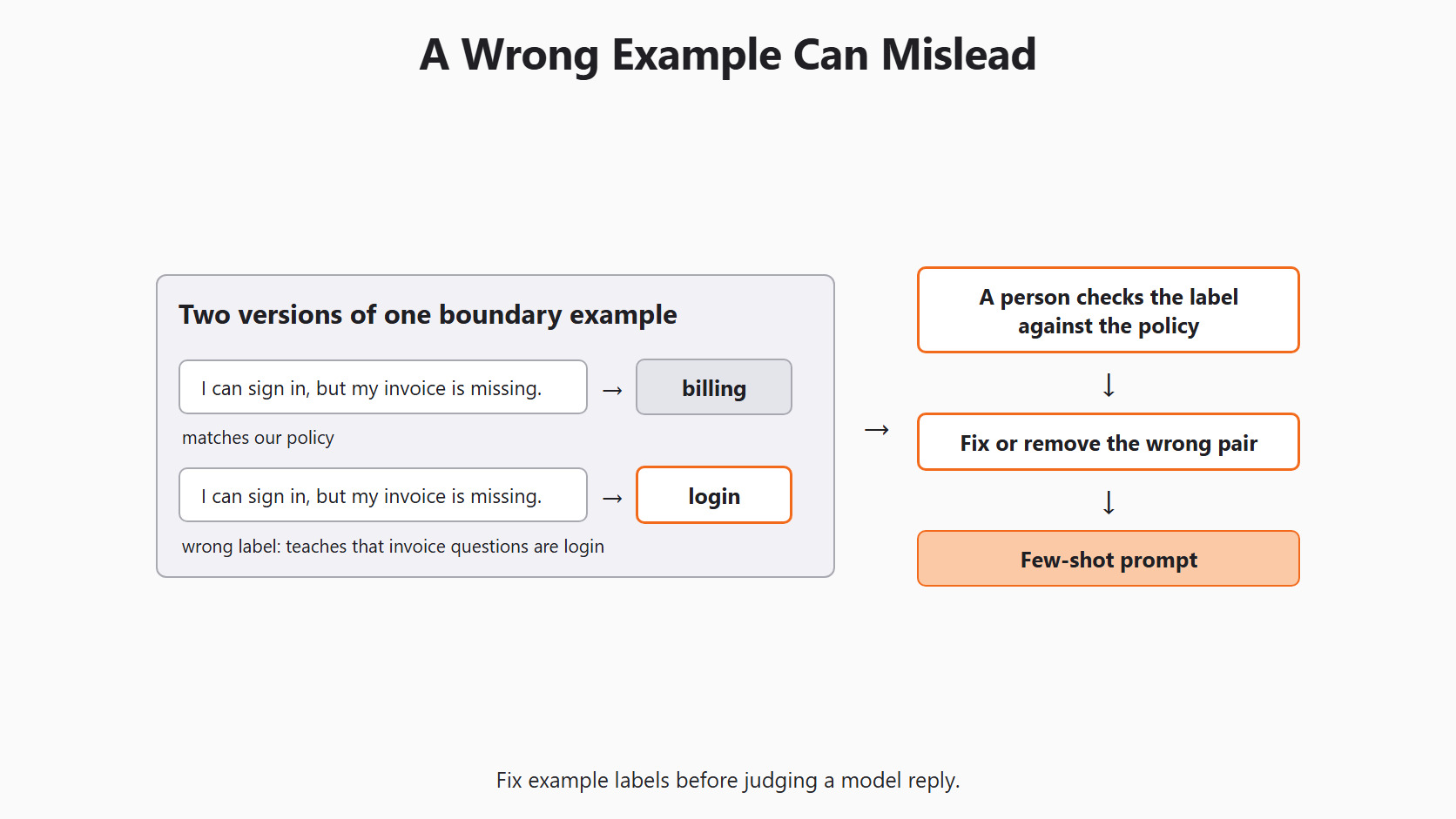
A boundary example shows what a label does not cover. "I can sign in, but my invoice is missing" belongs to billing under our policy, even though it has login words. We add such an example only if development errors show that the model is misled by sign in. A person checks its label first. A wrong example teaches a false rule, as this figure shows.
Let me tabulate three candidate examples for your better understanding:
| Candidate example | Proposed label | Keep or reject |
|---|---|---|
| "My receipt shows the wrong price." | billing |
Keep: clear, short payment case. |
| "I can sign in, but my invoice is missing." | billing |
Keep if needed: shows a misleading login phrase. |
| "Fix my account and my payment." | Unclear | Reject: two tasks, a poor one-label example. |
The third row holds two jobs in one ticket. It is better saved for Day 6, where one ticket can take two labels.
Watch the Size of the Request
FewShotGPTClassifier sends every example it received in fit(). If we give it 60 tickets, it does not pick the six most useful ones. All 60 go into every request.
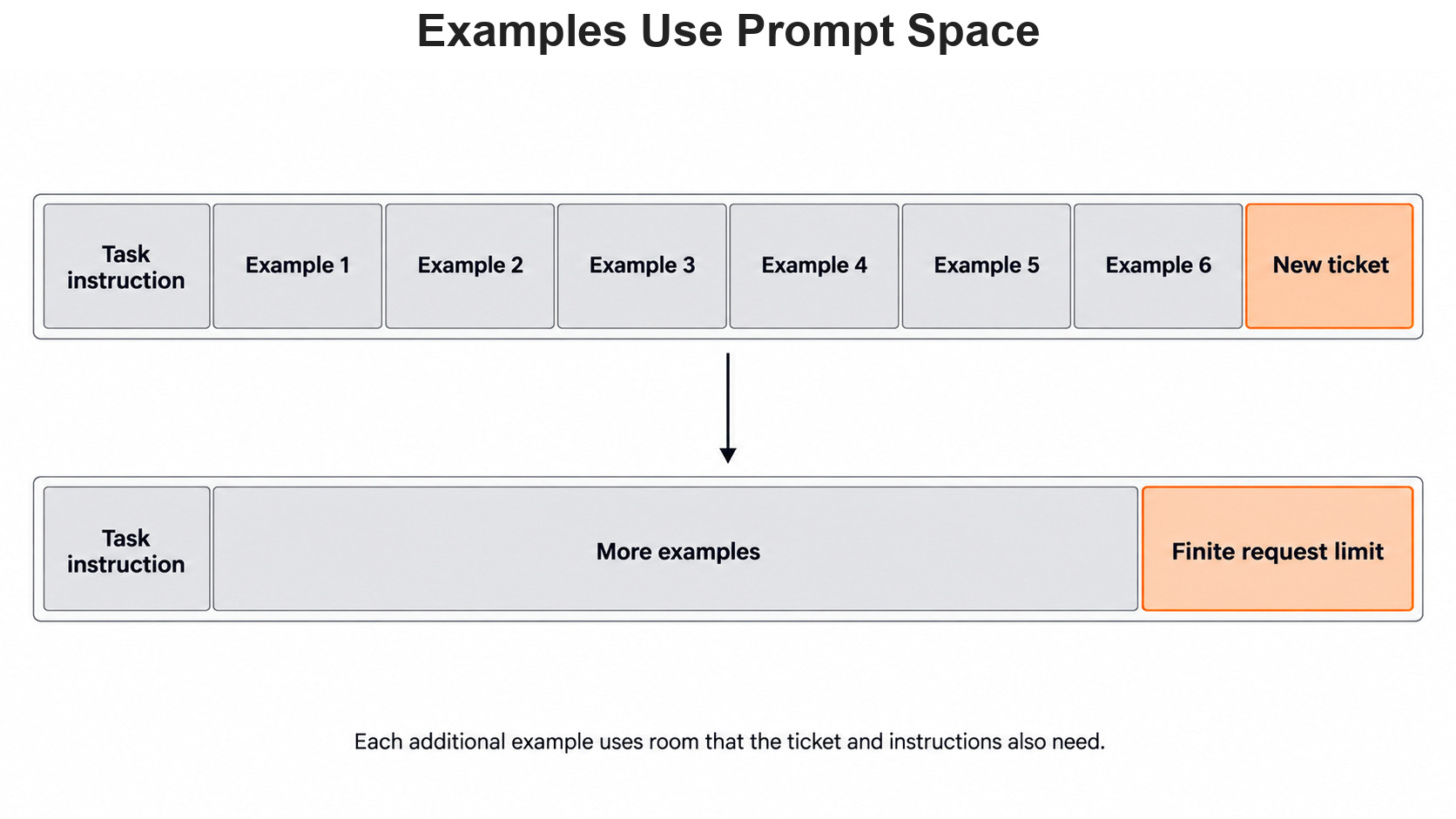
Each example makes every request longer, so each call takes more time on our machine. A model can also read only a limited amount of text in one request. Long student messages also need room inside that same request. The Scikit-LLM few-shot guide advises keeping this set small. Day 9 uses a different class that picks examples for each new ticket.
Save Every Bank Change
The example bank is part of the model setup, just like MODEL. When we change one example, we save the old bank and the new bank. Then we send the same held-out tickets through both versions.
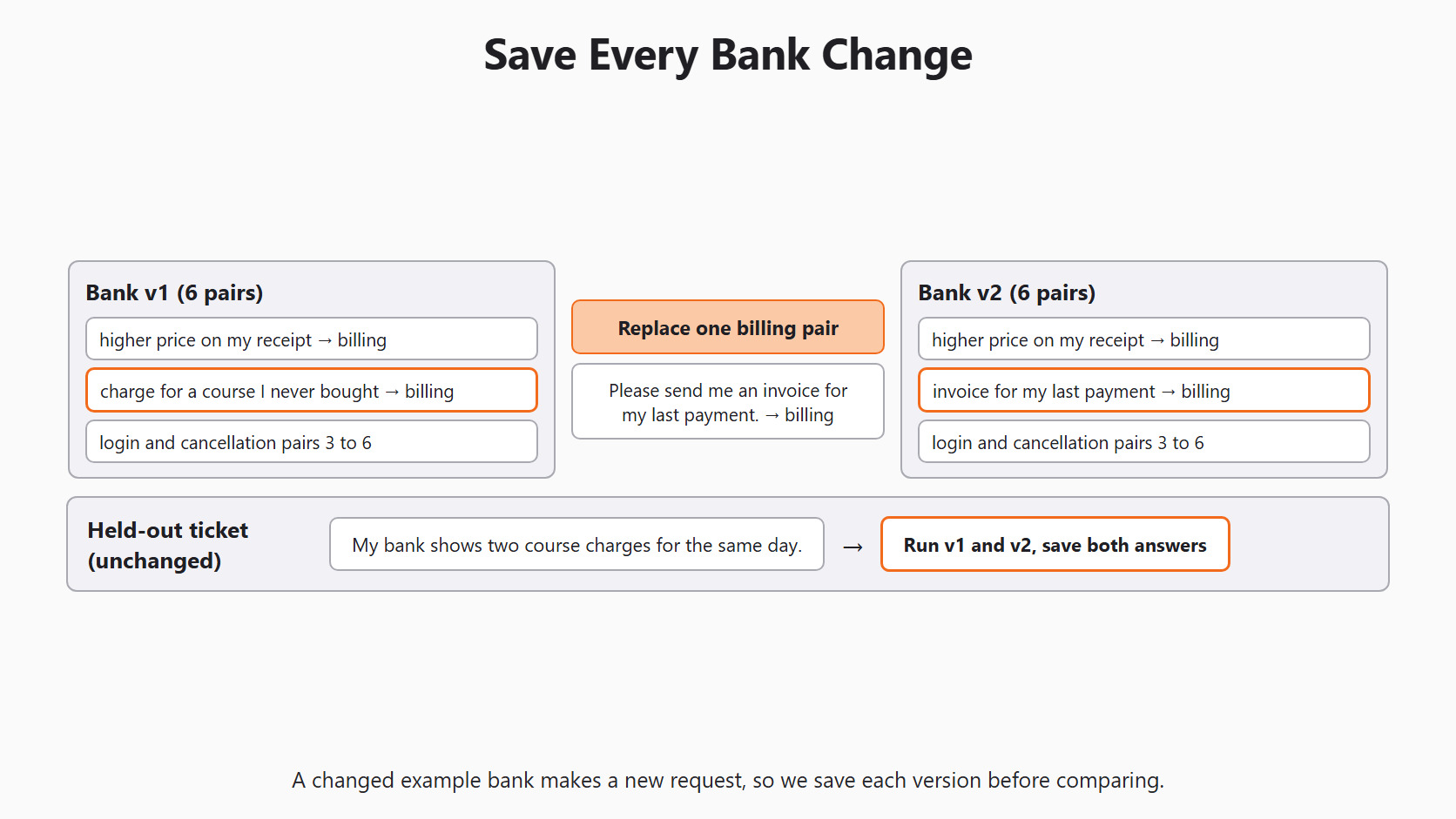
For practice, we can swap out the second billing example. In its place goes an invoice-only ticket: "Please send me an invoice for my last payment." Then we predict the double-charge ticket again. If the answer changes, we ask whether the new example made our policy clearer or made billing too broad.
Conclusion
This is how few-shot classification works in Scikit-LLM. We wrote six labeled tickets that do not overlap Day 4's check set, and we checked their shape with plain Python. fit() only stored the pairs, and the prompt check showed all six examples and no copied check ticket. Then we compared few-shot with zero-shot on the same three tickets.
- Few-shot examples travel inside each request; the model's weights never change.
X_examplesandy_examplesmust stay paired, and a person should read every pair.- A check ticket, or a reworded copy of one, must never enter the example bank.
- Every example goes into every request, so a small, clear bank beats a large one.
Next steps:
- Go back to Day 4: evaluate Scikit-LLM classifiers to count the comparison rows in the four outcome buckets.
- Continue with Day 6: multi-label classification to give one ticket two labels.
- Jump ahead to Day 9: dynamic few-shot to choose examples for each ticket.


